Tag: deliverability

  • What Is Email Validation and Why It Matters

    What Is Email Validation and Why It Matters

    Email validation is a layered quality check that examines syntax, the domain and its MX records, mailbox reachability, and risk signals before you send. In a 2026 quality report, only 73.27% of 3,596,809 verified addresses were deliverable, leaving 26.73% in undeliverable, accept-all, or unknown categories.

    A sales rep can have a polished sequence, a carefully chosen audience, and a clean-looking dashboard, then watch the campaign underperform because the list was never safe to send. Email validation helps identify addresses that are malformed, attached to dead domains, tied to nonexistent mailboxes, or risky enough to exclude before they consume sending capacity and damage sender reputation.

    The distinction matters. Validation is the pre-send quality process. Verification often refers to confirming whether a mailbox can receive mail, although vendors use the terms inconsistently. This guide treats validation as the complete operational discipline, from the first syntax check through mailbox testing and risk scoring.

    The Email List Problem You Probably Already Have

    Monday's campaign goes out on schedule. By lunch, the sending platform reports a healthy delivery attempt, but replies are flat and bounce notifications are accumulating. The first instinct is usually to rewrite the subject line or blame the offer. Often, the more basic problem is list quality.

    Email databases deteriorate for ordinary reasons. A scraped list can contain typos, an old export can retain addresses that already bounced, and a company can change domains or deactivate inboxes without notifying your CRM. Role-based addresses such as sales@ or info@ may accept mail but fail to represent one person who can own a buying conversation. Disposable inboxes can also create contacts that were never intended for sustained communication.

    An infographic detailing three common email list problems: high bounce rates, flat reply rates, and hidden list decay.

    Why the damage stays hidden

    A bad address doesn't always announce itself before launch. A missing character can fail immediately, while a domain may exist even though the specific mailbox has been deleted. An accept-all domain can respond positively to every mailbox query, leaving the validator with uncertainty rather than a confident yes or no.

    That uncertainty affects more than one campaign. Mailbox providers evaluate sending patterns, and repeated attempts to reach undeliverable or risky addresses can weaken the trust surrounding future messages. The email list cleaning process therefore needs to happen before a campaign enters the sending queue, not only after a report shows trouble.

    A practical defense

    Treat every new address like a postal address before handing it to a courier. First, check whether the address is written correctly. Next, confirm that the domain has a mail route. Then test whether the mailbox appears reachable, and finally separate technically usable addresses from those that carry operational risk.

    The rest of the process follows that order. It turns a vague “valid or invalid” label into a decision your sales or marketing team can act on, such as send, suppress, or review.

    How Email Validation Actually Works Step by Step

    An email validator works much like a postal clerk checking an envelope. The clerk looks for a readable address, confirms that the destination has a functioning post office, asks whether someone appears to live there, and notes warning signs that make delivery uncertain.

    The five layers

    1. Syntax parse. The system checks the address structure, including the presence and position of the @ symbol, allowable characters, and other formatting rules. An address with a missing domain or an obvious typo fails here without any server contact.

    2. DNS and MX lookup. The validator checks whether the domain exists and whether its MX records identify mail servers able to receive inbound messages. MX records control mail routing. If they're absent, misconfigured, or unreachable, a message can bounce or be deferred before mailbox-level checks begin, as explained in this technical guide to MX record configuration.

    3. SMTP handshake. The service contacts the receiving mail server and asks whether the specific mailbox can accept mail, without sending the message itself. A server may confirm the mailbox, reject it, or provide an inconclusive response.

    4. Role and disposable detection. The validator compares the address with signals for shared departmental accounts and temporary email domains. These addresses may technically receive mail, but they often need a different policy from a named professional inbox.

    5. Catch-all and risk scoring. Some domains accept mail for any address, so the server cannot reliably distinguish a real mailbox from a nonexistent one. Modern systems combine that result with other signals and return a risk category rather than pretending every result is certain. The syntax, MX, and SMTP sequence describes why each layer catches a different failure class.

    A five-step infographic explaining the process of how email validation works using simple icons and descriptions.

    A syntax pass doesn't prove that a person owns the address. An MX pass doesn't prove that the mailbox exists. An SMTP response can still be deliberately vague, delayed, or blocked. Layering the checks gives an outbound team a more useful answer than a single regex.

    For teams that need to run these checks inside forms, prospecting workflows, or CRM automations, an email validation API can place the decision at the point where an address enters the system.

    Validation vs Verification and Other Easy-to-Mix Terms

    A sales team can authenticate its sending domain perfectly and still work from a damaged contact database. These terms describe different jobs, so treating them as product labels can lead to the wrong workflow.

    Term What It Does When To Use It
    Validation Reviews address structure, domain health, mailbox signals, and risk indicators Before a campaign, sequence, import, or form submission
    Verification Applies a stronger reachability or delivery confirmation, sometimes through an actual message or confirmation workflow When a contact requires higher confidence
    Authentication Uses SPF, DKIM, DMARC, and related controls to show that a sender and domain are authorized Before production sending and during infrastructure setup
    Enrichment Adds details such as job title, company, or industry to an existing record After you have a usable address and need targeting context
    Appending Attempts to add missing contact details through a data provider or matching process When a record lacks an address, subject to permission and compliance rules

    Validation is the wider screening layer around an address. Email address verification can refer to a narrower mailbox-reachability check, or to a workflow that confirms delivery through a message, reply, or form. Vendors use these words inconsistently, so examine which checks a product performs rather than relying on its name.

    Authentication answers, “Is this sender allowed to use this domain?” Controls such as SPF, DKIM, DMARC, and DNSSEC strengthen trust in email infrastructure, as reflected in NIST's guidance on email authentication and DNS security controls. They do not answer, “Is this prospect's mailbox active?” Validation handles that recipient-list question.

    The distinction affects outbound ROI. A marketing team might pass authentication checks while sending to stale, mistyped, disposable, or role-based addresses. The result can be wasted sends and weaker deliverability, even though the sender's identity is configured correctly.

    A practical rule keeps the layers separate: authenticate the sender, validate the recipient data, then use verification when a record needs stronger confirmation. Enrichment and appending come after that decision because extra profile details cannot repair an unusable address.

    The Main Validation Methods and What Each One Catches

    No single method can answer every email-quality question. Each layer has a job, and each has a boundary.

    Method What It Catches What It Misses
    Syntax Missing symbols, malformed structure, spaces, and obvious formatting errors A correctly formatted typo such as a wrong domain
    Domain and MX lookup Domains that don't exist or lack a usable mail route A deleted mailbox on a functioning domain
    SMTP handshake Mailboxes that the receiving server identifies as nonexistent or unavailable Servers that hide mailbox status, reject probes, or time out
    Role-based detection Shared addresses such as info@, support@, or sales@ Whether a legitimate buying committee uses that address productively
    Disposable detection Known temporary email domains and throwaway patterns Newly created or unlisted disposable providers
    Catch-all flagging Domains that accept mail for addresses without confirming individual mailboxes Whether a particular address is real inside that domain
    Risk scoring Combined uncertainty from multiple signals A guarantee that a message will reach the inbox or earn a reply

    What the layers reveal

    Syntax is the cheapest first filter, but it only examines the string. jane@gmial.com may look structurally correct while pointing to the wrong domain. A domain and MX check adds infrastructure context, yet it still can't distinguish every active mailbox from every inactive one.

    SMTP probing gets closer to the recipient. The receiving server may acknowledge the mailbox, reject it, or avoid answering clearly. Greylisting, throttling, and privacy controls can make a real address look uncertain, so unknown isn't automatically invalid.

    Role and disposable checks are policy filters rather than proofs of nonexistence. A shared account can be monitored by a buying team, and a personal-looking address can still be abandoned. Your team should decide whether those categories belong in the campaign, not blindly delete them.

    Catch-all detection is the clearest example of why binary labels fail. If the domain accepts every mailbox query, the validator can confirm the domain but not the individual recipient. A risk score gives operations a way to route that address for review, lower-risk sending, or additional confirmation instead of treating uncertainty as certainty.

    Why Validation Directly Protects Deliverability and ROI

    Email validation matters because legitimate email programs already lose a meaningful share of messages before recipients see them. A 2023 global deliverability benchmark found average inbox placement just below 85%, with roughly 10.5% of permission-based emails filtered into spam and 6.4% missing entirely. A separate 2024 benchmark reported average deliverability of 83.1% across 15 email service providers, meaning about 16.9% of legitimate messages didn't reach the intended inboxes, as documented in the same benchmark reference.

    That context changes the business calculation. If part of your list contains addresses that can never receive the message, your team pays for the send attempt while inflating the negative signals attached to the campaign. The clean contacts then share the consequences of the dirty ones.

    An infographic explaining how email validation improves deliverability, protects ROI, and sets industry benchmarks for bounce rates.

    The operational chain

    A failed address creates more than one bad row in a report:

    • The message fails. The recipient never sees the offer, follow-up, or meeting request.
    • The campaign data becomes noisy. Reply and engagement rates reflect unreachable contacts alongside real prospects.
    • The sender absorbs reputation risk. Repeated delivery failures can make mailbox providers less confident in later mail.
    • The sales team loses productive time. Reps investigate records and follow up through sequences that were never capable of reaching the prospect.

    The 2026 quality report cited earlier makes the scale visible: among 3,596,809 verified addresses, 16.98% were invalid, while 26.73% were categorized as undeliverable, accept-all, or unknown. It also recorded 1.49% role-based addresses, 0.30% disposable addresses, and 0.21% syntax errors, with spam traps identified at 6.67 per million addresses verified. Those categories are not interchangeable, but together they show why syntax-only cleaning leaves important risk unresolved.

    Practical rule: Treat validation as a budget-control step and a reputation-control step. The value isn't limited to removing bounces. It preserves the chance that the valid contacts receive a message from a sender mailbox providers still trust.

    How Sales and Marketing Teams Run Validation in Practice

    A useful validation program fits the moment when an address enters your system. Waiting for a quarterly cleanup leaves too much time for bad data to spread across campaigns, CRM records, and enrichment tools.

    Capture the address at the source

    A real-time API can inspect an address as someone submits a landing-page form, webinar registration, product request, or contact form. The form can reject malformed input immediately, flag disposable domains, or route uncertain results for review. Marketing owns this control because it prevents low-quality records from entering the database in the first place.

    The same principle applies to prospecting. If a finder produces an address, validate it before writing it into the CRM. That keeps discovery and quality control in one workflow instead of making operations clean a growing backlog later.

    Clean before a bulk send

    Sales development teams often receive CSV exports from several sources. Before uploading one to an email platform, the SDR or sales operations owner should run syntax, domain, mailbox, role, disposable, catch-all, and risk checks, then separate send, suppress, and unknown files.

    Don't flatten every result into a single valid or invalid column. Preserve the reason for each decision. A campaign manager may suppress a disposable address automatically but ask a rep to review a catch-all address connected to a strategically important account.

    Recheck records that have gone quiet

    A CRM contact can become stale after a job change, domain migration, or mailbox shutdown. Operations can trigger revalidation when a record has been inactive for a defined internal period, before the contact enters a new sequence, or after the system records a delivery failure.

    A good workflow prevents bad addresses from entering the CRM, then catches the ones that become risky later.

    This lifecycle approach matches current demand for real-time verification APIs and automated list-cleaning workflows, especially as mailbox providers apply tighter filtering and authentication expectations, as discussed in email deliverability trend coverage for 2026.

    Common Pitfalls and Where Validation Stops Working

    Validation is evidence, not a guarantee. A tool can return an uncertain result because the receiving server blocks probes, delays its response, or deliberately avoids revealing whether a mailbox exists.

    Pitfall What Goes Wrong Operational Impact
    Greylisting A server temporarily rejects or delays an unfamiliar probe A real prospect may be labeled unknown or risky
    SMTP timeout The validator cannot complete the conversation in time A reachable mailbox may look unavailable
    Catch-all response The domain accepts every mailbox query A clean-looking result still carries recipient uncertainty
    Overbroad role detection The system flags a shared alias without understanding its business use A legitimate account contact may be removed
    Stale disposable list A new temporary provider isn't yet recognized A risky address can pass the disposable check

    Use categories, not false certainty

    A “valid” result generally means the available signals support sending. It doesn't promise an inbox placement, an open, or a reply. An “invalid” result usually gives you a strong reason to suppress, but teams should still review high-value records when a server behavior could explain the failure.

    The most useful category is often unknown. It tells a rep that the system lacks enough evidence to send confidently. For an important account, confirm the address through a legitimate secondary signal, such as a direct reply or a trusted contact interaction. For a low-priority bulk segment, suppressing unknown records may be the safer operational choice.

    Avoid treating a vendor's accuracy claim as universal. Results depend on the address mix, provider behavior, regional infrastructure, catch-all prevalence, and the checks included in the service. A syntax library can be excellent at formatting and still tell you nothing about mailbox reachability.

    Validation stops working when teams ask it to do the job of permission, authentication, content quality, or human judgment. It can reduce recipient-list risk, but it can't make an unwanted message welcome or guarantee that a real person will respond.

    Your Validation Checklist and Integration Next Steps

    Use this sequence before your next outbound send:

    1. Import the list. Gather contacts from forms, CRM exports, prospecting, and enrichment into a controlled review file.
    2. Run a syntax pre-filter. Remove malformed addresses and obvious spelling errors.
    3. Check the domain and MX records. Confirm that each domain exists and has a functioning mail route.
    4. Run an SMTP probe. Test whether the receiving server indicates that the mailbox exists, while preserving unknown results.
    5. Apply risk filters. Flag role-based, disposable, catch-all, and other high-risk categories according to campaign policy.
    6. Make the send decision. Suppress clear failures, review uncertain records, and send only to addresses that meet your quality threshold.

    A six-step checklist graphic outlining the email validation process from importing contacts to automated CRM integration.

    Turn the checklist into infrastructure

    Add a real-time validation check to every form submission and prospecting capture. Run a recurring bulk job against stale CRM contacts, enforce suppression rules for categories your team won't use, and feed hard-bounce outcomes back into a single source of truth so the same address doesn't return to a future sequence.

    EmailScout can fit into this workflow by finding decision-maker addresses and checking syntax, domain and DNS/MX signals, and SMTP mailbox reachability during discovery or bulk verification. Visit EmailScout to connect address discovery with pre-send list quality control, then use the resulting statuses to decide what enters your CRM and what stays out.

  • What Is Cold Email Marketing and How Does It Work

    What Is Cold Email Marketing and How Does It Work

    You've sent a carefully written cold campaign, checked the subject line twice, and waited for replies that never arrived. Maybe you're a founder who copied the same message into 200 inboxes, or a junior marketer wondering whether the problem is your offer, your list, or the email itself.

    The answer often starts in the wrong place. Cold email marketing is a deliverability-first discipline, not just a copywriting exercise. Strong wording can't help if your messages land in spam, reach the wrong people, or ask prospects to take a step they don't yet trust.

    A Quick Definition and Why It Still Matters

    Cold email marketing is outbound outreach where a business sends an unsolicited but targeted commercial message to a prospect with whom it has no established relationship. The message should fit the recipient's role, company, or likely business problem. Its first purpose is usually to start a relevant conversation, not to close a sale inside one email.

    That distinction matters. A cold email might ask whether a problem is currently a priority, offer a useful observation, or invite a short conversation. It isn't a newsletter sent to subscribers, and it isn't a broad promotional blast sent to every address a marketer can find.

    The channel remains useful because it gives sales teams direct access to professional inboxes, where they can test a focused offer without waiting for search traffic or paid campaigns to mature. It also gives a team a measurable path from audience selection to reply, meeting, and opportunity. That path is only reliable when each stage is designed deliberately.

    The inbox is crowded

    People receive an average of 15 cold emails per week, or about 780 per year, according to large-scale cold email benchmark summaries. That volume explains why a generic introduction disappears quickly. Relevance isn't a nice extra. It helps a recipient decide whether your message deserves attention.

    Cold email performance is also modest on average. Reply rates commonly cluster around 3.43% to 3.7%, while strong campaigns can reach 10% or more, based on the same benchmark coverage. Those figures aren't promises. They're reminders that a campaign can be technically sound and still produce fewer replies than a beginner expects.

    Practical rule: Treat every cold email as an invitation to begin a business conversation. If the message only talks about your company, it probably hasn't earned a reply.

    A useful overview of how this channel fits into a broader outbound motion is this guide to outbound sales. The working playbook has several connected parts: define the right audience, build a trustworthy list, write a relevant offer, sequence follow-ups, protect delivery, follow regional rules, measure replies, and improve the workflow with suitable tools.

    How Cold Email Differs from Spam and Warm Outreach

    The difference between legitimate cold outreach and spam isn't just the number of messages sent. A small campaign can still be spammy if it uses deceptive identity, irrelevant offers, or a purchased list with no regard for the recipients. A larger campaign can remain legitimate when the sender has a defensible audience definition, relevant messaging, accurate identification, and a clear opt-out process.

    A cold email should meet three tests:

    1. The person plausibly fits the ICP. Their role, company, market, or current situation makes the outreach reasonable.
    2. The message offers relevant value. It addresses a problem or opportunity connected to their responsibilities.
    3. The sender respects the recipient. The email identifies who sent it and provides a practical way to stop future messages.

    Warm outreach starts from an existing signal. The recipient might have downloaded a resource, attended an event, accepted a referral, or previously interacted with the company. Cold outreach doesn't have that prior context, so the sender must create relevance through research and restraint.

    Dimension Cold Email Warm Outreach Spam
    Relationship No prior relationship Existing interaction, referral, or expressed interest No meaningful relationship
    Audience Narrowly selected prospects People connected to a known activity Broad or purchased lists
    Message Specific to role, company, or problem Continues an existing conversation Generic promotion
    Identity Clear sender and business purpose Usually familiar sender context Often misleading or concealed
    Recipient control Easy opt-out and respectful follow-up Preference management remains important Opt-outs ignored or difficult
    Intent Start a relevant business conversation Nurture or continue interest Maximize exposure regardless of fit

    The same sending platform and domain can produce very different outcomes at different levels of targeting. Sending to a carefully researched group gives recipients a reason to consider the email. Sending the same copy to an unfiltered database gives mailbox providers and recipients more reasons to distrust it.

    Relevance affects more than replies. It shapes complaint risk, sender reputation, and the amount of manual work required after a campaign launches. Volume is an operating decision. Intent is a quality decision. Confusing the two is how legitimate outreach turns into spam.

    The Five Building Blocks of a Working Campaign

    A campaign doesn't begin with a subject line. It begins with a decision about whom you're contacting and why that person should care. Build the system in the order below, because each stage determines what the next stage can accomplish.

    A five-step infographic showing the essential building blocks for a successful cold email outreach marketing campaign.

    1. Targeting

    Write an Ideal Customer Profile, or ICP, before you draft copy. Define the industry, company characteristics, decision-making role, and trigger that makes outreach timely. A vague audience such as “B2B companies” gives a writer no useful basis for relevance. A sharper audience might be finance leaders at growing software companies that have recently changed billing systems.

    The usual failure is targeting by title alone. A VP of Marketing and a revenue operations manager may work at the same company, but they don't evaluate the same problem. Start with the business situation, then identify the person who can act on it.

    2. List building

    Build a list from company websites, professional networks, and appropriate enrichment tools. Check that each address belongs to the intended person and organization. Remove duplicates, former employees, generic inboxes, and addresses that don't match your audience criteria.

    The common mistake is treating an address as proof of a qualified lead. It isn't. A valid mailbox can still belong to the wrong department, a company outside your market, or a person with no influence over the problem.

    3. Messaging

    Give each email one offer and one reason to respond. Lead with the prospect's context, connect it to a specific business problem, and keep the request easy to answer. Plain text often supports a more direct, personal tone than a heavily designed email.

    Many beginners start with their product's features. Reverse the order. Explain why the prospect's situation matters, then show how your offer could help. The first message doesn't need to explain everything.

    4. Sequencing

    A single email rarely gives a prospect enough context or the right moment to respond. Build a short sequence with follow-ups that add something new, such as a relevant observation, a useful resource, or a simpler question. Don't resend the opener with a different subject line.

    A sequence also needs a stopping rule. If someone opts out, replies negatively, or indicates the wrong contact, remove them from the active campaign. Continuing after a clear signal damages trust.

    5. Deliverability

    Set up authenticated sending infrastructure with SPF, DKIM, and DMARC, warm the sending domain, verify addresses, and increase volume gradually. Healthy operational benchmarks commonly place bounce rate below 2% to 3% and spam complaints below 0.1%, as described in cold email deliverability guidance.

    The most expensive beginner mistake is treating delivery as a technical task completed once. Sender reputation changes with list quality, complaint behavior, authentication, and sending patterns. A campaign can have excellent copy and still fail before a prospect reads it.

    Teams without internal outbound capacity can also consider an SDR for hire when they need help with research, sequencing, and reply handling. The person running the campaign still needs clear ICP and compliance rules, because delegation doesn't remove accountability.

    The following video gives a visual introduction to the campaign workflow. Use it as a supplement, not a replacement for checking your actual sending data.

    Legal and Ethical Rules You Need to Follow

    Cold email rules depend on the recipient's market, the sender's location, the message content, and the relationship between the parties. Don't assume that a campaign lawful in one country is automatically lawful everywhere else. Get qualified legal advice for your circumstances, especially when you contact consumers or handle personal data across borders.

    For US recipients, CAN-SPAM generally centers on truthful sender information, non-deceptive subject lines, a valid physical address, and a working opt-out mechanism. Senders must honor opt-out requests promptly. A practical explanation of these requirements appears in this CAN-SPAM compliance guide.

    GDPR adds a broader data-protection framework for EU recipients. A sender needs a lawful basis for processing personal data, must identify the organization clearly, limit data collection to what is necessary, and make it easy for people to withdraw consent or object where applicable. Legitimate interest can be relevant in some business contexts, but it isn't a blanket permission. Document the reasoning behind the outreach and assess whether the recipient would reasonably expect it.

    UK outreach requires separate attention to PECR and UK GDPR. Coverage of UK cold email rules notes that PECR and UK GDPR apply together, and that UK rules prohibit disguising or concealing sender identity. Regional performance can also differ, with reported 2025 bounce rates of 3.26% in India, 2.86% in Spain, 0.71% in Finland, and 1.05% in Sweden in country-level cold email coverage. These figures don't determine legality, but they reinforce the need to manage geography deliberately.

    Requirement CAN-SPAM, US GDPR, EU UK PECR
    Sender identity Don't use deceptive headers or identity Identify the controller and purpose clearly Don't disguise or conceal sender identity
    Legal basis Commercial email rules and opt-out duties Lawful basis, including carefully assessed legitimate interest where applicable Electronic marketing rules apply alongside UK GDPR
    Subject line Must not mislead Must not mislead recipients Must not mislead recipients
    Opt-out Provide a working opt-out and honor it promptly Make objection or withdrawal clear and accessible Provide appropriate preference and opt-out handling
    Data practice Use accurate information Minimize and protect personal data Apply UK data-protection obligations
    Before sending Confirm sender details and suppression process Record the basis and assess recipient expectations Check whether the recipient type and message are permitted

    Before launching, identify every recipient country, classify the audience as business or consumer, document your lawful basis, confirm your sender identity, test the opt-out process, and maintain a suppression list. Ethical outreach goes further than minimum compliance. It gives recipients a clear reason for the message and stops when they say no.

    Metrics and Benchmarks That Actually Predict Replies

    Open rate looks attractive because it's easy to display. It shouldn't be your north-star metric. Mailbox privacy features, filtering behavior, and tracking limitations make opens noisier than replies, so a campaign can show activity without creating a conversation.

    Independent 2026 benchmarks place average cold email reply rates around 3.43%, with 5% to 10% considered good and 10% or more considered strong performance, according to response-rate benchmark coverage. Another benchmark summary places broad average reply rates around 3.43% to 3.7%, which shows why small changes in audience and execution can make campaign comparisons misleading.

    Track metrics in a practical order:

    • Bounce rate: Use it as a list-health signal. Rising bounces usually point to weak verification, stale data, or poor collection practices.
    • Reply rate: Measure the share of sent emails that receive a response. It shows whether the message reached someone willing to engage.
    • Positive reply rate: Separate interest from automatic replies, objections, referrals, and negative responses. This is closer to message quality than total replies.
    • Meetings or opportunities booked: Judge the campaign by the commercial outcome, not by activity alone. A high reply count can still produce poor pipeline if the audience or offer is wrong.

    Open benchmarks vary substantially. Reported cold email open rates commonly sit between 20% and 40%, with one source citing 27.7% in 2024 and other datasets reporting 40% to 60%, as summarized in cold email statistics research. Use those figures as directional context, not as a reason to celebrate an open rate while replies remain absent.

    When replies fall, inspect delivery before rewriting the copy. Check authentication, bounce rate, spam complaints, list sources, and domain reputation. An analysis of 2025 email data reported a 1.71% bounce rate across 7.5 million emails, while other coverage places average open rates around 23.9% to 27.7% and describes SPF, DKIM, and DMARC as effectively mandatory for modern sending conditions. The point is diagnostic: a low open rate may indicate a delivery problem before it indicates a writing problem.

    Real Examples and Mini Templates You Can Steal

    Consider a B2B software company contacting operations leaders at companies that recently added a new customer-support channel. The sender has a specific observation, a relevant offer, and no reason to demand a full sales call immediately.

    A simple three-touch sequence could look like this:

    Touch one

    Subject: Support handoffs at Acme

    Hi Jordan,

    I noticed Acme is now supporting customers across chat and email. Teams often lose useful context when those conversations move between systems.

    We help operations teams keep the handoff history attached to each customer record, without asking agents to change their workflow.

    Would it be useful if I sent a short example of how that works?

    Best,
    Sam

    Touch two

    Hi Jordan,

    One detail I should have included. The workflow is designed for teams that already have a help desk and need cleaner context between channels, not for companies replacing their support platform.

    Should I send the example?

    Best,
    Sam

    Touch three

    Hi Jordan,

    I'll close the loop here. If customer context across chat and email isn't a current priority, no problem. If someone else owns it, I'd appreciate a pointer.

    Best,
    Sam

    Keep each email concise, use one ask, and avoid turning the first message into a product brochure. A plain-text note also makes it easier to see whether the message sounds like a person wrote it for one recipient.

    Use these fill-in structures:

    • Subject line: [specific context] at [company]
    • Opener: “I noticed [observable company or role context], which often creates [relevant problem].”
    • Value line: “We help [specific audience] [desired outcome] without [common trade-off].”
    • CTA: “Would it be useful if I sent [small, relevant resource]?”
    • Breakup: “I'll close the loop. If [problem] isn't a priority, no need to respond. If someone else owns it, a pointer would help.”

    The subject line earns attention, but the opener earns continued reading. The value line clarifies relevance, while the CTA reduces the effort required to answer. The breakup message protects the relationship and gives the prospect a clean way to redirect or decline.

    Common Mistakes and How to Diagnose Low Replies

    Low replies don't automatically mean your subject line failed. Diagnose the campaign in the same order a recipient experiences it, beginning with whether the message reached a usable inbox.

    A diagnostic infographic illustrating common reasons for low email reply rates in cold email marketing campaigns.

    Symptom Likely cause First fix
    Opens are unusually low Authentication, reputation, filtering, or poor list quality Check SPF, DKIM, DMARC, bounces, complaints, and inbox placement
    Opens appear healthy but replies are scarce Weak ICP fit, generic offer, or unclear relevance Rework the audience and connect the message to a specific problem
    Replies arrive but meetings don't High-friction CTA or poor handoff Ask a simpler question and make scheduling easy after interest appears
    Bounces keep rising Unverified or stale addresses Pause the campaign and clean the list
    Recipients object or complain Excessive volume, weak relevance, or unclear identity Narrow the audience, improve identification, and honor suppression requests
    Prospects say “not me” Role mapping is incomplete Ask for the correct owner and update the record

    A rented or scraped list often creates the wrong starting point. Even accurate addresses won't help if recipients have no plausible connection to your offer. The opposite mistake is sending six identical follow-ups. Repetition doesn't create relevance, and it can increase complaints.

    Watch reply intent carefully. An out-of-office message can reveal timing. “Not the right person” can reveal your account map. A polite no can identify a positioning problem. Treat these responses as campaign data, not as dead ends.

    Your triage flow should stay simple:

    1. Replies are low and opens are low: investigate deliverability first.
    2. Opens are healthy but replies are low: review ICP fit, context, and the offer.
    3. Replies are positive but meetings are low: reduce CTA friction and improve the calendar handoff.
    4. Bounces or complaints rise: stop sending, clean the list, and protect the domain.

    How Tools Like EmailScout Streamline the Workflow

    An email finder belongs near the beginning of the campaign, not after the copy is finished. The tool's job is to help turn a target-account list into contact records that can be reviewed, segmented, and verified before they enter a sequencer.

    With EmailScout's business email finder, a marketer can discover addresses while browsing relevant company pages and export results for further list work. Domain search and name-plus-company lookup support different research situations. A domain search can help map contacts at a target account, while a name-plus-company lookup can help investigate a specific decision-maker.

    The workflow still needs human review. Check whether the contact fits the ICP, compare the result against your CRM, remove duplicates, and flag uncertain or catch-all addresses before sending. Confidence indicators can guide review, but they don't replace judgment about role, company status, or legal basis.

    A practical operating routine

    • Segment by ICP: Keep industries, roles, and triggers in separate groups so each sequence can stay specific.
    • Deduplicate against the CRM: Avoid sending a cold message to an existing customer, active opportunity, or suppressed contact.
    • Tag by role: Give writers the context needed to change the problem statement for finance, marketing, operations, or sales recipients.
    • Export deliberately: Move reviewed contacts into the sending platform through a controlled CSV workflow rather than manual copy-paste.
    • Verify before launch: Remove addresses that could create avoidable bounces or reputation damage.

    Don't judge a tool by how many addresses it can reveal. Judge the workflow around it. A fast discovery step has little value if the team skips verification, segmentation, suppression checks, or message customization.

    This week, define one ICP, build a small sample of target contacts, review and verify each record, write one focused sequence, and launch cautiously from authenticated mailboxes. Keep a written record of replies, objections, bounces, and opt-outs so the next campaign improves the system rather than just changing the subject line.


    EmailScout helps marketers and sales teams discover work email addresses from websites, save contacts while researching, and export reviewed results for outreach workflows. Visit EmailScout to explore how its email-finding and list-building features can support a more targeted, deliverability-conscious cold email process.

  • Hunter Email Verifier Guide: hunter email verifier essentials

    Hunter Email Verifier Guide: hunter email verifier essentials

    Before we get into a tool like the Hunter Email Verifier, we need to talk about why this is a step you absolutely can't skip. Your email list is the foundation of your entire outreach strategy. If that foundation is weak, everything you build on it will eventually come crashing down.

    Email verification is how you make sure that foundation is rock-solid.

    Why Email Verification Is Your Secret Weapon

    Sending emails out to a bad list isn't just a waste of your time—it actively hurts your business. Every single time you send a message to a dead email address, it "bounces." That isn't just a failed delivery; it's a strike against you in the eyes of email providers like Gmail and Outlook.

    Think of it like this: if you keep sending mail to addresses that don't exist, the post office is going to start seeing you as a problem. Pretty soon, they'll treat all your mail with suspicion. In the digital world, that suspicion tanks your sender reputation.

    The High Cost of a Low Sender Score

    Your sender reputation is basically a credit score for your email address. ISPs (Internet Service Providers) use it to decide if you're trustworthy. A high score gets you a ticket to the main inbox. A low score, on the other hand, comes with some serious penalties.

    • Poor Deliverability: Your emails get routed straight to the spam folder, where they’re as good as invisible.
    • Account Suspension: If things get bad enough, your email provider might just suspend or even shut down your account for spammy behavior.
    • Wasted Resources: Every email sent to a bad address is a complete waste—from the time you spent writing it to the money you pay for your email tools.

    A high bounce rate is the fastest way to destroy your sender reputation. Keeping your bounce rate under 2% isn't just a suggestion; it's a hard-and-fast rule for anyone serious about email outreach.

    Protecting Your Digital Identity

    Using an email verifier is your first line of defense. Before you even think about hitting "send," the tool scans every address on your list. It checks that the format is correct and, more importantly, it pings the mail server to confirm a real mailbox exists and is ready to receive your email.

    This simple cleaning process directly impacts your campaign's bottom line. By weeding out the bad and risky addresses, you make sure your messages actually land in front of real people. It’s a core part of any real email strategy, and to get the most out of it, you should follow established email deliverability best practices.

    At the end of the day, a clean list means higher open rates, better engagement, and a much stronger ROI. For a full breakdown of the process, you can learn more about how to verify emails in our guide. This makes tools like the Hunter Email Verifier less of an expense and more of an essential investment in your success.

    How the Hunter Email Verifier Works

    So, how does the Hunter Email Verifier actually figure out if an email is good to go? Think of it this way: before you send an important package, you double-check the address to make sure it gets there. Hunter’s verification process is like a series of rapid quality checks, all designed to give you that same confidence.

    The entire system is built to give you a clear answer without ever sending a real email—a crucial step for protecting your sender reputation. It runs through several automated checks in just seconds, performing far faster and more accurately than you ever could manually.

    A Multi-Layered Verification Process

    The tool doesn't just run a single test. Instead, it uses a sequence of checks to determine an email's status, weeding out bad addresses at each stage. This multi-layered approach is what makes the final result so reliable.

    This tiered system includes a few key steps:

    • Syntax & Formatting Check: First, it makes sure the email follows the basic rules, like having an "@" symbol and a proper domain. This is a quick way to catch obvious typos.
    • Domain & MX Record Check: Next, it confirms the domain (the part after the "@") is real and has a valid Mail Exchanger (MX) record. This is like checking if the destination city and its post office actually exist.
    • SMTP Handshake: The final step is a SMTP handshake. This involves a direct, real-time conversation with the recipient's mail server to ask if a specific mailbox exists and can receive mail, all without sending a full email.

    This is all about starting with a clean list, which leads directly to better delivery rates and a protected sender reputation.

    A three-step diagram illustrating email quality optimization: clean list, high delivery, and good reputation.

    As you can see, verified emails are the foundation for any successful outreach campaign. This has become absolutely vital as more and more businesses lean on email marketing.

    The demand for tools like a hunter email verifier is exploding. The market jumped from $0.71 billion in 2025 to a projected $0.79 billion in 2026, largely because we’re all trying to manage the 376.4 billion emails sent every single day.

    Understanding the Verification Results

    After running its checks, Hunter gives you a clear status for each email. Knowing what these mean is essential for building a clean and effective outreach list.

    Valid: This email passed every check and is safe to send. These addresses give you the lowest chance of bouncing.

    Invalid: The email failed one of the core checks. It either doesn't exist or can't receive mail. You should always remove these from your lists to avoid damaging your sender score.

    Risky: This status is often applied to "accept-all" or "catch-all" domains. These servers are set up to accept mail for any address at their domain, which makes it impossible to confirm if a specific user actually exists. Sending to these emails requires a bit more caution.

    Understanding the mechanics of how verification works is the first step. For a much deeper look, check out our complete guide on email address verification.

    How to Use Hunter's Results for Maximum Impact

    Bearded man typing on computer, screen shows 'ACT ON RESULTS' dashboard with charts.

    Running your list through the Hunter Email Verifier is the easy part. The real skill is knowing what to do with the results it spits back at you. Just glancing at the dashboard isn't enough—you need a clear plan to turn that data into better deliverability and a healthier sender score.

    Think of it like sorting a big pile of mail. You've got a stack for guaranteed delivery, a stack for the shredder, and a tricky pile that needs a second look. Each status Hunter provides falls into one of these categories, and handling them the right way is what separates a rookie mistake from a professional campaign.

    Segmenting Based on Verification Status

    Your first move is to split your email list based on the three main results: Valid, Invalid, and Risky. Each group demands a completely different approach to protect your sender reputation and get the most out of your efforts.

    Here's a simple, systematic way to handle it:

    • Valid: These are your green lights. They've passed all of Hunter's checks and are safe to send. Move these contacts straight into your main outreach campaign without a second thought.

    • Invalid: These emails are a direct threat to your reputation. They are confirmed to be nonexistent or unable to receive mail. You must delete these from your CRM and email lists immediately. No second chances.

    Sending messages to even a small number of invalid addresses can flag your domain as spammy and land you on a blacklist. The rule is simple: if Hunter says it's invalid, it's gone for good.

    This strict sorting ensures your campaigns only go to high-quality addresses, which will drastically cut your bounce rate. But the real strategy comes into play with that third, tricky group.

    Handling Risky and Accept-All Emails

    The "Risky" or "Accept-All" status is where most people get tripped up. These results often come from corporate servers set up to accept mail for any address at their domain, making it impossible for a verifier to confirm if a specific person's inbox actually exists. It’s a defense mechanism on their end.

    You shouldn't automatically delete these contacts, but you can't treat them like "Valid" ones, either. Sending to a large batch of risky addresses can still lead to a high bounce rate if many of the specific mailboxes don't exist.

    Here's the smart way to manage this segment:

    1. Isolate Them: Create a totally separate list for all "Risky" and "Accept-All" emails. Never, ever mix them with your "Valid" contacts.
    2. Send a Small Test Batch: Before launching a full campaign, send your email to a small sample of this list—think 50-100 contacts. Then, watch the bounce rate like a hawk.
    3. Evaluate and Proceed with Caution: If your test batch comes back with a bounce rate under 3-4%, you can consider carefully sending to the rest. A wiser move is to put this group on a slower, lower-risk outreach cadence to avoid any sudden red flags for email providers.

    By treating each verification status with a specific game plan, you’re no longer just cleaning data. You’re making strategic decisions that directly boost your campaign's performance and protect your most critical asset: your sender reputation.

    Hunter Verification Status and Recommended Actions

    To make it even clearer, here’s a quick guide on how to act on each verification status from Hunter. Following these steps will help you maximize deliverability while keeping your sender score safe.

    Verification Status What It Means Recommended Action for Your Campaign
    Valid The email address has passed all checks. The server has confirmed the mailbox exists and is ready to receive emails. Send immediately. These are your highest-quality contacts. Add them to your primary outreach sequences.
    Invalid The email address does not exist, the domain is incorrect, or the mail server has permanently rejected it. Delete immediately. Remove this contact from all lists and your CRM to avoid damaging your sender reputation.
    Accept-all The server is configured to accept emails for any address at that domain, making it impossible to confirm if the specific mailbox exists. Also known as a "catch-all." Isolate and test. Send to a small sample first. If the bounce rate is low, proceed cautiously with a separate campaign.
    Risky The email address is likely to bounce. This could be due to a full inbox, a temporary server issue, or it being a low-quality or disposable address. Isolate and consider a low-priority send. Treat these similarly to "Accept-all" but with even more caution.
    Unknown The server is not responding or providing a clear status, so Hunter cannot determine if the email is valid or invalid. Exclude for now. It's safest to set these aside. You can try re-verifying them after a few weeks to see if the status changes.

    Ultimately, acting on this data isn’t just about avoiding bounces. It's about building a sustainable and effective outreach process that respects both your prospects and the email providers that deliver your messages.

    Practical Use Cases for the Hunter Email Verifier

    A person holds a tablet showing 'Practical Uses' with icons for data, search, and global scope.

    Alright, let's move beyond the technical "how" and into the practical "why." The real magic of the Hunter Email Verifier isn't just cleaning a list—it's about how it slots into your daily work to protect your sender reputation, save money, and open up new opportunities.

    Think of it as a strategic move. For sales teams, a CRM can quickly become a graveyard of old contacts. People switch jobs, and companies close down. Running your entire CRM through a bulk verification can breathe new life into old leads, clear out the deadwood, and make sure your database is a tool you can actually trust.

    Improving Cold Outreach Campaigns

    For anyone in marketing, your email list is everything. Launching a big cold email campaign without verifying your list first is like setting sail in a leaky boat. It’s just not a good idea.

    Let's say you've just used a tool like EmailScout to pull together a great list of prospects. Before you hit "send," loading that list into Hunter for a quick check is the smartest thing you can do. This simple pre-flight check does two massive things for you:

    • Maximizes Deliverability: You get peace of mind knowing your emails will actually land in people's inboxes from the get-go.
    • Protects Sender Score: You avoid the high bounce rates that get your domain flagged as spam, which keeps your future campaigns safe.

    An email verifier like Hunter is a powerful way to sharpen your lead generation. To make sure your outreach hits the mark, it’s smart to pair it with other great systems. You can explore some of the best sales lead generation tools to build out a complete, effective tech stack.

    This two-step "Find, then Verify" workflow is a cornerstone of modern prospecting. You generate leads at scale with one tool and then ensure their quality with a dedicated verifier like Hunter, optimizing both cost and effectiveness.

    Automating Data Hygiene and Security

    But it’s not just for sales and marketing. Developers and ops teams can tap into Hunter’s API to build verification right into their systems. A great example is adding it to a website's sign-up form. This allows you to block fake or temporary email addresses in real-time, keeping your user database clean from the start.

    Imagine a business development rep who needs to stay on top of their partner contacts. They can run periodic checks on their list. If an email comes back as "Invalid," that’s a huge clue that the person has probably left the company. This gives the rep a reason to find the new contact and keep their professional network from going stale. It’s all about proactive data management.

    Choosing the Right Verification Tool for You

    While a popular tool like the Hunter Email Verifier is a fantastic choice for many, picking the right service isn't a one-size-fits-all deal. The best tool for you comes down to your specific workflow, your budget, and the sheer scale of your outreach. It’s about looking past the big names and digging into a few key details that matter to your business.

    When you're comparing services, you need to have a clear scorecard. The most important things to look at are accuracy rates, how well it integrates with other tools, verification speed, and the pricing structure. Does the tool actually guarantee its accuracy? Can it plug right into your CRM? How fast can it chew through a list of 10,000 emails? These aren't just details—they're fundamental.

    Key Evaluation Criteria for Any Verifier

    Before you pull out your credit card, make sure any provider gives you straight answers on these core features. A good service will be upfront about what it can and can't do.

    • Guaranteed Accuracy: Look for tools that explicitly promise 95% or higher accuracy on their "Valid" and "Invalid" results. This is critical. You need to be able to trust the data you're paying for.
    • Integration Options: A verifier that seamlessly connects to the tools you already use (like Salesforce, HubSpot, or your outreach platform) will save you countless hours of exporting and importing spreadsheets.
    • Bulk Verification Speed: If you work with big lists, you need a service that can process tens of thousands of emails in minutes, not hours. Your workflow can't just grind to a halt.
    • Pricing Model: Pay close attention to how you're charged. Is it a monthly subscription with a fixed number of credits, or do you pay as you go? Do the math to figure out the real cost per verification.

    This industry is booming, which tells you just how much businesses need clean data. The global market for these tools, where the Hunter Email Verifier is a major player, is expected to hit $1.28 billion in 2026 and jump to $2.46 billion by 2035. You can find more details on this competitive space over at Business Research Insights.

    The Modern Outreach Workflow: Find, Then Verify

    For many of the sharpest sales and marketing teams I know, the most effective strategy isn't about finding one single tool that does everything. It's about building a powerful, two-step workflow using specialized tools for what they do best. I call it the "Find, then Verify" model.

    This modern approach separates the task of finding leads from the task of cleaning your list. You use one tool to find potential customers at scale, then you use another, dedicated tool to make sure that list is spotless before you even think about hitting "send."

    A perfect example of this is pairing an email finder with an email verifier.

    1. Find: First, you use an agile email finder tool like EmailScout to quickly generate a large, targeted list of leads, maybe straight from LinkedIn or company websites.
    2. Verify: Then, you export that raw list and run it through a dedicated, high-accuracy verifier like Hunter. This scrubs the list clean, gets rid of the bad addresses, and flags the risky ones for you.

    This complementary approach lets you build massive lead lists without breaking the bank, and then strategically invest in cleaning them for the best possible deliverability. It frames tools like EmailScout and Hunter not as rivals, but as essential partners in a modern, efficient tech stack. If you're just getting your feet wet, checking out some of the best free email verification tools is a great way to start.

    Frequently Asked Questions About Email Verification

    Even after you get the hang of email verification, a few questions always seem to pop up. Let's tackle some of the most common ones I hear about the Hunter Email Verifier and the process itself.

    My goal here is to give you clear, straight-to-the-point answers so you can use these tools confidently.

    How Accurate Is the Hunter Email Verifier

    The Hunter Email Verifier is known for being incredibly accurate, hitting 95% or more on the results it marks as definitively "Valid" or "Invalid." That level of precision is exactly what you need to build clean outreach lists and keep your sender reputation safe.

    Of course, no tool can promise 100% perfection. The main reason for this comes down to "catch-all" or "accept-all" servers. Some companies set up their email servers to accept mail for any address at their domain, which makes it impossible for an outside tool to know for sure if a specific person's mailbox is real.

    For these, Hunter gives you a "Risky" result along with a confidence score to help guide your decision. My advice? Always treat "Risky" emails as their own separate group. If you decide to contact them, send to a small batch first to see what your bounce rate looks like before you send to the whole segment.

    Can I Use Hunter to Verify a Free Email List

    Yes, and it's actually a very common and effective workflow. A lot of people use a free tool, like the EmailScout Chrome extension, to find a large number of email addresses from places like LinkedIn or company websites.

    Once you have your big list of prospects, you can just export it and run it through Hunter’s bulk verification to clean the whole thing in one go.

    This "Find, then Verify" process is a powerful one-two punch. You can generate a ton of potential leads for free, then just pay the small cost to make sure they're deliverable. It's a great way to maximize the ROI on your outreach.

    What Is the Difference Between Verification and Validation

    People tend to use these terms interchangeably, but there's a small difference that's actually pretty important to understand.

    • Validation is usually a quick, surface-level check, like the kind you see on a signup form. It just confirms the email looks right—it has an "@" symbol and a proper domain (e.g., name@example.com).
    • Verification is the much deeper dive that a tool like the Hunter Email Verifier performs. It not only checks the format but also confirms the domain is real and can accept mail, and then it actually pings the server to ask if that specific mailbox exists.

    For anyone cleaning an existing list for sales or marketing, verification is the step you can't skip.

    Is Verifying Email Addresses Legal

    Yes, verifying email addresses is completely legal. In fact, it's considered a best practice for good data hygiene.

    The process is non-intrusive. It never sends an actual email that lands in someone's inbox. Instead, it just has a quick, technical conversation with the mail server to ask, "Hey, does this mailbox exist?"

    Following this practice actually helps companies stay compliant with regulations like GDPR and CAN-SPAM, which require businesses to keep their data accurate. With the email verification market projected to hit $0.72 billion in 2025 and daily email sends climbing toward 376.4 billion, keeping lists clean is more critical than ever. Discover more insights about the growing email verifier market. By verifying, you're taking a responsible step to make sure you're only contacting legitimate accounts.


    Ready to build massive, clean lead lists? Use EmailScout to find unlimited prospects for free, then verify them for maximum deliverability. Get started today at https://emailscout.io.

  • Email Address Validations A Guide to Flawless Deliverability

    Email Address Validations A Guide to Flawless Deliverability

    Think of email validation as a quick, essential quality check before you hit "send." It's the process of confirming that an email address is real, active, and can actually receive your messages. This simple step ensures your outreach efforts aren't just disappearing into the digital ether, which is critical for protecting your sender reputation and making your campaigns count.

    Why Email Validation Is Your First Line of Defense

    Sending emails to a list you haven't verified is like a salesperson cold-calling random numbers from an old phonebook. It's a huge waste of time, costs you money, and frankly, makes you look bad. Email validation turns this around, shifting from a technical chore to a smart sales and marketing strategy. It's the crucial first move that separates campaigns that work from those that land straight in the spam folder.

    A great way to think about it is like a bouncer at an exclusive club. The bouncer’s job is to make sure only legitimate guests get inside, which protects the vibe and safety of the event. In the same way, email address validation protects your sender reputation by filtering out the bad addresses before they can cause any trouble.

    The True Cost of a Dirty List

    Ignoring your email list hygiene has consequences, and they happen fast. Every time you send to an invalid email, it bounces back. Internet Service Providers (ISPs) like Gmail and Outlook are always watching your bounce rate. If it's too high, they assume you're a spammer and will start penalizing your domain.

    "A proactive approach to validation is non-negotiable. It’s the foundation for higher deliverability, better engagement, and ultimately, more meaningful customer connections."

    This isn't just a minor slap on the wrist. These penalties can get your emails automatically sent to spam or even blocked entirely. Suddenly, you can't even reach the people who want to hear from you. Things like costly data entry errors are often the culprit, so keeping your list clean is vital. You can learn more about how to improve email deliverability in our detailed guide.

    Understanding the Risk Landscape

    Most people seriously underestimate the scale of this problem. A massive 2025 study that looked at nearly one billion emails discovered that only 80.94% of emails in active databases are actually valid. That leaves a massive 19.6% as either invalid hard bounces or risky addresses like spam traps, which can absolutely demolish your sender score. You can find more of these email list quality insights over at SafetyMails.

    This data paints a very clear picture: without a solid validation process, you're likely sending almost one out of every five emails straight into a black hole. It’s a drain on your resources, it messes up your campaign metrics, and it actively works against your goals. By checking contacts as you find them, you build a foundation for smarter, safer, and much more effective outreach right from the start.

    Breaking Down the Layers of Email Validation

    To really get what’s happening behind the scenes with email validation, it helps to think of it like a multi-stage security checkpoint. Every single email address has to pass through three distinct layers of inspection before it can be considered genuinely valid. If you skip a layer, it's like a security guard just glancing at the photo on an ID without checking if the ID itself is even real.

    This structured approach is what makes validation so reliable—it's not just a surface-level check. Each layer builds on the last, systematically filtering out different kinds of bad emails along the way.

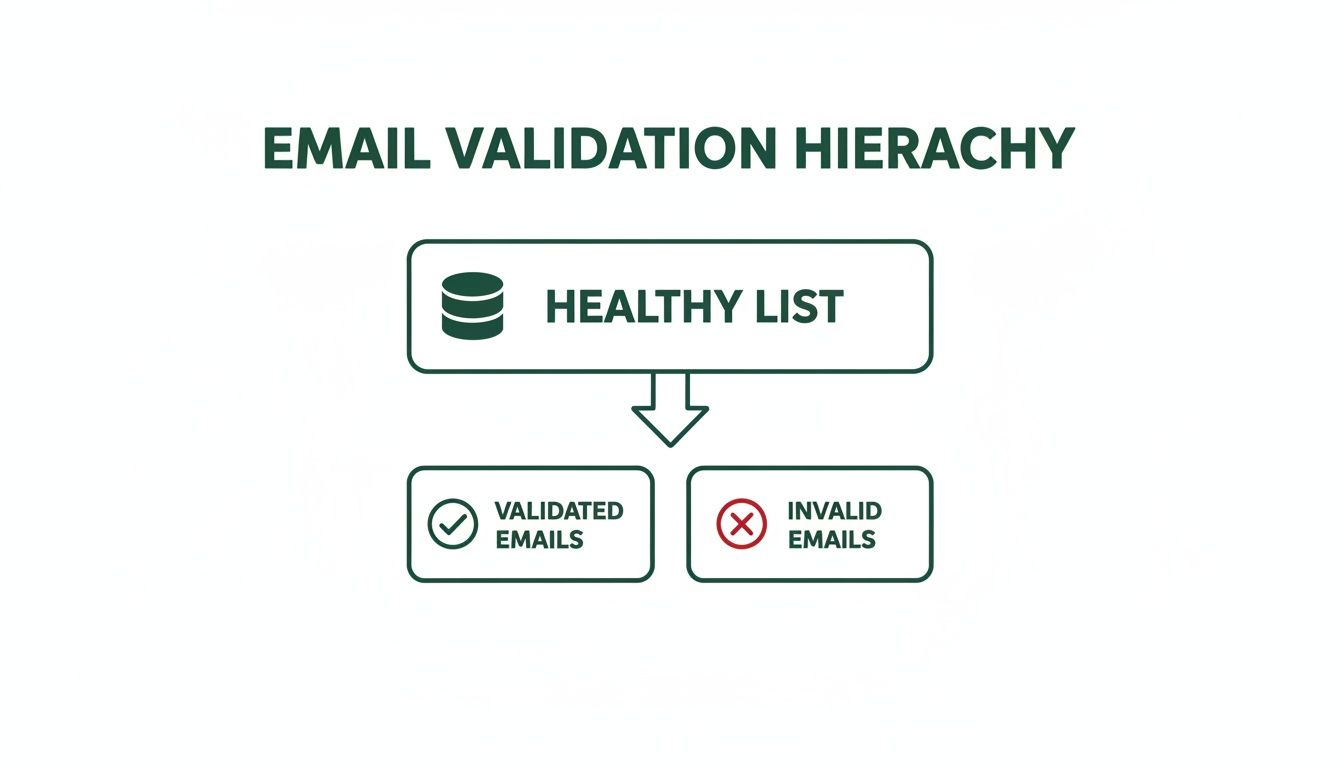
    The diagram below shows what this process accomplishes: it separates the good, healthy contacts from the invalid ones, which is exactly what you want.

    Diagram illustrating email validation hierarchy, showing a healthy list being separated into validated and invalid emails.

    The result is a clean, validated list that protects your sender reputation and makes sure your campaigns actually perform by removing all the junk addresses holding you back.

    This process can be broken down into three core stages, each serving a unique purpose.

    The Three Layers of Email Validation

    Validation Layer What It Checks Example Error It Catches
    Syntax Validation The basic format and structure of the email address. john.doe@example (missing .com) or jane doe@example.com (contains a space).
    Domain/MX Validation If the domain exists and is set up to receive email. contact@nonexistentdomain123.com (domain isn't real).
    SMTP Validation If the specific mailbox exists on the server. fake.employee@realcompany.com (the company is real, but the mailbox isn't).

    Let's dive into what each of these layers actually does.

    Layer 1: Syntax Validation

    The first and most basic check is syntax validation. This is the initial gatekeeper, and its only job is to inspect the fundamental structure of an email address. It couldn't care less if the email is real; it only cares if it looks like a proper email.

    Think of it like proofreading a sentence for correct grammar and punctuation. This check just confirms that the address follows the universal local-part@domain format.

    Here’s what syntax validation is specifically looking for:

    • The "@" Symbol: It makes sure there is one—and only one—"@" symbol present.
    • Valid Characters: It flags illegal characters like spaces, consecutive dots, or special symbols in the wrong places. An email like john..doe@example.com would fail instantly.
    • A Domain Part: It confirms there is text after the "@" symbol to represent the domain name.

    While this step is great for catching obvious typos and formatting mistakes, it's just the beginning. An address like totally.fake@notarealdomain123.com would breeze right through this check, even though it's completely useless.

    Layer 2: Domain and MX Record Validation

    Once an address passes the syntax check, the next layer goes deeper by verifying the domain's legitimacy. This is domain and MX record validation, and it confirms that the domain (@example.com) actually exists and is configured to receive emails.

    This is like checking if the issuing authority on an ID is a real, registered government agency. It's a big step up from just looking at the format.

    At this stage, we move from checking the format to verifying the destination. An MX (Mail Exchange) record is a specific type of DNS entry that tells the internet where to send emails for that domain. If a domain doesn’t have an MX record, it simply can’t receive mail.

    No MX record means no mailbox is even possible, making any email address at that domain instantly invalid. This check is incredibly effective at filtering out addresses tied to fake, expired, or misspelled domain names.

    Layer 3: SMTP Validation

    The final and most powerful layer is SMTP validation. This is a live, real-time check that actually communicates directly with the recipient's mail server to confirm if a specific mailbox exists. It's the ultimate confirmation.

    Using our ID analogy, this is like calling the issuing authority and asking them to confirm that a specific ID number is active and belongs to a real person. The process involves a simulated email delivery without ever sending a message.

    The validation service initiates a "handshake" with the mail server using the Simple Mail Transfer Protocol (SMTP). It basically asks, "Hey, can you accept mail for jane.doe@example.com?" The server's response tells you everything you need to know. This process can identify:

    • Valid mailboxes that are active and ready to receive email.
    • Invalid mailboxes that do not exist on the server.
    • Catch-all domains that are configured to accept email for any address, which can be risky for deliverability.

    Only by combining all three layers—syntax, domain, and SMTP checks—can you get a truly comprehensive and reliable validation. Each step plays a critical role in building a clean, high-performing email list.

    Alright, you've got the basics down on what email validation is trying to protect you from. Now comes the important part: how do you actually do it?

    The truth is, not all validation methods are created equal. They span a wide spectrum from quick-and-dirty DIY tricks to incredibly powerful automated services. Each one comes with its own trade-offs in accuracy, effort, and cost.

    Choosing the right approach really boils down to your specific needs. What are your technical skills like? How much is a bad email address worth—or going to cost you? Let's break down the three main ways you'll see people tackle this.

    The DIY Approach with Regex

    The most fundamental way to check an email's format is with Regular Expressions, or Regex for short. If you're not familiar, just think of Regex as a way to create a rulebook for matching text patterns. For email validation, you'd write a pattern that looks for an "@" symbol, a domain name, and makes sure there aren't any obvious illegal characters.

    It's lightning-fast and doesn't rely on any outside services, which makes it a really tempting first step for developers. But here's the catch: its limitations are huge, and it can be seriously misleading.

    • It only checks syntax. A Regex pattern has no idea if a domain is real or if a mailbox actually exists. An email like fake@thisisnotarealdomain.com will pass a Regex check without a single red flag.
    • It’s notoriously complex. Honestly, writing a Regex pattern that correctly handles all the weird but valid email formats out there is a nightmare. Most of the patterns you'll find online are flawed and will either reject good emails or, worse, accept bad ones.

    Regex is a pattern-matching tool, not a validation solution. Relying on it alone is like checking if a passport has the right number of pages without verifying if the country that issued it even exists. It's a surface-level check that provides a false sense of security.

    Using Pre-Built Validation Libraries

    Taking a big step up from Regex, you'll find validation libraries. These are essentially pre-packaged chunks of code that developers can plug into their applications. They offer a much more robust check than a simple Regex pattern because they're designed to handle more than just the basic format.

    Many of these libraries can run syntax checks and even go a step further to verify that a domain has valid MX records. That adds a crucial layer of verification that Regex just can't touch. But this approach isn't without its own set of problems.

    The biggest hurdle is that these libraries still demand a technical person to implement and maintain them. A developer has to handle the installation, configuration, and any ongoing updates. On top of that, most libraries stop right before the most important step: the SMTP handshake that confirms a mailbox is real. This means they'll still give a thumbs-up to emails for non-existent users at perfectly valid domains, leaving you wide open to hard bounces.

    The Comprehensive Power of Third-Party APIs

    For the highest accuracy and reliability, nothing beats a third-party API service. An API (Application Programming Interface) is just a way for your software to talk to a specialized validation service, letting them handle all the heavy lifting.

    When you send an email to a validation API, it’s not just doing one check. It runs the address through all three critical layers of verification:

    1. Syntax Check: It instantly confirms the format is correct.
    2. Domain/MX Check: It verifies the domain is real and properly set up to receive email.
    3. SMTP Handshake: It pings the mail server to confirm the specific mailbox actually exists—all without ever sending an email.

    This multi-layered process gives you a simple, clear answer: valid, invalid, or risky. By outsourcing the complexity, you get the best possible accuracy without having to build or maintain any of the tech yourself. For any business that relies on email outreach, using a quality email validation software is simply the most direct path to a clean and effective contact list.

    Integrating Validation into Your Daily Workflow

    Smart email validation isn't a "one and done" task—it's something you need to weave directly into your day-to-day sales and marketing work. Think of it like a quality control checkpoint on an assembly line. Instead of waiting until the very end to find a bunch of mistakes, you check for quality at every critical step.

    By integrating email address validations at the right moments, you stop bad data cold before it ever has a chance to mess up your systems. This proactive habit saves a ton of time, protects your sender score, and makes every email you send that much more powerful.

    A laptop on a desk displaying real-time validation with a green checkmark indicating success.

    Stopping Bad Data at the Source

    Your single best opportunity to validate an email is right at the point of entry. Whether that's a signup form, a lead magnet download, or a demo request, this is your first and most effective line of defense.

    Putting real-time validation on your web forms is like giving them an instant spell-checker for email addresses. It catches typos and obviously fake emails the second someone hits "submit," keeping that junk out of your database entirely. It's a simple, fundamental step for keeping your contact list clean and effective.

    Cleaning Your List Before a Big Campaign

    Even with the best real-time checks, email lists just naturally decay over time. It's a fact of life. People change jobs, companies get acquired, and old email accounts get shut down. Your once-perfect list will slowly accumulate bad addresses without you even noticing.

    That's why running your entire list through a bulk validation service before any major email campaign is absolutely essential. This pre-flight check strips out all the dead weight, giving your message the best possible chance of hitting real inboxes. If you skip this, you risk a sudden spike in bounce rates that can seriously damage your sender reputation with providers like Gmail and Outlook.

    A clean list isn't just about avoiding bounces; it's about maximizing ROI. Every dollar spent sending to an invalid address is a dollar wasted. Pre-campaign cleaning ensures your budget is focused exclusively on contacts who can actually convert.

    Automating Prospecting and Validation

    For sales and prospecting teams, the workflow is a little different, but the principle is exactly the same. The goal is to find new leads and make sure they're valid before they get added to your CRM or outreach sequence. This is precisely what modern tools like EmailScout are built for.

    Instead of the old two-step dance—find an email, then go validate it somewhere else—these tools combine both actions into one. As you find a potential contact, the system automatically runs an email address validation check right then and there.

    This integrated workflow pays off in a few huge ways:

    • Time Savings: No more clunky exporting and importing between different tools.
    • Instant Quality: Every lead that enters your pipeline is already pre-vetted and confirmed as deliverable.
    • Increased Confidence: Your sales team can reach out to new prospects knowing their emails will actually land.

    This is quickly becoming the new standard. In fact, the global market for these validation services is exploding and projected to hit $1.6 billion by 2033 as more businesses realize that solid deliverability is the foundation of any successful email strategy.

    Scheduling Regular List Hygiene Checks

    Finally, being proactive means getting on a regular maintenance schedule. Just like getting an oil change keeps your car running smoothly, periodic list cleaning prevents long-term deliverability headaches.

    A fantastic best practice is to set a recurring calendar reminder to scrub your entire database every quarter. This simple habit catches any invalid emails that might have slipped through the cracks and accounts for that natural list decay. Our guide on how to verify an email address walks through more detailed steps you can follow for these routine checks. By making validation a consistent part of your workflow, you build a resilient and high-performing outreach engine.

    How to Measure Your Validation Success

    So you’ve put a solid email address validation system in place. That’s a huge win, but how do you actually prove it’s moving the needle? To really understand the payoff, you need to look past the validation process itself and zero in on the key metrics that a clean list directly impacts. This is where you connect your list hygiene efforts to real business results.

    The most immediate and telling metric to watch is your Bounce Rate. More specifically, you need to keep a close eye on hard bounces—those are the permanent delivery failures that happen when an email address is fake, misspelled, or just doesn't exist. This number is the purest indicator of your list’s health. A high hard bounce rate screams "dirty list," while a consistently low one (you should be aiming for under 1%) proves your validation strategy is working as it should.

    A computer screen shows data and graphs indicating a lower bounce rate, with a person working.

    This single metric is what Internet Service Providers (ISPs) like Gmail and Outlook watch like a hawk. Getting your hard bounce rate down is the quickest way to build and protect your sender reputation, which in turn boosts your performance across the board.

    Key Performance Indicators to Track

    Beyond bounces, a few other metrics will naturally improve as you get consistent with email validation. Tracking these helps paint the full picture of your success and makes it easy to show the value of your work to your team.

    • Deliverability Rate: Think of this as the flip side of your bounce rate. It’s the percentage of your emails that actually land in a recipient's mail server. As hard bounces drop, your deliverability rate climbs, meaning more of your messages are getting where they need to go.

    • Sender Score: This is basically a credit score for your email domain, usually on a scale from 0 to 100. ISPs use it to decide if you’re trustworthy. By cutting out hard bounces and spam traps with validation, you’re sending all the right signals to boost your score and stay out of the spam folder.

    • Open and Click-Through Rates (CTR): Sure, great subject lines and content drive engagement, but a clean list is the foundation. When you stop sending emails to dead-end addresses, you stop diluting your metrics. This gives you a much clearer—and usually higher—read on how people are actually engaging with your campaigns.

    When you connect the dots between a validated list and stronger campaign numbers, you turn the abstract idea of "list hygiene" into measurable business results—from more effective lead gen to higher sales conversions.

    Translating Metrics into Business Value

    At the end of the day, the goal is to show how these technical improvements create real-world value. When you talk about your results, frame them in terms of business impact.

    For instance, a 2% drop in your bounce rate isn't just a nice number for a report. If you have a list of 50,000 contacts, that means 1,000 more potential customers are now getting your messages every single time you send a campaign. From there, it's easy to calculate the potential lift in leads, demos booked, or sales closed. This is how you prove that email validation isn't a cost—it’s a direct investment in revenue and growth.

    Your Path to Smarter and Safer Outreach

    Email validation isn't just a technical checkbox—it's the foundation of any good outreach strategy. We’ve walked through everything from the basic layers of validation to picking the right tools and weaving them into your daily workflow. The path forward is clear.

    When you get proactive about validation, you're doing more than just tidying up a list. You’re protecting your brand, making the most of your resources, and building a stronger engine for both sales and marketing. This is the shift that separates the good from the great.

    The big takeaway is simple: prioritize list hygiene today to unlock more conversations, build stronger relationships, and drive better results tomorrow. Every email you send should have a purpose and a real destination.

    Think of each validated address as a confirmed opportunity—a real person waiting for the right message. Committing to this level of quality means you stop wasting time on digital dead ends and start focusing only on contacts that can actually move your business forward.

    It’s time to make every single email count. Start with your next campaign and see the difference for yourself.

    Common Email Validation Questions

    Let's cut through the noise and answer the most common questions people have about email validation. Here are some straightforward answers to help you put these ideas into practice.

    How Often Should I Validate My Email List?

    The best approach is to validate every single email address the moment you capture it—like on a signup form or when someone downloads a lead magnet. Think of this real-time check as your first line of defense against bad data.

    For your existing database, a full list cleaning at least twice a year is non-negotiable. Email addresses go stale faster than you'd think as people switch jobs or ditch old accounts. Consistent hygiene is the only way to protect your sender reputation over the long haul.

    Can Validation Guarantee 100% Deliverability?

    Nope, and any tool that claims it can isn't being honest. There's no magic bullet for 100% deliverability. Email validation gets you incredibly close by weeding out the biggest technical roadblocks: invalid syntax, fake addresses, and other high-risk accounts that cause hard bounces.

    But remember, deliverability is a two-part equation. Validation gets your email to the front door, but things like your content, sending reputation, and even the recipient's server settings determine whether you actually get inside.

    What's The Difference Between a Hard Bounce and a Soft Bounce?

    A hard bounce is a permanent "return to sender." It means the email address is flat-out invalid, doesn't exist, or has been shut down. This is exactly what email validation services are designed to catch and remove before you hit send.

    A soft bounce is a temporary problem. The address is valid, but something on the recipient's end is blocking delivery for now—maybe their inbox is full, or their company's email server is temporarily down. Since these are temporary issues, validation tools can't predict or prevent them.


    Ready to stop guessing and start connecting? EmailScout finds and validates professional email addresses in a single click, ensuring every lead is a real opportunity. Start building your high-quality prospect list today by visiting https://emailscout.io.