Tag: contact discovery

  • Mastering Domain Email Lookup in 2024

    Mastering Domain Email Lookup in 2024

    A domain email lookup is pretty straightforward: it's the process of finding professional email addresses connected to a company's specific domain name. This skill is a game-changer for anyone in sales, marketing, or networking who needs to get in touch with key decision-makers directly, skipping those generic "contact us" forms.

    What Is Domain Email Lookup and Why It Matters

    A laptop on a wooden desk displays an email interface, with office supplies and text 'Find Professional Emails'.

    Ever tried to reach a key person at a company you're targeting, only to hit a dead end because you can't find their email? It’s a classic roadblock. It slows down your outreach and can kill an opportunity before it even gets started. A domain email lookup is the practical skill you need to find those crucial contacts tied to a specific company domain.

    But it’s about more than just finding an address—it’s about opening doors to real conversations. This guide isn't about theory; it's a roadmap full of actionable strategies you can start using today. We'll cover everything from quick, one-off lookups with browser extensions to scaling up with batch searches. You'll also learn how to make sure your emails actually get delivered and how to handle the ethical side of professional outreach.

    The Core Benefits of This Strategy

    Getting good at this gives you a direct line to the people who can actually make things happen, which is vital for any growth-focused role. Here are the main advantages:

    • Accelerated Sales Cycles: When you can contact decision-makers directly, you cut through the noise and get your proposal in front of the right person much faster.
    • Improved Outreach Personalization: A direct email lets you send a highly personalized message, which boosts response rates way beyond what a generic "info@" address can achieve.
    • Enhanced Networking Opportunities: You can easily connect with industry leaders, potential partners, or even mentors just by finding their professional contact info.

    To really get the most out of your efforts, it helps to understand the full range of sales prospecting tools out there. They can seriously upgrade your entire strategy.

    A targeted email is often the first step in building a meaningful business relationship. A domain email lookup isn't just a technical process; it's the key that unlocks that initial conversation, turning a cold lead into a warm prospect.

    Ultimately, this process changes how you connect with prospects and partners. It gives you the data you need to build solid, targeted lists for any campaign you can dream up. For a deeper dive into finding specific contacts, check out our guide to a complete email address lookup. It's packed with everything you need to make every outreach effort count.

    Finding Single Emails with Precision and Speed

    When you need just one specific email, and you need it now, you can’t afford to wait. The good news is there are a few solid techniques that can get you that single contact in minutes, whether you prefer automated tools or a more hands-on approach.

    The fastest way is almost always a specialized browser extension.

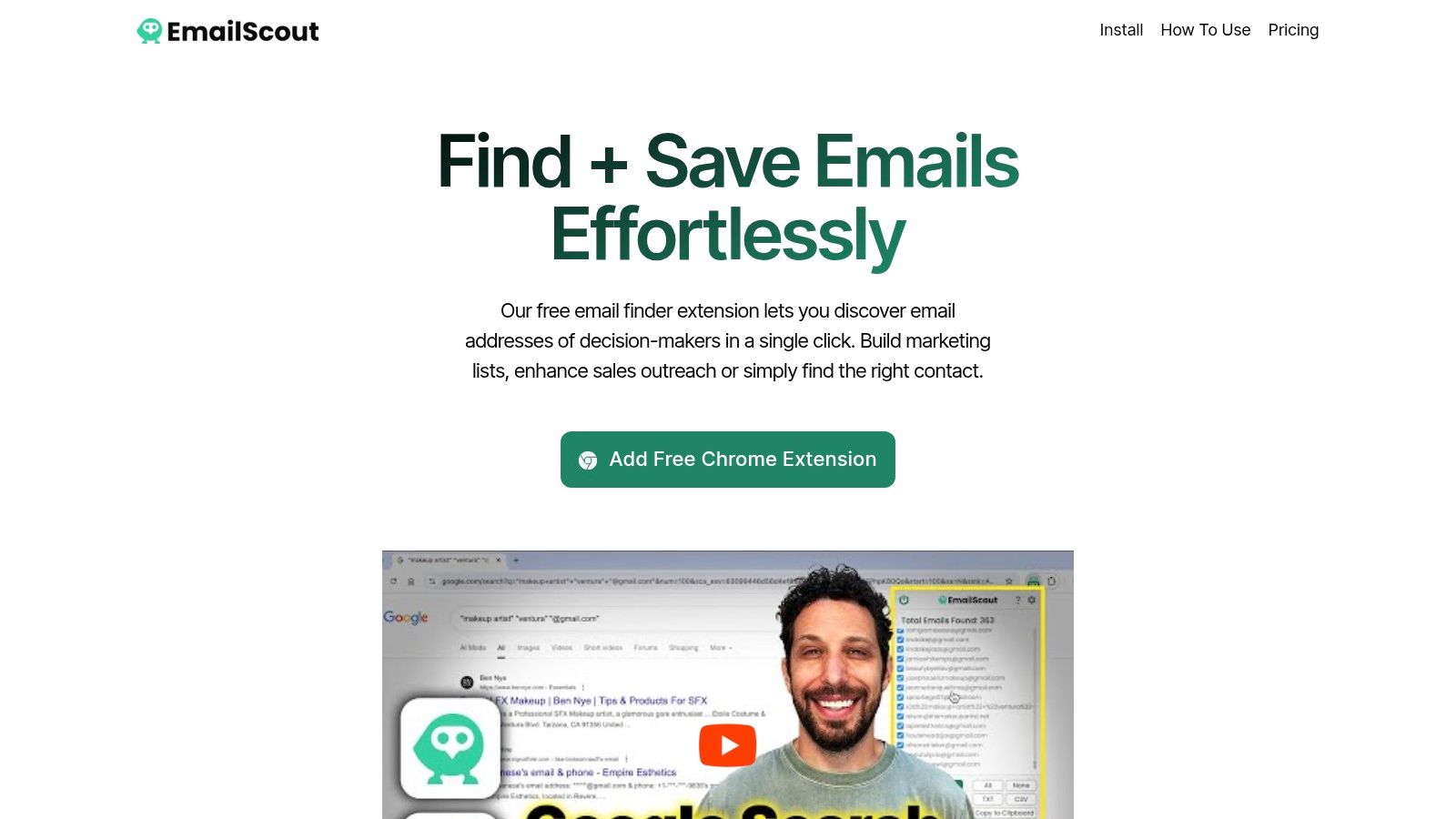
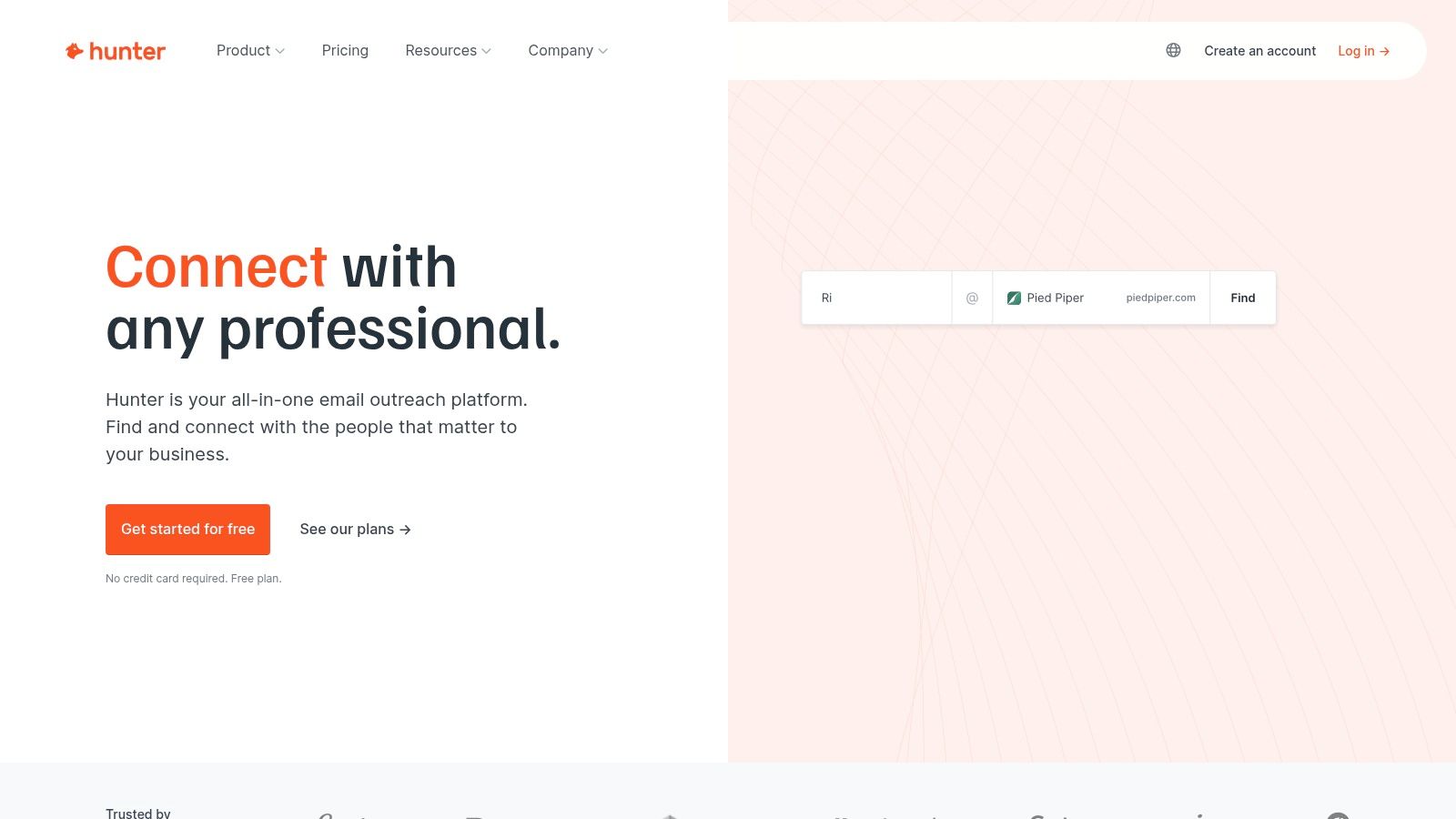
    Let's say you've landed on a prospect's company website or maybe their LinkedIn profile. If you have an extension like Hunter or EmailScout installed, you just click its icon in your browser bar. The tool instantly gets to work, pulling up known email addresses associated with that domain. You'll typically see a list of names, job titles, and the emails it has found, often with a handy confidence score to show how certain it is.

    From there, it's as simple as scanning the list for your target, copying the address, and you're good to go. It’s a completely seamless way to perform a domain email lookup without ever breaking your workflow or leaving the page.

    The Art of Manual Pattern Guessing

    But what happens if a tool comes up empty, or you just prefer to do things yourself? This is where a bit of clever detective work comes in, using the repeatable skill of manual pattern guessing.

    It's simpler than it sounds. Most companies use a consistent, predictable formula for their email addresses. Your first job is to figure out what that formula is. You can often find a clue—just one employee's email—on the company's "About Us" page, buried in a press release, or even in the author bio of a blog post.

    Once you have a confirmed email, like j.smith@company.com, you've cracked the code. You can now apply that same pattern to your target's name and build their email address from scratch.

    A single known email address is like a Rosetta Stone for a company's entire communication structure. Once you decipher that one pattern, you can often deduce the email address for anyone in the organization, a powerful skill that costs nothing but a few moments of your time.

    Verifying Your Educated Guess

    Now that you've put together a likely email address, there's one final, crucial step: verification.

    Never, ever send a message to a guessed address without confirming it's legit first. A high bounce rate doesn't just mean your email didn't get delivered; it can seriously damage your sender reputation and get your domain flagged as spam.

    Thankfully, this is easy. Just use a free, single-email verifier tool. You paste your guess—let's say f.jones@company.com—into the search bar and run the check. Within seconds, it will ping the server and tell you if the address is valid and can receive mail. This simple check is what turns a hopeful guess into a confident outreach opportunity.

    This is especially important given the sheer variety of email clients people use today. Apple’s email client, for example, holds a dominant 51.52% market share, mostly on iOS devices, while Gmail is massive with around 1.8 billion accounts globally. Making sure your email is valid is the only way to ensure it has a chance of landing in the right inbox. Discover more stats about popular email providers.

    Comparing Quick Email Lookup Methods

    So, which one-off method should you use? Both browser extensions and manual guessing have their place. This table breaks down the key differences to help you decide which is right for the situation.

    Method Speed Typical Accuracy Cost
    Browser Extension Very Fast (seconds) High (often includes a confidence score) Freemium (free searches are usually limited)
    Manual Guessing Fast (minutes) Variable (highly dependent on verification) Free (requires a free verifier tool)

    Ultimately, both approaches are incredibly effective for a precise domain email lookup. The key is knowing which tool—or which technique—to pull out of your toolbox to fit the immediate need and keep your workflow moving.

    Scaling Your Outreach with Batch Lookups

    Finding a single email is one thing, but finding hundreds or thousands is how you build a real engine for lead generation. This is where batch domain email lookups come in. They take a tedious, manual task and turn it into a massive strategic advantage, saving you an incredible amount of time.

    Instead of hunting for contacts one by one, you can feed a tool an entire list of target companies and get results for all of them at once. Honestly, this approach is the foundation of any serious sales, marketing, or PR campaign running at scale.

    Preparing Your Domain List for Success

    The quality of your results depends entirely on the quality of your input list. A clean, properly formatted list of company domains is the most critical part of the process. I always recommend starting with a simple CSV file with just one column for the domains.

    To get the best possible results, follow these simple rules:

    • Keep it clean: Each entry needs to be a root domain like company.com, not a full URL like https://www.company.com/about-us.
    • Remove duplicates: A quick check for duplicate domains saves you time and credits. It also keeps your final export nice and tidy.
    • Verify domain validity: Typos or fake domains will just cause errors and slow things down. A quick once-over is worth it.

    A little bit of prep work here goes a long, long way. A clean list lets the tool do its job efficiently without getting stuck on formatting problems or bad data. If you're new to this, getting a feel for how a free email scraping tool works can give you some good background on data collection principles.

    The real power of batch processing isn't just about speed. It's the ability to build a rich, targeted prospect list from nothing more than a list of companies you want to reach. You’re turning raw market research directly into actionable outreach data.

    Once your CSV is ready, the rest is pretty straightforward. You just upload the file to your batch lookup tool, tweak any search parameters if needed, and let it run. The tool then works its way down your list, systematically performing a domain email lookup for every single entry.

    From Raw Data to Actionable Intelligence

    What you get back is so much more than a simple list of email addresses. A good tool will enrich this data, often giving you names, job titles, and even confidence scores for each contact. This transforms a basic list into a detailed prospecting database you can actually use.

    At its core, any batch tool is just automating a simple, repeatable process at a massive scale. It's doing what you would do manually, just hundreds of times per minute.

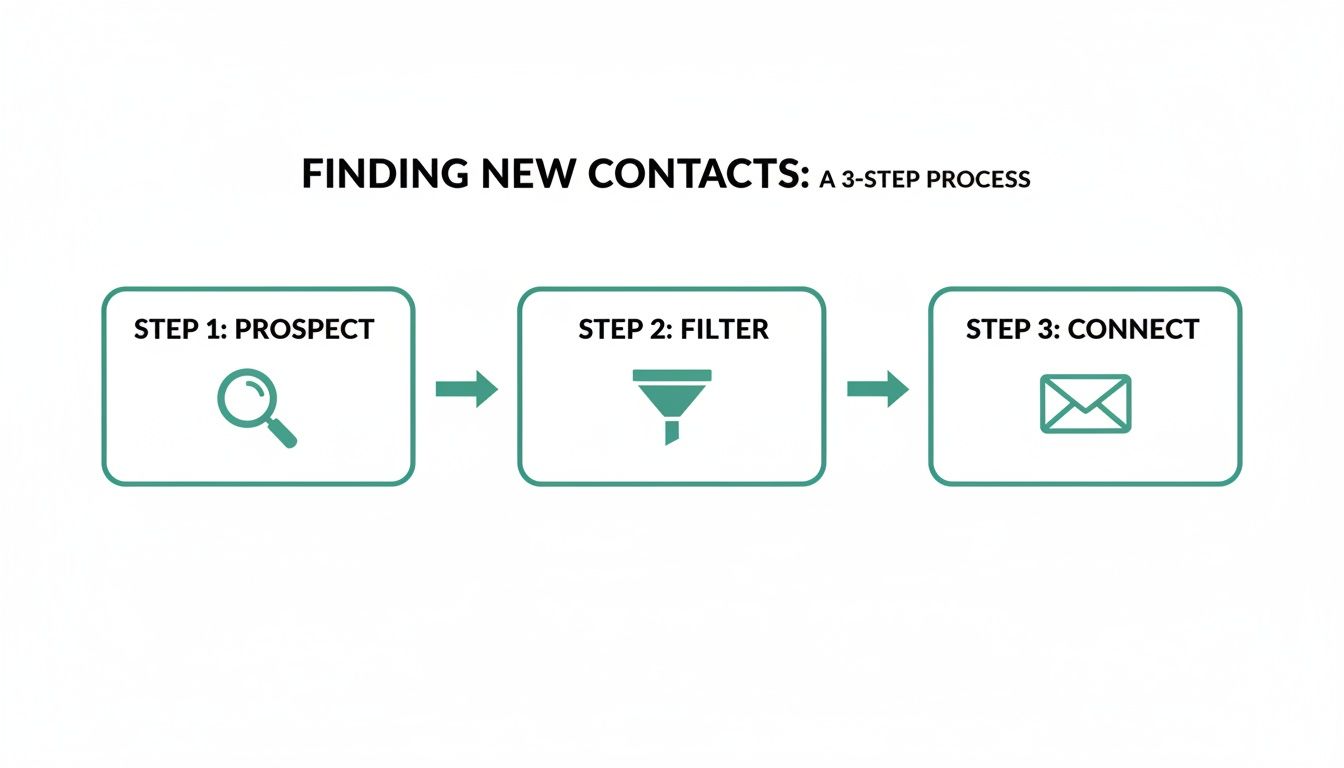
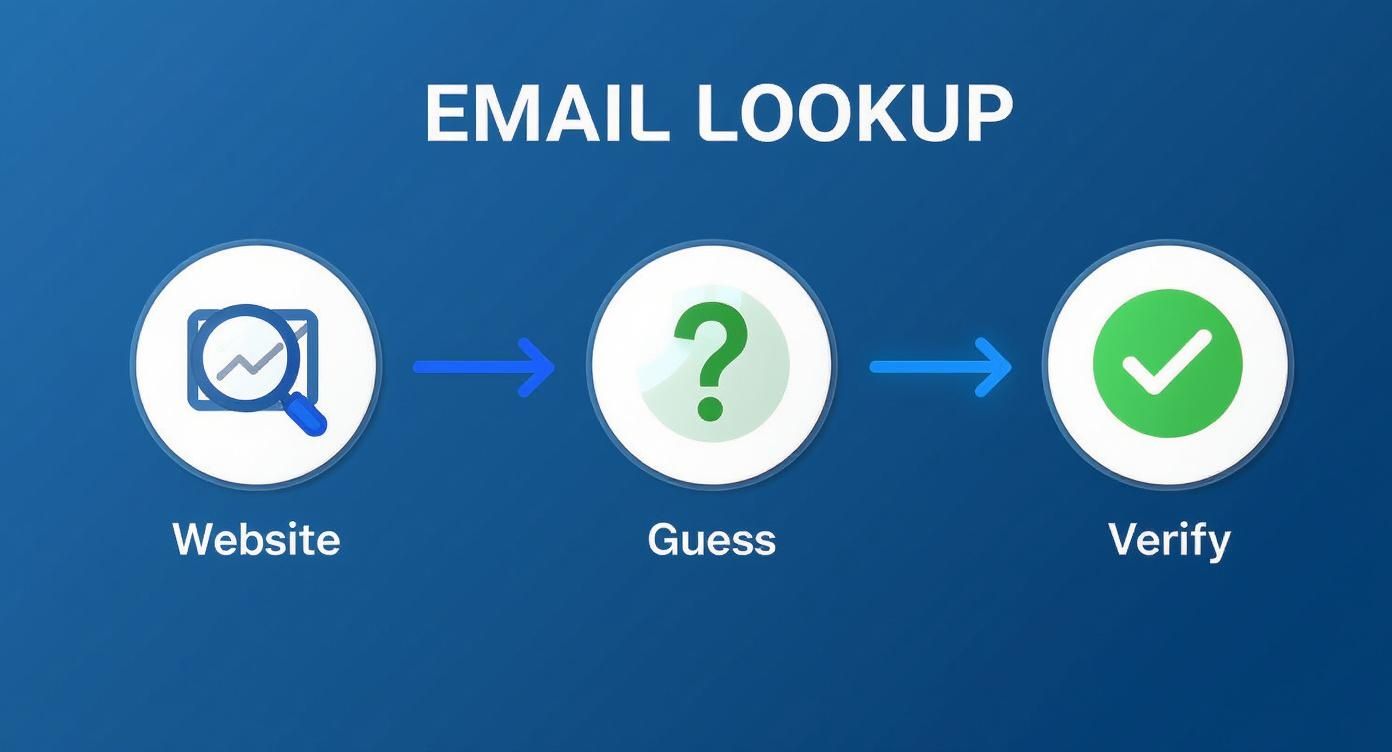
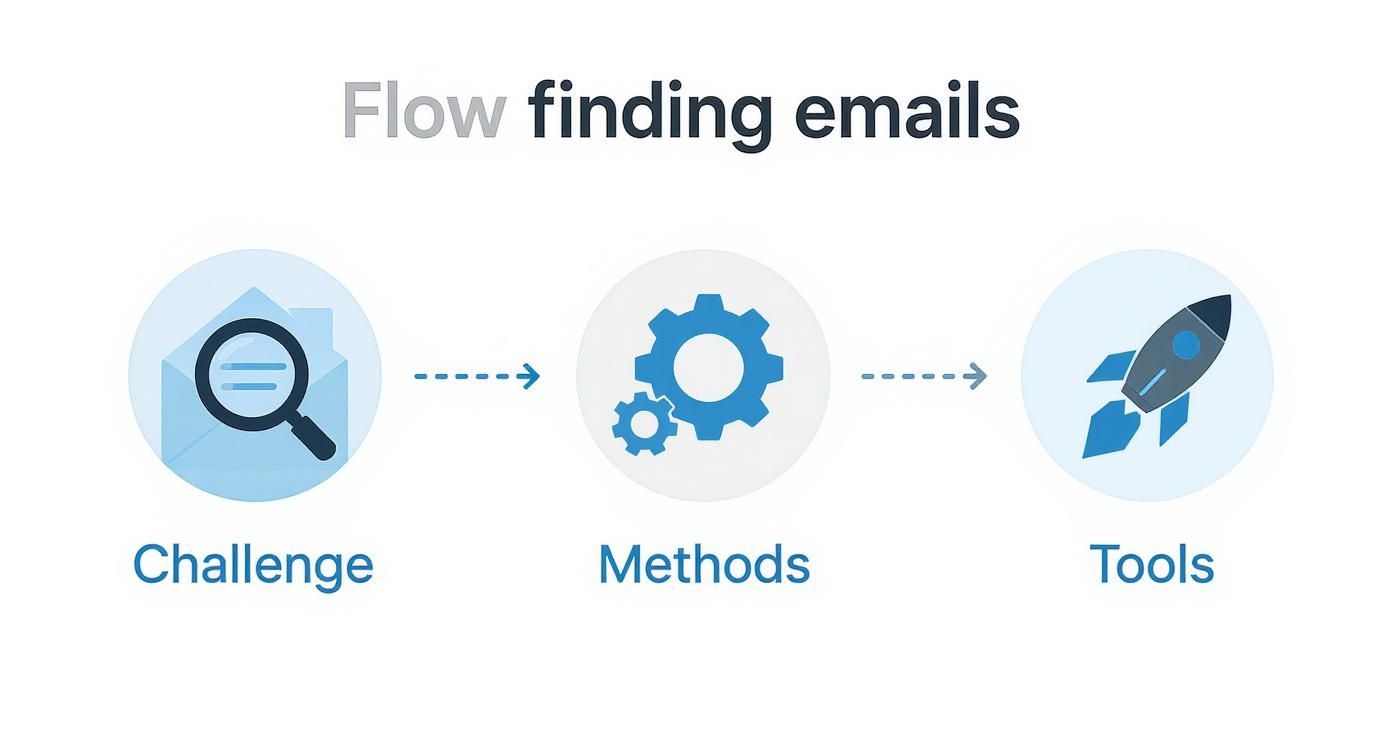
    A three-step process for email lookup: find email from website, guess, then verify.

    This simple three-part sequence—find what you can on the website, guess common patterns, and verify the result—is the magic behind it all.

    The demand for this kind of data is exploding. The email lookup tool market is on track to hit $2.5 billion by 2025 and is expected to grow at 15% annually through 2033. This growth is all driven by the need for more efficient ways to generate leads as more and more businesses move their outreach online.

    Why Email Verification Is Non-Negotiable

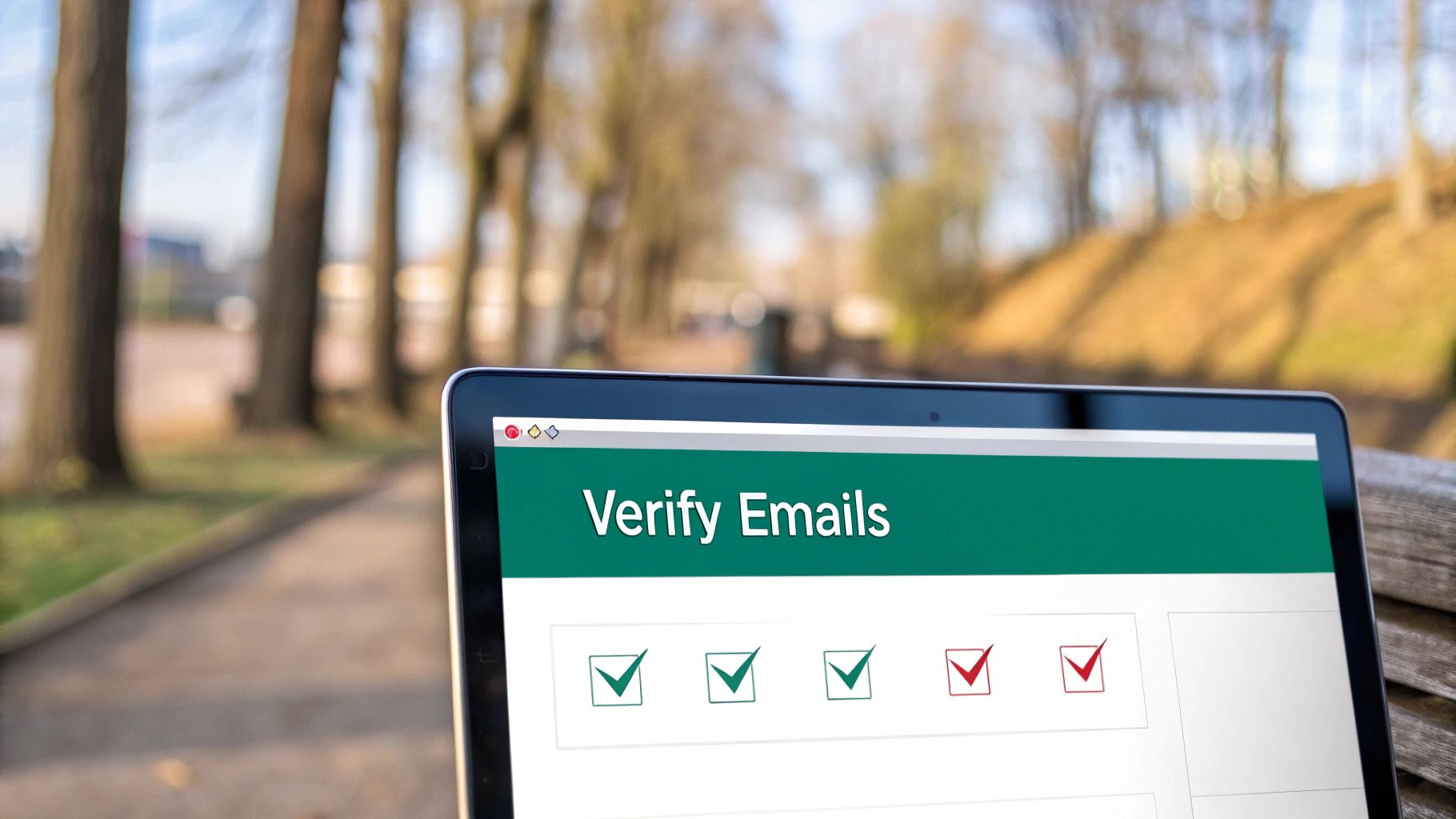
    Modern computer screen showing "Email Verification" with three green checkmarks on an office desk.

    Finding what looks like a perfect email address is just the starting line. The real test is what happens after you hit "send." A brilliant domain email lookup is completely useless if the address is a dead end, and sending messages to invalid accounts is way more damaging than just a waste of time.

    Every single email that bounces back sends a bad signal to Internet Service Providers (ISPs) like Gmail and Outlook. Once you rack up enough bounces, your entire domain can get flagged. Suddenly, even your perfectly good emails—the ones going to real, interested contacts—start getting routed to the spam folder. Your whole outreach effort becomes invisible.

    This is exactly why email verification isn't just a "nice-to-have." It's a critical, non-negotiable step in your workflow.

    Demystifying the Verification Process

    So, what actually happens when an email gets "verified"? It's not just a simple ping. It’s a multi-layered process designed to confirm that an inbox is real, active, and ready to receive your message. The tech behind it is complex, but the goal is simple: protect your sender score and get your emails delivered.

    Here's a quick look under the hood of a typical verification check:

    • Syntax Validation: This is the most basic check. The tool ensures the email follows the right format (name@domain.com) and doesn't have any weird, illegal characters.
    • Domain and SMTP Check: Next, it confirms the domain actually exists and is set up to receive email in the first place. This involves a sort of digital handshake with their mail server.
    • Mailbox Ping: This is the clever part. The service talks directly to the server to see if a specific mailbox (like jane.doe@company.com) is real, all without actually sending an email.

    A lot of domain lookup tools have verification built right in these days, which is handy. But if you're running any kind of large-scale campaign, investing in a dedicated service to do a final scrub of your list is always a smart move. For anyone serious about getting their messages seen, it pays to explore proven strategies for mastering email deliverability.

    Sending an unverified email is like mailing a letter to an address you aren't sure exists. You're not just risking it won't arrive; you're basically telling the post office you don't care about your mailing list's quality, which has real consequences down the road.

    The Real-World Impact of Clean Lists

    Keeping your email list clean has a direct impact on your bottom line. High bounce rates—and anything over 2% is usually seen as a problem—can get your account suspended by email marketing platforms. Even worse, it slowly chips away at the trust ISPs have in your domain, making every future campaign that much harder.

    This entire system of professional communication is built on a massive technological foundation. The global email hosting market was valued at a staggering USD 27.04 billion in 2024 and is on track to hit USD 108.73 billion by 2032. That growth tells you everything you need to know about how vital reliable email—and the tools that support it—has become.

    Ultimately, verification is what turns the raw data from your domain email lookup into a dependable asset. Taking this extra step ensures your messages land where they're supposed to, protects your sender reputation, and maximizes the return on all your hard work. To dig into the technical side of things, our guide on email address verification breaks it all down.

    Navigating Compliance and Ethical Outreach

    So, you've successfully found a list of emails. That’s a powerful starting point, but it also comes with some serious responsibility. Just because you can find an email doesn't mean you have a free pass to send whatever you want. Getting this wrong can kill your reputation and even land you in legal trouble.

    Before you hit "send" on any campaign, you need to understand the rules of the road. Key regulations like the CAN-SPAM Act in the U.S. and Europe’s General Data Protection Regulation (GDPR) set the standards. While they have their differences, the core idea is the same: protect people from unwanted and irrelevant emails.

    It's time to shift your thinking from "Can I find this email?" to "Should I be using this email?"

    The Line Between Prospecting and Spamming

    The difference really comes down to legitimate interest and relevance.

    Think about it: finding a publicly listed business email to pitch a B2B partnership is worlds away from scraping personal data for a generic marketing blast. Ethical outreach always, always starts with a good reason to believe your message offers real value to the person you're contacting in their professional capacity.

    Here are the non-negotiables for responsible outreach:

    • Legitimate Interest: Only reach out if your product or service is a logical fit for their job and industry. No exceptions.
    • Transparency: Be upfront. Clearly state who you are and why you're emailing. Tricky or deceptive subject lines are a huge red flag and a direct violation of CAN-SPAM.
    • Easy Opt-Out: Every single email must have a simple, obvious way for them to unsubscribe. Don't hide it or make them jump through hoops.
    • Prompt Removal: When someone opts out, you must remove them from your list immediately. Delaying this isn't just bad practice; it’s a violation that can result in hefty fines.

    A domain email lookup should be the first step in a potential professional conversation, not a ticket to dump someone into a generic marketing funnel. If you don't respect their inbox, you've already lost.

    Practical Steps for Ethical Campaigns

    Before launching any outreach, take a minute and ask yourself a few simple questions:

    • Does this person’s job title actually align with what I’m offering?
    • Is my message clear, professional, and respectful of their time?
    • Am I making it incredibly easy for them to say, "No, thanks"?

    This isn't just about dodging fines; it's about being effective. People are flooded with emails every day. The ones that get a positive response are the ones that feel thoughtful and relevant. By putting ethics first, you're not only staying compliant but also dramatically increasing your odds of building real business relationships. Your professional reputation is built on it.

    Your Top Domain Email Lookup Questions, Answered

    Even with the best tools in your arsenal, you're bound to have questions when you start digging for domain emails. It's totally normal. From practical "how-to" queries to the slightly fuzzy legal stuff, it can feel like a lot to navigate.

    I've rounded up the most common questions that pop up and laid out some clear, no-nonsense answers to help you move forward with confidence.

    Is It Legal to Use These Tools?

    Yes, it's generally legal to use a tool to find business contact information that's already publicly available. The real question isn’t about finding the information—it's about how you use it.

    Once you have that email, your outreach falls under regulations like GDPR in Europe or the CAN-SPAM Act in the U.S. The golden rules are simple: have a legitimate business reason for contacting someone, give them a dead-simple way to opt out, and always respect their privacy. This is about building connections, not just hoarding data.

    How Accurate Are Email Finders, Really?

    This is the million-dollar question, and the answer is: it varies. A lot. The top-tier tools, however, consistently hit an accuracy rate between 70% and 98%. They achieve this by cross-referencing multiple data sources and, most importantly, running real-time verification checks to make sure an inbox is live before giving you the green light.

    But here’s a pro tip: even with a great tool, always run your final list through a dedicated email verification service before launching a big campaign. That one extra step is your best insurance policy against a high bounce rate, which can seriously damage your sender reputation.

    No tool is perfect, 100% of the time. Think of an email finder's output as a high-probability lead, not a guarantee. Verification is what turns that probability into a reliable asset.

    Can I Find Emails for Any Domain?

    You can certainly try, but you won't get a hit every single time. You'll have the most luck with established businesses that have a solid digital footprint, as their contact info is more likely to be indexed somewhere online.

    Where you might run into trouble is with a few specific types of domains:

    • Tiny Businesses: A solo operation or a company with just a couple of employees might not have its email patterns logged by major lookup tools.
    • Brand-New Websites: If a domain was just registered yesterday, it's a ghost. No tool has had the chance to crawl it yet.
    • Catch-All Servers: Some domains use a "catch-all" setting, meaning they accept mail sent to any address at that domain (like anything@example.com). This makes it impossible for verification tools to confirm if a specific inbox actually exists, so you'll often get an "unknown" or risky result.

    These tools are built for B2B prospecting, where professional contact details are just part of doing business.


    Ready to stop guessing and start connecting? EmailScout gives you an effortless way to perform a domain email lookup with our powerful Chrome extension. Find verified emails, build targeted lists, and supercharge your outreach in a single click. Find unlimited emails for free with EmailScout.

  • How to Find a Person Email Proven Strategies

    How to Find a Person Email Proven Strategies

    Finding someone’s email address is way easier than you might think. Just about every professional has a digital footprint, and email is almost always at the center of it. The real trick isn't if the email exists, but knowing where to look and what patterns to search for.

    Why Finding Someone's Email Is Actually Possible

    A person using a laptop with icons representing communication and networking floating around them, symbolizing the digital footprint left by emails.

    Before you even start, you need to get one thing straight: you're not looking for a needle in a haystack. Email has grown far beyond a simple messaging tool. It’s now a universal digital ID—the key that unlocks professional networks, social media profiles, and countless online services.

    Because it’s so widely used, the contact you’re after is almost certainly out there. Your success comes down to using the right techniques and tools, not just dumb luck.

    The Numbers Don't Lie

    The massive number of email accounts in use is exactly why a strategic search works. By 2025, there are expected to be around 4.59 billion email users worldwide. On top of that, the average person has about 1.86 email accounts, giving you multiple potential ways to connect.

    This digital saturation is the foundation of modern sales and outreach. In fact, understanding the basics of lead generation best practices makes it clear why snagging an email is such a critical first step.

    Your goal isn't just to find an address; it's to find the right address—the one they actually check for professional messages. This simple shift in mindset turns a passive hunt into a focused investigation.

    When you think about it this way, you can feel confident your effort will pay off. With a systematic approach, what seems like a daunting task becomes a reliable, repeatable process.

    Getting Your Hands Dirty: Manual Search Techniques

    Before you even think about pulling out the automated tools, it's worth knowing that you can often find exactly what you're looking for without spending a single cent. These hands-on methods are the bread and butter of digital prospecting. They rely on freely available resources and just a bit of clever detective work.

    Honestly, they’re surprisingly effective for those one-off searches where you need a specific contact and you need it now.

    Your first stop should almost always be the company’s website. Don’t just skim the homepage. Dig a little deeper into the 'About Us' or 'Team' pages. These sections are a goldmine and often list key people along with their direct contact info. Another pro tip? Check the company blog. Authors are frequently credited with a bio that includes an email address or a link to a social profile where you can find more clues.

    Unleash the Power of Advanced Search Operators

    A basic Google search is a good start, but using advanced operators turns it into a high-precision tool. By adding a few simple commands to your search query, you can slice through the noise and zero in on what you actually need. This little trick forces Google to search within a specific website or look for exact phrases, which dramatically cleans up your results.

    Here are a couple of my go-to examples:

    • "John Doe" + "email" site:company.com – This tells Google to only search that specific company's website for the person's name next to the word "email."
    • "John Doe" + "contact" filetype:pdf – This one is great for uncovering public PDFs, like old conference speaker lists or press releases, that might have the contact details you’re after.

    These commands are simple, but they’re incredibly powerful. They help you find information that’s already out there but buried deep within a site’s architecture, saving you from clicking through dozens of irrelevant pages.

    The key is to think like a database. You're not just asking a question; you're giving a specific command to retrieve a piece of data hidden in plain sight.

    Scour Professional and Social Networks

    Professional networks like LinkedIn are treasure troves, but not always in the most obvious way. Most people keep their email addresses hidden from their public profiles, but the information they do share can give you some serious clues. Check out their bio, recent posts, or even their comments—they might mention a personal blog or a side project where their contact info is listed publicly.

    Sure, this approach takes a bit more patience, but it helps you build a more complete picture of the person you're trying to reach. It’s also a great way to deepen your understanding by finding email addresses by name through common patterns, a technique that works perfectly alongside social media research. When you start combining clues from different platforms, you can often piece together exactly what you need.

    Using Email Finder Tools for Efficiency

    When you need to find an email address right now, digging around manually just doesn't cut it. It’s a huge time sink. This is exactly where a dedicated email finder tool completely changes the game, turning what could be hours of digital detective work into a few seconds of clicking.

    These platforms are built to work smarter, not harder. They scan massive public databases, cross-reference information, and predict corporate email patterns with startling accuracy. So, instead of you having to guess between firstname.lastname@company.com or f.lastname@company.com, the tool does all that heavy lifting for you.

    How To Run An Effective Search

    The whole process is refreshingly simple. With a tool like EmailScout, all you really need is a person's full name and the company they work for. Just plug in those two details, and the platform gets to work, pulling up potential email addresses almost instantly.

    Most top-tier tools follow a similar, straightforward workflow:

    • Enter Your Target's Details: Start with the basics—first name, last name, and their company’s website (like Jane Doe and emailscout.io).
    • Run the Search: The tool queries its database and uses its algorithms to find or predict the most likely email address.
    • Analyze the Results: You’ll get one or more email options, usually with a confidence score attached.

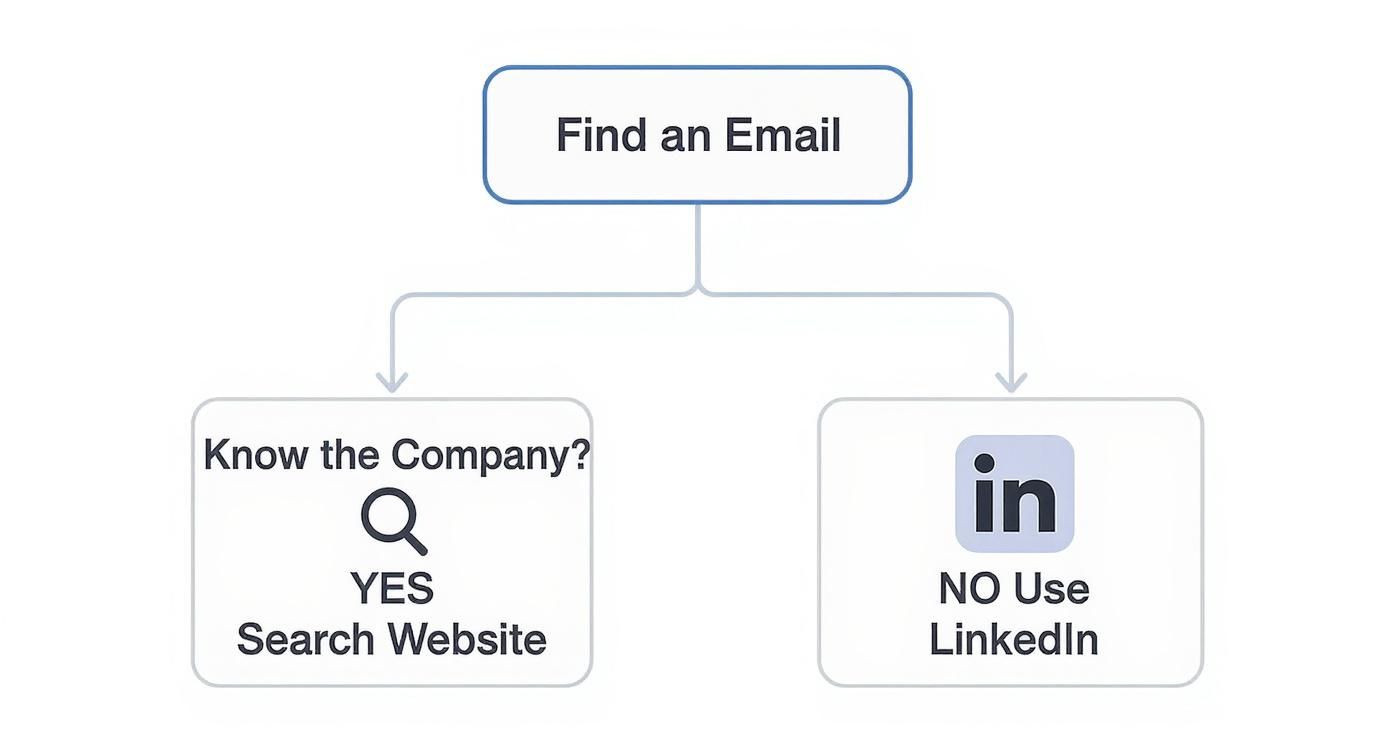
    This simple visual guide can help you figure out where to start your search, depending on what info you already have.

    Infographic about how to find a person email

    As the chart shows, knowing the company is your most direct path to success—and that’s precisely where email finders are at their best.

    Pay close attention to that confidence score. It’s a crucial piece of the puzzle, telling you the probability that an email is correct and deliverable. A score of 95% or higher means you can feel pretty good about hitting "send." A lower score might suggest it’s a solid guess, but one you might want to double-check.

    If you're curious how different platforms stack up, you can dive deeper into this guide on the best email finder tools.

    Comparing Manual vs. Automated Email Finding

    It helps to see the trade-offs side-by-side. Here’s a quick look at how searching on your own compares to using a dedicated tool.

    Feature Manual Search Email Finder Tool (e.g., EmailScout)
    Speed Slow; can take minutes or hours per contact Fast; results in seconds
    Accuracy Variable; relies on guesswork and luck High; uses data and algorithms for predictions
    Scalability Very low; not practical for large lists High; bulk search features for hundreds of leads
    Verification Requires a separate step or tool Often built-in or includes confidence scores
    Effort High; requires significant detective work Low; just input a name and company

    While manual methods have their place, it's clear that for anyone who values their time, an automated tool is the way to go for efficiency and scale.

    Scaling Your Outreach With Bulk Features

    Finding one person's email is useful, but the real power of these tools comes from their ability to work at scale. Let's say you need to build a contact list for an entire department or for a new marketing campaign. Doing that by hand would be a nightmare.

    A bulk search feature lets you upload a whole list of names and companies. The tool then crunches through the list and finds all the corresponding email addresses in a single operation. This transforms list-building from a painstaking chore into an efficient, automated process.

    This feature alone is a massive time-saver for sales and marketing pros who need to build targeted prospect lists without wasting their entire day on it.

    Creative Strategies for Hard-to-Find Contacts

    A magnifying glass hovering over a complex network of digital connections, highlighting a single, hard-to-find contact point.

    Okay, so you've tried the usual methods, and you're still coming up empty. It happens. You're likely trying to reach someone who keeps a low digital profile—think busy C-level executives, in-demand freelancers, or key decision-makers who get a million emails a day.

    When the standard tools hit a wall, it doesn't mean you've hit a dead end. It just means it's time to get a little more creative with your approach.

    One of the most effective tactics is to play detective and figure out the company's email pattern. Most businesses use a consistent format for their email addresses. If you can find just one or two emails from that company, you've likely found the key to unlock your contact's address.

    Common Company Email Patterns to Test

    Start by looking for patterns from anyone else at the company. For example, if you find jane.doe@company.com and john.smith@company.com, it's a safe bet that your target, "Robert Jones," has the email robert.jones@company.com.

    Here are the most common formats I see in the wild:

    • First Name: robert@company.com
    • First Initial + Last Name: rjones@company.com
    • First Name + Last Initial: robertj@company.com
    • First Name . Last Name: robert.jones@company.com

    Once you have a few good guesses, you can use a tool like EmailScout to verify the address. This saves you from sending a risky test email that could bounce and get your domain flagged.

    Look Beyond the Obvious Social Platforms

    Everyone checks LinkedIn first, but it’s far from the only game in town. Sometimes the contact info you need is hiding in plain sight on other platforms. I've found professional emails listed directly in a Twitter (now X) bio, especially for journalists or collaborators who want to be reachable.

    Don’t just glance at their main profile page. Dig a little deeper. Check their pinned posts, personal websites linked in their bio, or even their comments on niche industry forums. People often share information more freely in smaller, trusted communities.

    Here’s another insider trick: subscribe to the company's newsletter or download one of their free ebooks. The automated welcome email sometimes comes from a real person's address or, at the very least, reveals a different email format you hadn't considered. It’s a small step, but it can give you the exact clue you need to finally connect.

    Ethical Outreach and Best Practices

    Finding an email address is just the first part of the puzzle. How you use that email is what truly defines your professional reputation and the success of your outreach. It’s about more than just checking boxes for GDPR compliance; it’s about remembering there's a real person on the other end of that inbox.

    That first message you send sets the entire tone. The goal isn’t to blast out a request but to start a genuine conversation. Always personalize your message, get straight to the point, and be upfront about how you found their contact info. A little transparency goes a long way.

    Your Ethical Outreach Checklist

    Respecting someone's inbox is non-negotiable. It’s the only way to protect your reputation and give your message a fighting chance of being read.

    • Never Add Without Permission: Do not dump a new contact into your marketing or newsletter list without their explicit consent. That’s the fastest ticket to the spam folder.
    • Provide a Clear "Why": Explain exactly why you’re reaching out to them. A generic, copied-and-pasted template is an instant red flag and usually gets deleted on sight.
    • Verify Before Sending: Always run the email through a verification tool to make sure it’s active. This simple step protects your sender reputation by keeping your bounce rate low.

    Once you have a valid email, the next critical step is ensuring your communication is both effective and respectful by mastering professional email etiquette.

    The email marketing industry is massive for a reason—it works. But with companies sending an estimated 23 billion promotional emails in 2023, you have to earn trust to cut through the noise. Ethical, responsible practices are no longer optional.

    Ultimately, how you approach that first contact matters more than anything. If you want to send cold emails that people actually open and reply to, check out our guide on how to write cold emails.

    Common Questions About Finding Emails

    When you're digging for emails, a few questions always pop up, especially around the legal side of things and what to do with the contacts you find. Let's clear the air so you can move forward with confidence.

    The big one is always: is this legal? Finding a publicly listed work email is generally fine. The tricky part is how you use it. Regulations like GDPR in Europe and the CAN-SPAM Act in the US are clear: you need a legitimate business reason to reach out. Crucially, you can't just dump these contacts into a marketing newsletter—that requires their explicit permission.

    What To Do with Unverified Emails

    Another common roadblock is what to do when your tool spits back an email with a low confidence score. Think of that score as a guess. Sending to it is a gamble that could easily end in a bounce, and enough of those will get your domain flagged by email providers.

    Never send a cold email to an address with a low confidence score. Your best move is to run it through a separate email verification service. If it still comes back as a dud, don't risk it. Find another contact at the company and ask for an introduction.

    Finally, a lot of people wonder if free email finder tools are worth the trouble. They can be tempting, but you get what you pay for. While okay for a one-off search here and there, they often pull from outdated databases and can have some sketchy privacy practices.

    If you're doing any kind of serious sales or marketing, investing in a solid, reputable tool is always the smarter play. You’ll get better accuracy, more security, and protect your long-term sender reputation.


    Ready to find the right contacts without the guesswork? With EmailScout, you can build accurate outreach lists and supercharge your sales pipeline in a single click. Start finding unlimited emails for free.
  • Finding Email Addresses by Name The Smart Way

    Finding Email Addresses by Name The Smart Way

    Connecting with the right person often hinges on a single email. But let's be honest, finding that email address can feel like searching for a needle in a digital haystack. It’s a make-or-break task for anyone in sales, marketing, or networking, and it’s only getting tougher.

    This guide gives you a playbook of real, actionable methods to find email addresses starting with just a name, so you can connect more effectively.

    Why Finding the Right Email Is Harder Than Ever

    You’d think in an age of non-stop digital communication, an email address would be easy to find. The reality is quite the opposite. The job has become a frustrating puzzle for anyone whose success depends on solid outreach.

    It’s not just one thing, either. The sheer volume of online noise makes it hard to cut through and find accurate info. At the same time, a growing focus on privacy means people are much more guarded with their contact details. Poking around on company websites or LinkedIn profiles often leads to a dead end or, even worse, an email address that’s been out of commission for years.

    The Rise of Specialized Solutions

    This very challenge has created a massive industry. The global email lookup tool market was valued at $2.5 billion in 2025 and is projected to grow by 15% annually through 2033. This isn't just a random statistic; it highlights a critical shift. Successful outreach now requires more than just a lucky guess.

    Today’s challenge isn’t just about finding an email address—it’s about finding the right one and making sure it's actually deliverable. A bad email wastes your time and can seriously ding your sender reputation.

    To win this game, you need a smart, multi-faceted strategy. That means combining clever manual techniques with powerful, specialized tools.

    This guide will walk you through the most effective methods out there, including:

    • Using dedicated finders like EmailScout for quick, accurate results.
    • Mastering the art of the educated guess with common email patterns.
    • Digging deep with advanced search operators to uncover hidden contact details.

    Finding email addresses by name is a skill, plain and simple. Once you master these strategies and understand the importance of proper email address verification, you’ll spend less time digging and more time building the connections that matter.

    Using Email Finders for Fast and Accurate Results

    Sure, you can sometimes find an email address with a bit of manual digging, but let’s be real—when you need speed and accuracy, nothing beats a dedicated email lookup tool. These platforms are built for one thing: finding and verifying professional contact information. They can turn a frustrating, time-sucking task into a simple click.

    Think about it. You need to connect with a new product manager at a key tech company. Instead of spending the next hour hunting through their website or sifting through social media profiles, an email finder like EmailScout does all the heavy lifting for you. Just plug in their full name and company domain, and let the tool work its magic.

    These tools are much more than just fancy search engines. They scan a massive web of public records, social profiles, and their own proprietary data to pull potential email addresses. More importantly, they run real-time verification checks to make sure the address is active and deliverable. This is absolutely critical for protecting your sender reputation.

    Interpreting the Results

    After a quick search, you'll usually see a list of possible emails. The best tools will include a confidence score—a percentage that tells you how likely it is that an email is correct. If you see a score of 95% or higher, you can feel pretty confident that your message will hit the right inbox.

    If you get a few different results, here’s how I’d approach it:

    • Trust the Confidence Score: Always start with the email that has the highest percentage. It’s your best bet.
    • Look for a Pattern: Does the email format (firstname.lastname@company.com, for example) match other known emails from that company? Consistency is a great sign.
    • Double-Check the Domain: Make sure the email uses the company's current, official domain, not an old one or a subsidiary's.

    For anyone doing serious outreach, finding someone's email on LinkedIn is another great skill to have, and it often works hand-in-hand with what you find using a dedicated tool.

    This visual gives you a quick breakdown of the whole process, from identifying the target to using the right tools to get the contact info you need.

    Infographic about finding email addresses by name

    As you can see, while the challenge can seem complicated, a smart combination of methods and powerful tools will almost always get you the results you’re looking for.

    Choosing the Right Email Finder

    Not all email finders are the same. Some are packed with features, while others are laser-focused on speed or data accuracy. The trick is finding one that fits your specific needs and budget.

    The real value of an email finder isn't just the time it saves you. It’s the confidence of knowing your outreach is built on a solid foundation of accurate, verified data. That leads directly to better engagement and more replies.

    A solid tool helps you build clean, effective contact lists and makes your prospecting so much smoother. If you want to get a better sense of what's out there, I'd recommend checking out a comparison of the best email finder tools. It's a great way to make an informed decision based on features, accuracy, and pricing, ensuring you pick a solution that actually helps you hit your goals.

    The Art of the Educated Guess

    A person working on a laptop, illustrating the process of finding email addresses by name.

    Sometimes, the best tool for the job isn't a tool at all—it's your own intuition. When email finders come up empty, mastering the educated guess can be your most valuable skill. Think of it like being a detective, piecing together small clues to crack the email puzzle.

    This hands-on approach works surprisingly well because most companies stick to a standard formula for their email addresses. Once you figure out that company's specific pattern, you can predict almost anyone's email with a high degree of confidence. The trick is knowing which patterns are most common and how to test your theories.

    Decoding Common Corporate Email Formulas

    Your first move is to get familiar with the most popular email address structures out there. While there are countless variations, a small handful pop up over and over again. Your goal is to create a short list of likely candidates based on these go-to formats.

    Let's say you're trying to find Jane Doe at "acmecorp.com." You'd start by testing a few logical combinations:

    • First Initial + Last Name: jdoe@acmecorp.com
    • First Name . Last Name: jane.doe@acmecorp.com
    • First Name Only: jane@acmecorp.com
    • Full Name (No Separator): janedoe@acmecorp.com

    This method’s real power is its simplicity. You’re not scouring the entire web; you’re just testing a few logical guesses against a domain you already know. It’s a focused, efficient play for when other tactics fall short.

    The sheer number of emails flying around the globe actually forces companies into these predictable patterns. It’s estimated that in 2025, over 376.4 billion emails will be sent and received daily. With that kind of volume, organizations need simple, repeatable structures to manage it all.

    To help you get started, here's a look at the top corporate email formats I see most often in the wild.

    Top 5 Common Corporate Email Formats

    This table breaks down the most frequent email patterns used by businesses, giving you a solid starting point for your educated guesses.

    Format Type Example (Name John Smith) Common Use Case
    First Initial, Last Name jsmith@company.com Extremely common in large corporations to keep addresses short and uniform.
    First Name . Last Name john.smith@company.com Popular in mid-sized to large companies, especially in Europe. Very readable.
    First Name john@company.com Often found in smaller companies or startups where name overlap is rare.
    First Name, Last Initial johns@company.com A solid alternative to the "first initial, last name" format.
    Full Name johnsmith@company.com Simple and direct, frequently used by tech companies and smaller businesses.

    Memorizing these five patterns will give you a massive head start. More often than not, one of them will be the right one.

    Verifying Your Guesses Without Getting Blacklisted

    Okay, you've got your list of potential emails. The absolute worst thing you can do now is just blast a message to all of them. This is a surefire way to get a bunch of bounces, which torpedoes your sender reputation and can get you flagged as a spammer.

    So, the final, critical step is verification.

    Before you even think about hitting "send," run your guesses through a free email verification tool. These services ping the mail server to check if an address is valid without actually sending an email. Just paste in your list, and the tool will tell you which ones are good to go.

    Here's another great trick: perform an email lookup by domain for your target company. If you can find just one other employee's email—maybe on a press release or their LinkedIn profile—you've likely found the company's format. Apply that same pattern to your contact's name, and you can turn a wild guess into a near-certainty.

    Advanced Search Hacks for Digital Sleuths

    A magnifying glass over a computer screen, symbolizing advanced searching for contact details.

    While dedicated tools are great for speed, sometimes the email you need is hiding in plain sight. With a few smart techniques, you can turn Google into a powerful, free email-finding machine. This isn't about basic searching; it's about using specific operators to cut through the noise online.

    Think of Google search operators as special commands that give your search superpowers. They tell Google exactly how to look for information, filtering out all the irrelevant junk. For finding emails, the most useful operators are easily quotation marks (" ") and the site: command.

    Using quotation marks tells Google to search for that exact phrase—perfect for a person's full name. The site: operator is just as crucial, as it limits your search to a single website, like a specific company's domain.

    Mastering Search Operator Combinations

    The real magic happens when you start combining these operators. Let's say you're looking for Jane Doe, a marketing manager at Acme Corporation, whose website is acmecorp.com. Just Googling her name is a shot in the dark. A smarter query is what you need.

    A highly effective search string would be:

    "Jane Doe" email site:acmecorp.com

    This command tells Google to look only on the acmecorp.com website for pages that contain the exact phrase "Jane Doe" and the word "email." This simple string can instantly pull up contact pages, staff directories, or press releases where her email is listed.

    The goal isn't just to search harder; it's to search smarter. A well-crafted query with the right operators can deliver in seconds what might take an hour of manual digging.

    Don't be afraid to get creative, either. Try swapping "email" with "contact" or even just the "@" symbol to see if you get different results. The key is to experiment. For a more complete look at professional contact discovery, check out this guide on how to find business email addresses.

    Uncovering Emails on Social Platforms

    Professional networks like LinkedIn and Twitter are also goldmines for information, but you have to be strategic. LinkedIn often hides direct contact info behind connections, but many pros link to their personal blogs or portfolio sites right on their profiles. These external sites almost always have a contact page.

    Twitter can be even more direct. It's common for consultants, freelancers, and even executives to put their email right in their Twitter bio to encourage people to reach out. You can also use Twitter's advanced search to look for words like "email" or "contact" within a specific user's past tweets.

    Here are a few actionable tips I always follow:

    • Check Twitter Bios First: Always start with the person's Twitter bio. It's the most common place to find a direct email address.
    • Dig into LinkedIn "Contact Info": It sounds basic, but always click the "Contact Info" link on a LinkedIn profile. You might get lucky.
    • Follow the Breadcrumbs: Look for personal website or portfolio links on any social profile. Those links are often your best path to an email address.

    By adding these digital sleuthing hacks to your process, you build a much more complete toolkit. It’s all about persistence and knowing which strategy to pull out for the situation.

    Using Your Newfound Power Responsibly

    Okay, so you've learned how to find just about anyone's email address. That's a powerful skill. But what you do next is what really counts.

    These techniques are incredibly effective, but they come with a huge responsibility to be respectful, ethical, and legally compliant. Misusing this information isn't just annoying for the person on the receiving end—it can seriously tarnish your reputation and even get you into legal hot water.

    The line between professional outreach and spam is a lot thinner than most people realize. It all boils down to your intent and how relevant your message is. Finding a corporate email to send a personalized, well-researched business proposal is one thing. Scraping a huge list of personal emails for a generic marketing blast? That’s something else entirely.

    Regulations like GDPR in Europe and the CAN-SPAM Act in the U.S. have laid down some very clear rules for commercial emails. These aren't just polite suggestions; they're laws with steep penalties. At their core, they’re designed to protect an individual’s right to privacy and give them control over who gets to land in their inbox.

    Respecting Privacy and Building Trust

    Your goal should always be to start a conversation, not just to blast your message into the void. This means adopting a mindset that puts respect and value first.

    Before you ever hit "send," ask yourself: is this message actually helpful to them? Is it tailored to their specific role and their company’s challenges? Or is it a cookie-cutter pitch you could send to anyone?

    A great outreach email feels like a helpful suggestion, not an interruption. When you prove you’ve done your homework and genuinely believe you can offer value, people are much more likely to listen.

    Just think about the sheer volume of email we all get. With services like Gmail now serving around 1.8 billion active users, inboxes are more crowded than ever. This massive user base, which includes 90% of startups, makes finding emails by name a bit trickier, but it also highlights just how critical responsible communication is. Your message has to stand out for the right reasons. You can learn more about the impact of Gmail’s massive market share to see just how competitive the inbox has become.

    Key Guidelines for Ethical Outreach

    To make sure your efforts stay on the right side of that line, stick to a few core principles. Following these guidelines will not only keep you out of trouble but will also help you build real trust and get far better results.

    • Prioritize Business Emails: For any kind of commercial outreach, stick to professional, corporate email addresses. Personal emails are off-limits unless you have explicit permission.
    • Personalize Your Message: This is non-negotiable. Address the person by name and reference something specific—their role, their company, or a recent achievement. Show them you’ve put in the effort.
    • Provide Clear Value: Get straight to the point. What’s in it for them? How does your message help them solve a problem or reach a goal? Don't make them guess.
    • Offer an Easy Opt-Out: Every single commercial email you send must include a clear, simple way for the recipient to unsubscribe from future messages. No exceptions.

    By following these simple rules, you can ensure that all your hard work finding the right contact leads to positive interactions and meaningful connections—not just another trip to their trash folder.

    Got Questions? We've Got Answers

    Even the slickest email-finding strategies can hit a snag. Let's tackle some of the most common questions that come up. Here are a few practical answers to keep you on track.

    Are Email Finders Legal? And How Accurate Are They Anyway?

    Yes, using an email finder is perfectly legal. These tools work by collecting publicly available data from across the web, which is a totally legitimate practice. The real responsibility falls on you to use that information correctly—in line with privacy laws like GDPR and the CAN-SPAM Act. Think legitimate business outreach, not spam.

    Accuracy is the other big question, and it really depends on the service. A solid tool like EmailScout consistently hits accuracy rates over 95%. This isn't luck; it's the result of cross-referencing multiple data sources and running real-time verification checks. My advice? Always go with a tool that gives you a "confidence score" so you can gauge how reliable an email is before hitting send.

    What if I Find Multiple Emails for the Same Person?

    This happens all the time, especially with people at bigger companies. Whatever you do, don't just blast an email to all of them. That's a quick way to get bounces and tank your sender reputation.

    Instead, here’s a smarter approach:

    1. Focus on the Current Company: Start with the email address tied to their current employer's domain. It's usually the most up-to-date.
    2. Check for Company Patterns: If you have other contacts at that company, look at the email format. Does one of your options match the standard firstname.lastname@ or f.lastname@ structure?
    3. Verify Before You Send: Run your top choice through a free email verification tool. This confirms it's deliverable without you having to risk a bounce.

    How Can I Find an Email for a Freelancer or Solopreneur?

    Tracking down an email for someone who isn't part of a large organization takes a slightly different tack. Without a corporate domain to guide you, you have to look at their personal brand and online footprint.

    Here are your best bets:

    • Their Personal Website: Most freelancers have a portfolio site. Check the contact page or the footer—the email is often right there.
    • LinkedIn Profile: Don't just glance at it. Click the "Contact Info" section. Many self-employed pros list their business email publicly.
    • Social Media Bios: Professionals on platforms like Twitter often put their email directly in their bio to invite collaboration.

    If you strike out, sending a polite direct message on LinkedIn is a great backup plan. Just explain why you want to connect and ask for their best business email. It's professional and often gets a quick response.

    What’s the Best Way to Write That First Outreach Email?

    You’ve done the hard work and found the right email. Don't mess it up now. A sloppy first email can waste all that effort.

    The goal of your first message is to be a welcome guest, not an unwanted intruder. Personalization, brevity, and a clear focus on providing value are what separate a successful outreach from one that gets instantly deleted.

    Keep it short and sweet. Start by stating why you're reaching out, but quickly make it about them. Mention a recent project, a post they wrote, or a challenge their company might be facing. Offer a helpful insight or resource—give before you ask.

    Finish with a simple, no-pressure call to action. Something like, "Are you open to a brief chat next week?" works wonders.


    Ready to stop guessing and start connecting? EmailScout gives you the power to find verified email addresses in a single click, so you can focus on building relationships that grow your business. Try EmailScout for free today!

  • How to Get Email Addresses for Marketing: Tips & Strategies

    How to Get Email Addresses for Marketing: Tips & Strategies

    Before we even get into how to find email addresses for marketing, we need to talk about why a high-quality list is the most important asset you can build. It's not like social media followers. An email list is a direct line of communication that you completely own, insulating you from the chaos of algorithm changes. Building a list of people who are genuinely interested is the real foundation for long-term, sustainable growth.

    Why a Quality Email List Is Your Greatest Asset

    A person typing on a laptop with a lightbulb icon above it, symbolizing marketing ideas.

    Too many marketers get hung up on the size of their email list. The truth is, the real power is in its quality. I'd take a small, engaged list of 1,000 true fans over a bloated list of 100,000 uninterested contacts any day of the week. The goal here is to shift your thinking from just collecting addresses to building a real business asset that gets predictable results.

    A good list isn't just a database. It's a direct connection to your most loyal customers and prospects. This is an audience you own, making you immune to the whims of social media platforms where your reach can get cut off overnight. With email, you control the conversation.

    The Unmatched ROI of Email Marketing

    When it comes to return on investment, nothing really touches email marketing. It’s not just effective; it’s brutally efficient. On average, the ROI for email marketing is estimated at $36 for every $1 spent—a staggering 3,600% return. You can read more insights about this powerful statistic and see why it's a non-negotiable for smart marketers.

    This massive financial impact comes down to a few simple things:

    • Direct Communication: You can send personalized messages straight to someone's inbox, cutting through the noise of crowded social feeds.
    • Audience Ownership: You aren't just renting an audience from a third-party platform. Your list is a tangible asset that only grows more valuable over time.
    • High Engagement: These people have literally asked to hear from you, which means they're far more receptive to your content and offers.

    From Collection to Connection: A Real-World Example

    Let's imagine a small e-commerce brand that sells artisanal coffee. Instead of buying some generic list, they focused on building a quality one by offering a simple discount code to first-time visitors on their site. Over a year, they grew their list to just 2,500 subscribers.

    That number might not sound huge, but the list was filled with genuine coffee lovers. When the holiday season rolled around, they launched a targeted campaign for some exclusive gift bundles. The result? That small, dedicated list drove 40% of their total holiday sales.

    This scenario proves a critical point: you don't need a massive following to achieve significant results. A well-curated list of people who actually want to hear from you is far more valuable than a vast, indifferent crowd.

    This quality-over-quantity mindset is the guiding principle for every ethical strategy we’ll cover. It's all about building relationships, not just filling a database. Each verified, interested contact is a potential long-term customer and brand advocate. This approach transforms email collection from a chore into a core business-building activity. As we get into the specific methods, just remember: the goal is to attract the right people, not just more people.

    Alright, let's get down to the real work—sourcing email addresses the right way, without any shortcuts or shady tactics. The best strategies don't involve quick fixes. Instead, they’re built on two solid pillars: drawing in interested people with valuable content and doing respectful, targeted outreach.

    Forget about buying email lists. Seriously. It's a dead-end street that wrecks your sender reputation and breaks trust before you even start. A contact you bought has no idea who you are and never asked to hear from you, which is a fast track to getting marked as spam. We're going to build a list of genuinely interested people, one at a time.

    Attract Prospects With High-Value Resources

    Honestly, the most powerful way to get emails is to have people give them to you. This happens when you offer something so valuable that an email address feels like a fair trade. This is the heart of inbound marketing.

    Think about your ideal customer. What keeps them up at night? What information would make their job ridiculously easier? The answer to that is your next "lead magnet"—an irresistible resource they get in exchange for their email.

    This doesn't have to be some massive undertaking. Check out these proven ideas:

    • A Niche Industry Report: Pull together some original data or break down existing research into a report that offers insights they can't get elsewhere. For a cybersecurity firm, this could be a "State of Small Business Data Breaches" report.
    • An Exclusive Webinar: Host a live training session that teaches your audience how to solve one specific, nagging problem. A project management software company could host a webinar on "Running Agile Sprints With a Remote Team."
    • A Comprehensive Checklist or Template: Give them a practical tool they can use immediately. A content marketing agency might offer a downloadable "100-Point SEO Audit Checklist."

    When you offer real value first, you start the relationship off on the right foot. You’re not just another company selling something; you're a helpful resource, which makes every future email you send that much more effective.

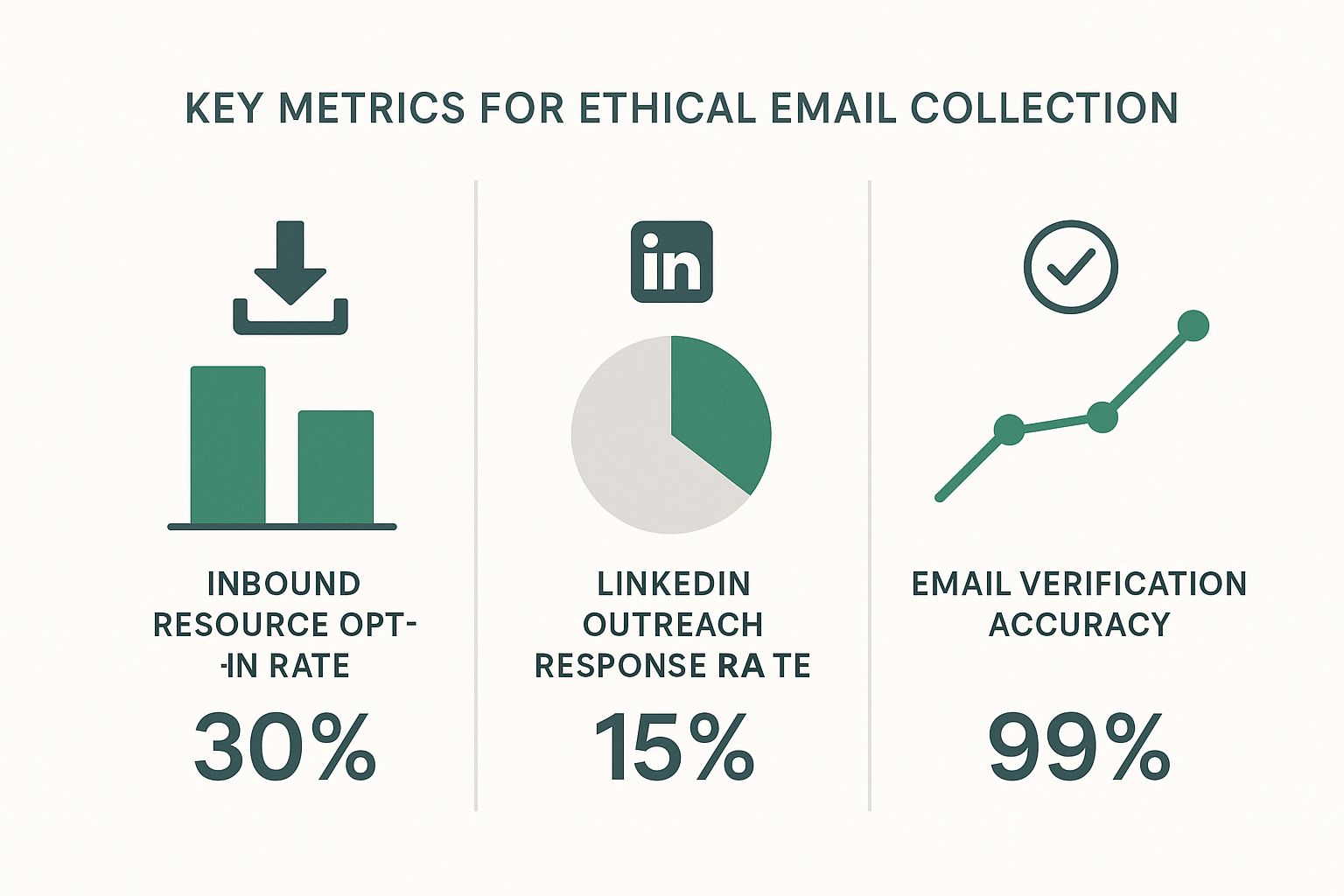
    The infographic below gives a great visual breakdown of the key metrics for the ethical email collection methods we're talking about.

    Infographic about how to get email addresses for marketing

    As you can see, while inbound methods naturally pull in higher engagement, combining them with targeted outreach and solid verification creates a really powerful system for building your list.

    To give you a clearer picture, here's how different methods stack up against each other.

    Comparing Email Acquisition Methods

    Method Best For Effort Level Quality of Leads
    Inbound Lead Magnets Building a warm, engaged audience over time. Medium to High High
    Outbound Prospecting Targeting specific, high-value accounts and decision-makers. Medium Varies (High if targeted well)
    Networking Events Making personal connections and gathering direct contacts. High Very High
    Purchasing Lists (Not Recommended) Quick acquisition, but with major risks. Low Very Low

    Ultimately, a balanced approach using a mix of inbound and outbound tactics will give you the most sustainable results.

    Pivot to Proactive Outbound Prospecting

    While inbound marketing is busy building you a strong foundation, proactive outbound prospecting lets you go after specific accounts and decision-makers with surgical precision. The whole key is to be strategic and respectful, not spammy. For this, there's no better place to start than LinkedIn.

    Let's say you're a B2B SaaS company selling an analytics tool for project managers. Your goal is to connect with VPs of Operations at mid-sized tech companies. Instead of blasting out generic connection requests, you need a much sharper approach.

    Start by using LinkedIn's search filters to zero in on people who fit your ideal customer profile. You can filter by job title, industry, company size, and location to build a hyper-relevant list of prospects. This initial homework is non-negotiable—it ensures you’re only talking to people who can actually benefit from what you offer.

    Once you find a promising prospect on LinkedIn, you hit the next hurdle: finding their professional email address. This is where manual guesswork falls flat and a dedicated tool becomes a lifesaver.

    Use Smart Tools for Targeted Email Discovery

    Trying to find someone's email by hand is a massive time-sink, and you're often just guessing. A much better way is to use a specialized tool like the EmailScout Chrome extension. It plugs right into your browser, letting you find a verified email address with a single click, directly from a person's LinkedIn profile.

    Let's go back to our scenario. You've found a VP of Operations on LinkedIn who looks like a perfect fit. With the EmailScout extension installed, you just go to their profile, click the icon, and it instantly finds and shows their verified corporate email.

    This is a total game-changer for outbound sales and marketing. It takes all the friction and guesswork out of the equation, turning a manual scavenger hunt into a smooth, repeatable workflow. You end up spending less time digging and more time connecting.

    The process is incredibly simple:

    1. Identify Prospects: Use LinkedIn Sales Navigator or regular search to build your target list.
    2. Visit Their Profile: Head over to the individual's LinkedIn page.
    3. Find the Email: Click the EmailScout extension to instantly uncover their verified email.
    4. Save and Organize: Add the new contact and their email to your outreach list or CRM.

    For anyone who wants to go even deeper, our guide on how to build an email list covers additional strategies and best practices that complement this workflow.

    By combining the broad appeal of inbound with the precision of smart outbound prospecting, you create a balanced, powerful system to get email addresses for your marketing. This dual approach keeps your pipeline full with both warm, self-identified leads and hand-picked, high-value prospects, giving your campaigns all the fuel they need to succeed.

    Automate Email Discovery with Smart Tools

    Let’s be honest: manually searching for email addresses is one of the fastest ways to burn through your day. Digging through websites, sifting through social profiles, and running endless Google searches for a single contact is tedious and just doesn't scale. This is where you learn to work smarter, not harder, by bringing smart automation into your workflow.

    A person at a desk using a laptop with icons representing email automation.

    Think about a real-world scenario. You just got back from a big industry trade show. It was a huge success, and you have a spreadsheet with the names and companies of 100 promising leads. The old-school approach would mean blocking off the next few days for a mind-numbing scavenger hunt online.

    But instead of facing that manual grind, you can turn a multi-day project into a task that takes just a few minutes. This is exactly how you get email addresses for marketing at scale without sacrificing quality.

    From Manual Grind to Automated Enrichment

    The modern approach is to use a bulk email finder, a tool designed for this exact challenge. With a service like EmailScout, you can take that raw list of prospects and automatically enrich it with verified, accurate contact information.

    The process is refreshingly simple. Just format your spreadsheet into a CSV file with columns for the first name, last name, and company domain. Then, upload it directly into the tool’s Bulk Finder feature.

    In a matter of minutes, the system gets to work on your entire list. It systematically searches for and pins down the correct email addresses for each person, turning your basic spreadsheet into a powerful outreach list, ready to go.

    Understanding Confidence Scores for Smarter Outreach

    Once the tool processes your list, it doesn't just dump a bunch of emails on you. A critical feature you'll notice is a confidence score next to each result. This little number is a game-changer for prioritizing your outreach.

    Here’s a quick breakdown of what these scores usually mean:

    • High Confidence (e.g., 90-99%): The tool is almost certain this is the correct, deliverable email. These are your top-tier contacts to hit up first.
    • Medium Confidence (e.g., 60-89%): There's a solid chance this email is correct, but it might be a catch-all address or based on a common pattern that couldn't be 100% verified.
    • Low Confidence (e.g., below 60%): These are educated guesses. Approach these with caution to avoid hurting your sender reputation with a high bounce rate.

    By paying attention to these scores, you can segment your outreach intelligently. Kick off your campaign with the high-confidence contacts to get the best initial engagement and deliverability. For the lower-scoring ones, you might decide a little extra manual research is worth it before you hit send.

    This strategic prioritization is what separates efficient marketers from busy ones. Instead of treating every contact the same, you're using data to focus your energy where it will have the biggest impact, ensuring your first wave of emails reaches the right inboxes.

    Integrating Tools into a Seamless Workflow

    The real magic happens when you integrate these tools into your larger sales and marketing process. Finding the emails is just one piece of the puzzle. The next step is getting rid of the friction caused by manual data entry.

    Modern email finders like EmailScout are built to connect with the platforms you already use. This means you can often send the enriched data straight to your Customer Relationship Management (CRM) or email marketing platform.

    This creates a seamless lead generation machine:

    1. Acquire Leads: Gather company names and decision-makers from events, LinkedIn, or other sources.
    2. Enrich Data: Use a bulk finder to automatically discover verified email addresses.
    3. Sync Contacts: Push the enriched, high-confidence contacts directly into your CRM.
    4. Launch Campaigns: Immediately enroll these new contacts into your targeted outreach sequences.

    This closed-loop system pretty much eliminates the risk of human error from copy-pasting data and dramatically shrinks the time from lead identification to first contact. You're not just finding emails faster; you're acting on them faster, too. For a detailed comparison of different options, our guide on the best email finder tools offers a comprehensive look at the top solutions available.

    Ultimately, automating email discovery is about building a system that can grow with you. It frees you from the repetitive tasks, so you can focus on crafting compelling messages and building relationships—the work that truly drives results.

    Verify Emails to Protect Your Sender Reputation

    Sending an email campaign to a list you haven't cleaned is a massive gamble. Think of it like shipping expensive products without double-checking the delivery addresses first—it's wasteful, costly, and ultimately damages your brand's reputation with postal services.

    In the email world, those "postal services" are Internet Service Providers (ISPs) like Gmail and Outlook.

    When you fire off emails to invalid or dead addresses, they bounce back. A high bounce rate is one of the biggest red flags for ISPs. It signals that you might be a spammer using sloppy list-building habits, which can absolutely tank your sender reputation and future deliverability.

    The Anatomy of Email Verification

    So what’s actually going on when you verify an email address? It’s not just a quick check to see if the format looks right. A proper verification process is a sequence of technical checks running behind the scenes to confirm an inbox is real, active, and ready to receive mail.

    A solid verification tool will run through a few key steps:

    • Syntax Check: This is the first, most basic pass. It just makes sure the email follows the standard name@example.com format and doesn't have any weird characters or obvious typos.
    • Domain Validation: Next, the tool checks if the domain (example.com) is even real and has active mail servers set up to receive email. No point in going further if the domain itself is a dud.
    • SMTP Ping: This is where the magic happens. The system basically starts a "handshake" with the recipient's mail server without actually sending an email. This "ping" confirms whether that specific user account actually exists on that server.

    This multi-layered process is what separates a clean, effective list from one that’s going to get your domain flagged.

    A Practical Walkthrough with an Email Verifier

    Let’s make this real. Say you have a list of 500 contacts you pulled together from a networking event and some LinkedIn prospecting. Before you even dream of loading them into your campaign software, you need to run them through a verifier.

    Using a tool like EmailScout's verifier makes this painless. You just upload your list, usually as a CSV file. The platform then churns through each contact, running all the checks we just talked about.

    The output you get back isn't just a simple "valid" or "invalid" stamp. You get much richer feedback, like "deliverable," "risky" (maybe it's a catch-all server), or "undeliverable." This is the kind of detail that lets you make smart decisions instead of just guessing.

    If you really want to get into the weeds on this, our complete guide on email address verification breaks down every single step and why it matters for your campaigns.

    The Real-World Impact of Verification

    Cleaning your list isn't just some technical busywork; it has a direct, measurable impact on how your campaigns perform.

    I know of a B2B software startup that was getting killed on their cold outreach. Their initial campaigns had a painful bounce rate of around 12%, and their open rates were limping along below 20%. It was a mess.

    Frustrated, they made one simple change: they made pre-send verification mandatory for every list. No exceptions. They started running every batch of new contacts through a verifier before hitting send.

    The results were almost immediate:

    1. Bounce Rate Plummeted: Their bounce rate dropped from a scary 12% to less than 1% on their very next campaign.
    2. Open Rates Soared: With their sender reputation on the mend, their open rates jumped by 15% in just two months.
    3. Engagement Spiked: Because their emails were actually landing in real inboxes, they saw a huge lift in replies and demo requests.

    That small shift in their process turned their email outreach from a frustrating waste of time into a predictable way to get leads. Making pre-send verification a non-negotiable step is one of the most powerful things you can do to protect your most valuable digital asset: your sender reputation.

    Organize and Segment Contacts for High Impact Campaigns

    A flowchart showing email contacts being segmented into different campaign groups.

    Getting a list of fresh emails is a great start, but it's just raw potential. The real power comes from organizing that list. If you just blast the same generic message to everyone, you’re setting yourself up for low open rates and a flood of unsubscribes.

    The secret to making your marketing actually work is segmentation. It’s a simple concept: you slice your main email list into smaller, more focused groups based on what you know about them. This lets you stop sending one-size-fits-all emails and start delivering personalized content that actually connects with each group. It’s how you turn a list of names into a real source of revenue.

    Moving Beyond Basic Segmentation

    Good segmentation is way more than just sorting by location. To create campaigns that really land, you have to group your contacts by data that reflects who they are professionally, what they care about, and how they found you in the first place. The more detail you have, the more personal you can get.

    Here are a few powerful ways I like to segment contact lists:

    • By Job Title: You wouldn't talk to a CEO the same way you'd talk to a Marketing Manager. Grouping by title lets you adjust your tone and focus on the specific problems and goals that matter to their role.
    • By Industry: A software company selling to both healthcare and finance needs completely different messaging for each. When you segment by industry, you can use case studies, jargon, and examples that resonate with them.
    • By Company Size: A 10-person startup has wildly different needs than a 1,000-employee corporation. This simple filter helps you frame your offer as the perfect solution for their scale.
    • By Lead Source: Think about where you got the contact. Someone who signed up for your webinar is a much warmer lead than a cold prospect from LinkedIn. Tagging them by source helps you decide how direct or gentle your follow-up should be.

    For example, a digital marketing agency could create a segment of contacts from e-commerce companies. To that group, they might send a case study on boosting online sales with SEO. At the same time, they could send a completely different offer about local lead generation to another segment of brick-and-mortar businesses.

    Prioritizing List Hygiene and Compliance

    As you organize your list, you absolutely have to keep it clean and legal. This isn't optional.

    List hygiene is just the process of regularly clearing out dead-weight—inactive subscribers and bad email addresses. Cleaning your list keeps your bounce rate low, which protects your sender reputation and makes sure your emails actually get delivered.

    Equally important is playing by the rules. Following email marketing laws isn't just about avoiding hefty fines; it’s about building trust with your audience.

    Key Compliance Checkpoints

    • CAN-SPAM Act (U.S.): This law means you must include your physical address in every email, have a clear unsubscribe link, and honor opt-out requests immediately.
    • GDPR (EU): If you have contacts in the European Union, the General Data Protection Regulation demands you get clear, explicit consent before sending them marketing emails. You also need to be able to prove they opted in.

    Make these practices part of your workflow from day one. An organized, clean, and compliant list is the bedrock of every successful email campaign you’ll ever run.

    Common Questions About Finding Email Addresses

    As you start pulling together email lists for your marketing campaigns, you're bound to run into a few tricky questions. Figuring out the legal and strategic details is key to building an outreach process that actually works without getting you blacklisted.

    Let's clear up some of the most common concerns right now.

    Is It Legal to Email People I Find Online?

    This is the big one, and the short answer is: it depends. The crucial factor is who you're emailing—another business (B2B) or a regular consumer (B2C).

    For B2B outreach, regulations like the CAN-SPAM Act in the U.S. often operate under the idea of “legitimate interest.” In simple terms, this means you can generally email a business contact if your product or service is truly relevant to what they do for a living.

    But this isn't a free-for-all. Your outreach still has to play by some non-negotiable rules:

    • Offer Real Value: Don't just send a lazy sales pitch. Your message needs to offer a genuine solution or a useful insight.
    • Be Upfront: Make it crystal clear who you are and what your company does. No mystery games.
    • Provide a Clear Opt-Out: Every single email must have an obvious, one-click way for them to say "no thanks" and unsubscribe.

    How Many Follow-Up Emails Are Too Many?

    This is where a lot of people go wrong. Bombarding someone with follow-ups is the fastest way to get your emails sent straight to the spam folder.

    A good rule of thumb for cold outreach is a sequence of 3-4 emails spaced out over a few weeks. Anything beyond that usually just annoys people and can start to tarnish your brand's reputation.

    The real secret is making every follow-up different. Instead of just saying "Hey, just checking in," bring something new to the table each time—a relevant case study, a helpful article, or a new idea they hadn't considered.

    What Is a Realistic Bounce Rate for a Cold Campaign?

    When you're running a cold campaign with a list you've sourced and verified yourself, you should aim for a bounce rate under 5%. This is a healthy target that tells you your list quality is solid.

    If you see your bounce rate climbing over 5%, that's a red flag. It’s a loud-and-clear signal that something is wrong with your list's accuracy or your verification process is broken. You need to fix it immediately to protect your sender reputation.


    Ready to build a high-quality, verified email list the smart way? EmailScout gives you the tools to find, verify, and organize contacts for your marketing campaigns, all with a single click. Start finding unlimited emails for free at https://emailscout.io.

  • 12 Best Email Lookup Tool Options for 2025 (Reviewed)

    12 Best Email Lookup Tool Options for 2025 (Reviewed)

    In today's competitive landscape, reaching the right decision-maker directly can make or break a deal. Generic outreach is dead; personalized communication is key, but getting that crucial email address without spending hours on manual searches is a significant challenge. The right technology doesn't just save time, it multiplies your opportunities.

    An effective email lookup tool is the engine behind successful sales prospecting, targeted marketing campaigns, and meaningful networking. It cuts through the noise, delivering accurate contact information directly into your workflow, and a single verified email can be the difference between a closed deal and a bounced message. The core problem these platforms solve is bridging the gap between identifying a key prospect and actually initiating a conversation.

    This guide is designed to help you navigate the crowded market and identify the best email lookup tool for your specific goals. We'll move beyond marketing claims to provide an in-depth, practical analysis of 12 leading solutions, including Hunter, Apollo.io, ZoomInfo, and Lusha. We evaluate their core strengths, hidden limitations, and ideal use cases. Each review includes screenshots and direct links to help you see the platform in action.

    Whether you're a solo founder building your first contact list or a sales leader equipping a global team, you'll find the insights needed to make an informed decision. This resource will help you stop guessing and start connecting with the people who matter most to your business's growth.

    1. EmailScout

    EmailScout stands out as a premier and remarkably accessible choice for professionals seeking the best email lookup tool. It operates as a powerful yet intuitive Chrome extension, seamlessly integrating into your daily workflow to uncover valuable email contacts directly from websites and Google search results. Its primary strength lies in its ability to automate and simplify the often tedious process of lead generation.

    For sales teams, digital marketers, and entrepreneurs, EmailScout transforms browsing into a productive data-gathering activity. The extension’s core function allows you to extract publicly available email addresses with a single click, immediately populating a clean, manageable list. This efficiency is a significant advantage for anyone building outreach campaigns from scratch.

    EmailScout

    Key Features and Practical Applications

    EmailScout's feature set is designed for both initial outreach and large-scale campaigns, making it a versatile tool.

    • Generous Free Plan: Unlike many competitors, EmailScout offers unlimited email discoveries and exports on its free tier. This makes it an ideal starting point for freelancers, startups, or anyone wanting to test its capabilities without financial commitment.
    • AutoSave (Premium): This feature is a game-changer for passive lead collection. Once enabled, it automatically captures emails from every page you visit, building a substantial contact list in the background with zero manual effort.
    • URL Explorer (Premium): For massive data extraction projects, the URL Explorer allows you to input up to 1,500 URLs at once. It then systematically visits and scrapes emails from these pages, an invaluable tool for market research or building hyper-targeted lists.

    Pricing and Overall Value

    EmailScout’s pricing model is structured to support growth. The free plan provides foundational tools, while Premium plans start at an affordable $9 per month for 5,000 emails. This scales up to enterprise-level packages that can handle one million emails monthly, ensuring the tool remains cost-effective as your outreach needs expand. The ability to export findings as CSV, TXT, or to the clipboard adds to its practical utility.

    Pros:

    • Unlimited email finding and exports on the free plan
    • AutoSave feature provides hands-free list building
    • URL Explorer is excellent for bulk extraction and scaling
    • Highly affordable and flexible pricing tiers
    • Simple, user-friendly Chrome extension

    Cons:

    • Advanced automation features (AutoSave, URL Explorer) require a paid subscription
    • Effectiveness is limited to publicly visible emails on web pages

    Website: https://emailscout.io

    2. Hunter

    Hunter is a highly reputable and well-established player in the email lookup space, making it one of the best email lookup tool options for sales professionals and marketers. It excels at finding professional email addresses associated with a specific company domain. Its straightforward interface and powerful browser extensions for Chrome, Firefox, and Edge allow you to find email addresses directly from a company's website or a LinkedIn profile, streamlining your prospecting workflow significantly.

    Hunter

    The platform offers a suite of tools including a single Email Finder, a bulk Domain Search, and an Email Verifier to ensure your outreach lists are clean. A standout feature is the built-in Campaigns tool, which allows you to send cold email sequences directly from the platform. For those looking to integrate email finding into their existing processes, Hunter offers a robust API and a convenient Google Sheets add-on. Its transparent, credit-based system is easy to understand, and its free plan is perfect for occasional users.

    Key Features & Pricing

    • Core Tools: Email Finder, Domain Search, Email Verifier, and Bulk Search.
    • Integrations: Native browser extensions, a Google Sheets add-on, and a full-featured API.
    • Unique Offering: A built-in "Campaigns" feature for sending cold email sequences.
    • Pricing: Starts with a free plan offering 25 monthly searches. Paid plans begin at $49/month for 500 monthly searches and 1,000 verifications. A key benefit is that all paid plans include unlimited team members (seats), making it cost-effective for larger teams.

    Pros:

    • Generous free plan for light usage.
    • Unlimited seats on all paid plans.
    • User-friendly interface and seamless browser extensions.

    Cons:

    • Primarily focused on B2B; less effective for finding personal or generic emails.
    • Credits can be consumed quickly with large-scale bulk searches.

    Visit Hunter

    3. Apollo.io

    Apollo.io transcends being just an email finder; it's a comprehensive go-to-market platform designed for sales and marketing teams who need an all-in-one prospecting solution. While its core strength is a massive B2B database, its email lookup capabilities are seamlessly integrated into powerful sequencing, lead scoring, and analytics tools. This makes it an incredibly efficient and one of the best email lookup tool choices for users looking to manage the entire outreach lifecycle, from finding a contact to closing a deal, within a single ecosystem.

    The platform is distinguished by its deep filtering capabilities and flexible credit system. The robust Chrome extension allows for one-click prospecting on LinkedIn and company websites, feeding contacts directly into your customized outreach sequences. A unique benefit is its credit refund policy; Apollo automatically refunds credits for any emails that bounce when sent through its native sequencer, ensuring you only pay for valid data. This integrated workflow from discovery to outreach makes it a favorite for teams aiming for high-velocity sales.

    Key Features & Pricing

    • Core Tools: B2B database with advanced filters, Email and Phone Number Finder, robust Chrome Extension, and a fully integrated Sequencer.
    • Integrations: Deep integration with Salesforce, HubSpot, and other major CRMs, plus a comprehensive API.
    • Unique Offering: Refunds credits for bounced emails sent via Apollo. A single credit can reveal a business, personal, or any available email for a contact.
    • Pricing: Offers a generous free plan with 60 email credits per year. Paid plans start at $49/user/month, providing significantly more credits and features. Pricing tiers are not all public and may require a sales consultation for enterprise needs.

    Pros:

    • All-in-one platform combining prospecting, engagement, and analytics.
    • Flexible credit logic can provide multiple email types for one credit.
    • Credit refunds for bounced emails reduce wasted spend.

    Cons:

    • Can be more complex than standalone email finders.
    • Credit costs for phone numbers (direct dials) can add up quickly.
    • Some advanced features are locked behind higher-tier plans.

    Visit Apollo.io

    4. ZoomInfo (SalesOS)

    ZoomInfo is an enterprise-grade B2B intelligence platform that goes far beyond simple email lookups. Positioned as a go-to-market (GTM) solution, it offers one of the most comprehensive databases of company and contact information, particularly for the US market. Its power lies not just in finding emails but in providing a complete profile, including direct-dial phone numbers, company firmographics, buying intent signals, and organizational charts, making it an indispensable tool for established sales and marketing teams.

    ZoomInfo (SalesOS)

    The platform, known as SalesOS, integrates deeply into existing workflows with a robust Chrome extension and native integrations for popular CRMs like Salesforce and HubSpot. This allows for seamless data enrichment and prospecting directly within the systems your team already uses. While its extensive features and data depth make it a top-tier email lookup tool, its enterprise focus means it operates on a different pricing model than many competitors, requiring annual contracts and custom quotes tailored to specific data needs and team sizes.

    Key Features & Pricing

    • Core Tools: Extensive B2B contact and company database, advanced search filters, data enrichment, and intent data signals.
    • Integrations: Powerful Chrome extension ("ReachOut") and deep native integrations with major CRM and marketing automation platforms.
    • Unique Offering: Provides a full suite of GTM intelligence, including direct dials, org charts, and technographics, not just emails.
    • Pricing: Custom quote-based pricing on annual contracts. There are no public monthly plans, and pricing is geared towards mid-market and enterprise teams. Access is often based on a system of view/export credits.

    Pros:

    • Extremely high data accuracy and depth, especially for US-based contacts.
    • Comprehensive feature set including intent data and direct-dial numbers.
    • Seamless integration with existing sales and marketing stacks.

    Cons:

    • Pricing is not transparent and can be a significant investment.
    • Annual contracts make it inaccessible for individuals or small businesses.
    • The credit system for exports and views can be complex to manage.

    Visit ZoomInfo

    5. Lusha

    Lusha has established itself as a leading contender for the title of best email lookup tool, particularly for sales and recruiting teams who need accurate B2B contact data, including direct dial phone numbers. Its primary strength lies in its powerful Chrome extension, which integrates seamlessly with LinkedIn, Salesforce, and company websites, allowing users to reveal contact information with a single click. This streamlined workflow makes it incredibly efficient for building targeted prospect lists on the fly.

    Lusha

    The platform operates on a straightforward credit-based system and places a strong emphasis on data privacy and compliance with GDPR and CCPA. Beyond just email finding, Lusha provides access to mobile numbers, company firmographics, and technology stacks, making it a comprehensive intelligence tool. Lusha is often featured among the best lead generation tools because it goes beyond simple email lookups to enrich contact profiles with valuable context for outreach. Its free plan offers a handful of credits each month, providing a great starting point for individuals.

    Key Features & Pricing

    • Core Tools: Chrome Extension for one-click lookups, API for programmatic access, Bulk Enrichment, and CRM integrations.
    • Integrations: Connects directly with major CRM and sales platforms like Salesforce, HubSpot, and SalesLoft.
    • Unique Offering: Strong focus on providing both verified emails and direct-dial phone numbers for contacts.
    • Pricing: A free plan is available with 5 credits per month. Paid plans start at $39/user/month for 480 annual credits. Credits are used for revealing contacts, with phone numbers costing significantly more credits than emails.

    Pros:

    • Excellent for finding both email addresses and direct phone numbers.
    • Simple credit system and a very fast, efficient workflow via the browser extension.
    • Strong commitment to data compliance (CCPA/GDPR).

    Cons:

    • Phone numbers are expensive, consuming a large number of credits per reveal.
    • Advanced features like CRM integrations are reserved for higher-tier plans.

    Visit Lusha

    6. RocketReach

    RocketReach is a popular and robust email lookup tool, trusted by major companies for its extensive database of professional and personal contact information. It’s designed to help both individuals and large teams streamline their prospecting and outreach efforts. The platform offers a user-friendly Chrome extension that allows users to find contact details directly from company websites, LinkedIn profiles, and other web pages, making it a highly efficient part of any workflow.

    RocketReach

    The platform is more than just an email finder; higher-tier plans also provide direct phone numbers, adding another layer to your outreach strategy. RocketReach features advanced search filters, bulk lookup capabilities, and CRM integrations to keep your data synchronized. A key differentiator is its credit system, which separates "lookups" (finding contact info) from "exports" (saving it to a list or CRM). While its pricing can seem complex, the low-friction signup with free lookups is a great way to test its data quality before committing.

    Key Features & Pricing

    • Core Tools: Individual and bulk email lookups, phone number search, and company information.
    • Integrations: Chrome/Edge browser extensions, a robust API on higher tiers, and various CRM integrations.
    • Unique Offering: Provides both professional and personal emails, along with direct phone numbers on Pro/Ultimate plans.
    • Pricing: Starts with a free trial of 5 lookups. Paid plans like Essentials (email only) begin around $39/month (billed annually) for 125 lookups. Pro and Ultimate plans add phone lookups and higher credit limits. Pricing and limits often vary based on the billing term (monthly vs. annual).

    Pros:

    • Generous free lookups to test data accuracy before purchase.
    • Provides both email and phone numbers, offering more contact options.
    • Extensive database with high accuracy rates.

    Cons:

    • The credit system distinguishing between "lookups" and "exports" can be confusing for new users.
    • Exact pricing is sometimes unclear until you proceed to the checkout page.

    Visit RocketReach

    7. Snov.io

    Snov.io positions itself as more than just an email finder; it's an all-in-one cold outreach automation platform. This makes it an ideal candidate for the best email lookup tool for sales teams and marketers who want a unified solution for prospecting and outreach. Its strength lies in its comprehensive suite of tools, which includes an email finder, a verifier, a drip campaign sender, and even a free sales CRM, all managed from a single dashboard.

    Snov.io

    The platform provides powerful Chrome extensions, including an Email Finder for company websites and a LI Prospect Finder for sourcing leads directly from LinkedIn. A key differentiator is its credit system, where credits are universal and can be used for email searches, verifications, or campaign recipients. This flexibility, combined with its strong feature-to-price value, makes it particularly attractive for startups and small to medium-sized businesses looking to scale their outreach without a massive budget.

    Key Features & Pricing

    • Core Tools: Email Finder, Email Verifier, Email Drip Campaigns, Sales CRM, and Technology Checker.
    • Integrations: Chrome extensions for website and LinkedIn prospecting, plus integrations with Pipedrive, Zapier, and more.
    • Unique Offering: A flexible credit system usable across multiple tools and an included email warm-up feature on higher-tier plans.
    • Pricing: Offers a free, renewable monthly plan with 50 credits. Paid plans start at $39/month for 1,000 credits and 2,000 email recipients. All paid plans include unlimited users (seats), offering exceptional value for teams.

    Pros:

    • Excellent all-in-one value with CRM and outreach tools included.
    • Unlimited seats on paid plans makes it highly scalable for teams.
    • Flexible credit system can be used across different features.

    Cons:

    • Advanced features like LinkedIn automation may require separate add-on costs.
    • Data accuracy and coverage can be inconsistent for certain niche industries.

    Visit Snov.io

    8. VoilaNorbert

    VoilaNorbert positions itself as a friendly and highly accurate email finder, focusing on a simple, effective approach that makes it a strong contender for the best email lookup tool. Its core strength lies in its transparency and "pay-only-for-found" logic, where you are not charged a credit for searches that don't yield a valid email address. This fair-use policy, combined with a clean user interface, makes it particularly appealing for users who prioritize accuracy and predictable costs in their prospecting efforts.

    VoilaNorbert

    The platform offers a focused set of tools, including a single email finder, bulk verification, data enrichment, and a simple outreach tool called "Sequences" for sending basic email campaigns. VoilaNorbert also provides a convenient Chrome extension for finding emails on the fly from websites and LinkedIn profiles. Its API and bulk worker options on paid plans cater to more demanding, high-volume needs, allowing for seamless integration into custom workflows. The free trial of 50 credits is a great way to test its accuracy firsthand.

    Key Features & Pricing

    • Core Tools: Email Finder, Email Verifier, Data Enrichment, and Bulk Search.
    • Integrations: Chrome extension, a full-featured API, and various native integrations.
    • Unique Offering: A fair "pay-only-for-found" credit system and a simple "Sequences" outreach module.
    • Pricing: Starts with a free trial of 50 credits. Paid plans begin at $49/month for 1,000 leads and scale up. Pay-as-you-go options are also available, and credits on annual plans roll over, a significant benefit for users with fluctuating monthly needs.

    Pros:

    • You only pay for successfully found emails.
    • Simple, user-friendly interface.
    • Credits on annual plans roll over month-to-month.

    Cons:

    • Primarily focused on B2B emails; less effective for personal emails.
    • Outreach features are less advanced than dedicated sales engagement platforms.

    Visit VoilaNorbert

    9. ContactOut

    ContactOut positions itself as a powerful recruiting and sales intelligence platform, excelling at finding personal and work emails with impressive accuracy, particularly from LinkedIn profiles. It is widely regarded as one of the best email lookup tool choices for sourcing professionals who need direct contact details, including phone numbers, which many other tools do not provide. Its primary strength lies in its powerful Chrome extension, which integrates seamlessly with LinkedIn and company websites, allowing users to uncover contact information with a single click.

    ContactOut

    The platform is more than just a finder; it includes a comprehensive search portal for building targeted lists, an email campaigns feature for outreach, and a Google Sheets add-on called ContactSheets for enriching data in bulk. This makes it a versatile solution for users who want to manage a significant portion of their outreach workflow within one ecosystem. The combination of high match rates for both personal and professional emails, plus the inclusion of phone numbers, makes it a unique and valuable asset for sales and recruitment teams.

    Key Features & Pricing

    • Core Tools: Chrome Extension, Search Portal, List Building, Email Campaigns, and API access.
    • Integrations: Deep LinkedIn integration via its extension and a Google Sheets add-on for bulk enrichment.
    • Unique Offering: High success rate in finding personal emails and direct dial phone numbers, not just professional addresses.
    • Pricing: Offers a free plan with a generous allotment of credits. Paid plans are available, but pricing for team and API access is not transparent and requires contacting their sales team for a custom quote.

    Pros:

    • Excellent data coverage and speed, especially for LinkedIn prospecting.
    • Free daily credits allow for consistent trial usage.
    • Easy installation and user-friendly extension.

    Cons:

    • Pricing is not fully transparent, particularly for team or API plans.
    • The strong focus on personal emails may raise data compliance considerations depending on your region.

    Visit ContactOut

    10. UpLead

    UpLead positions itself as a premium B2B data provider, making it a strong contender for the best email lookup tool for teams that prioritize accuracy above all else. Its core value proposition is a 95% data accuracy guarantee, which ensures that outreach efforts are directed at real, verified contacts. This commitment to quality data extends beyond emails to include mobile direct dials, making it a comprehensive solution for sales and business development professionals who need multiple touchpoints.

    UpLead

    The platform offers an impressive array of over 50 search filters, including technographics (what software a company uses) and buyer intent data on higher-tier plans. This allows for highly targeted prospecting. Users can find contacts through its web platform or a convenient Chrome Extension that works over company websites and LinkedIn profiles. Its seamless CRM integrations and data enrichment capabilities help maintain a clean and up-to-date database, solidifying its place for data-driven teams.

    Key Features & Pricing

    • Core Tools: B2B Prospecting Database, Data Enrichment, Chrome Extension, Real-time Email Verification.
    • Integrations: Direct integrations with popular CRMs like Salesforce, HubSpot, Zoho, and more.
    • Unique Offering: Includes advanced data points like technographics and buyer intent data on higher plans.
    • Pricing: Starts with a free trial of 5 credits. The Essentials plan begins at $74/month for 170 credits per month (billed annually). Credits roll over, and all plans include a single user seat.

    Pros:

    • Industry-leading 95% data accuracy guarantee.
    • Advanced filtering with technographics and intent data.
    • Provides mobile direct dials in addition to verified emails.

    Cons:

    • Monthly credit allowances on lower-tier plans can be limited.
    • Some of the most powerful features are gated behind more expensive plans.

    Visit UpLead

    11. Anymail Finder

    Anymail Finder distinguishes itself with a unique, cost-effective pricing model: you only pay for verified, deliverable email addresses. This makes it a strong contender for the title of best email lookup tool, especially for users who prioritize budget predictability and data accuracy. The platform guarantees a 97%+ delivery rate for the emails it provides, ensuring that credits are not wasted on addresses that are likely to bounce. It is designed for efficiency, allowing users to find emails individually by name and domain or in bulk for larger campaigns.

    Anymail Finder

    The platform's core philosophy is that users should not pay for uncertain results. Any email classified as risky or that cannot be found is provided free of charge, which is a significant advantage over many competitors. Anymail Finder offers both a powerful API for developers looking to integrate email finding into their own applications and a simple bulk finder for sales and marketing teams. The combination of its pay-for-performance model and robust technical tools makes it a highly practical choice for data-driven outreach efforts. Learn more about the importance of this process in our guide to email address verification.

    Key Features & Pricing

    • Core Tools: Single and Bulk Email Finder, API access.
    • Integrations: Robust API for custom integrations and a Zapier connection.
    • Unique Offering: Pay-only-for-valid-emails model where you are not charged credits for risky or unfound emails.
    • Pricing: Offers a free trial with 20 verified emails. Paid plans start at $49/month for 1,000 verified emails. Annual plans offer the best value with a large upfront credit allocation and the ability to roll over unused credits up to 2x the annual amount.

    Pros:

    • Excellent value with its "pay-for-verified-emails-only" system.
    • Generous credit rollover on annual plans.
    • Powerful API is ideal for large-scale data enrichment projects.

    Cons:

    • Monthly plans are less cost-effective per credit compared to annual commitments.
    • Lacks the built-in sales engagement features (e.g., email sequencing) of all-in-one platforms.

    Visit Anymail Finder

    12. Dropcontact

    Dropcontact is a privacy-first, EU-based email lookup tool that sets itself apart by generating and validating emails in real-time rather than pulling from a static database. This approach makes it a standout option for teams highly conscious of GDPR and data privacy. The platform is designed to find, verify, and enrich B2B contact information directly within your workflow, ensuring you have the most current data without relying on stored, potentially outdated lists.

    Dropcontact

    Beyond its single and bulk email finder, Dropcontact's core strength lies in its deep CRM integration and data enrichment capabilities. It can automatically correct and enrich contact data within HubSpot, Pipedrive, and Salesforce, adding verified professional emails, job titles, and company information. This makes it an invaluable tool for maintaining a clean and powerful CRM. Its pricing model is straightforward, where a single credit covers the entire find, verify, and enrich process.

    Key Features & Pricing

    • Core Tools: Real-time email finding, data enrichment (job title, company info), and email verification.
    • Integrations: Native integrations with HubSpot, Pipedrive, and Salesforce for seamless CRM enrichment.
    • Unique Offering: GDPR-compliant, database-free approach that generates emails on-demand.
    • Pricing: Standalone finder plans start at €24/month for 1,000 credits. CRM enrichment is priced separately, starting at €49/month. A free trial is available to test the platform.

    Pros:

    • Excellent for GDPR compliance and data privacy.
    • One credit conveniently covers finding, verifying, and enriching a contact.
    • Powerful, native CRM integrations for automated data cleaning.

    Cons:

    • Primarily focused on B2B contacts; less effective for personal emails.
    • CRM enrichment plans are priced separately from the standalone lookup tool.

    Visit Dropcontact

    Top 12 Email Lookup Tools Comparison

    Product Core Features User Experience/Quality Value Proposition Target Audience Price Points
    EmailScout Unlimited free email finds; AutoSave; URL Explorer (bulk) User-friendly Chrome extension; seamless Free unlimited emails; affordable premium plans Marketers, sales pros, entrepreneurs From $9/month for 5K emails
    Hunter Email finder, verifier; browser & Sheets add-ons; campaigns Clear pricing; good data quality Generous annual discounts; native integrations Marketing, sales teams Credits-based, free plan available
    Apollo.io Email/phone lookup; Chrome extension; credit refunds Deep workflows; strong documentation Flexible credits; all-in-one prospecting Sales, marketing professionals Credit system, pricing varies
    ZoomInfo (SalesOS) Large US B2B data; intent & enrichment; CRM integrations Enterprise-grade; broad product suite High coverage for mid/enterprise Enterprises, mid-market Quote-based, annual contracts
    Lusha Email/phone lookup; Chrome extension; API access Simple credit system; fast workflow Compliance-focused; free monthly credits Salespeople, recruiters Credits-based, free plan
    RocketReach Email+phone lookup; bulk options; API access Easy signup; public pricing references Team & solo plans; multiple pricing tiers Solopreneurs, teams Tiers vary, some pricing opaque
    Snov.io Email finder, verifier, warm-up; campaigns Strong value; unlimited exports Competitive pricing; free trial Startups, SMBs Credit-based, free trial
    VoilaNorbert Email finder/verifier; pay-only-for-found; sequences Clear pricing; simple interface No charge if email not found Small teams, SMBs Pay-as-you-go, free 50 credits
    ContactOut LinkedIn-focused; email+phone; Google Sheets add-on Fast, high LinkedIn coverage Free daily credits; strong sourcing Recruiters, sales pros Pricing not fully transparent
    UpLead Verified emails; intent data; CRM integrations Transparent pricing; 95% verification guarantee Strong accuracy and filters SMBs, professionals Per-credit pricing, annual discounts
    Anymail Finder Pay only for valid emails; bulk finder; API access High delivery rate; budget predictable Credit rollover; cost-effective for large scale Developers, verification teams Pay-for-valid, annual plans better
    Dropcontact Real-time email finding & enrichment; CRM integration Privacy-by-design; GDPR compliant One credit for find + verify + enrichment GDPR-conscious teams, CRM users Pricing mainly in euros

    Finding Your Connection: The Final Verdict

    Navigating the crowded landscape of email verification and discovery platforms can feel overwhelming. After dissecting a dozen of the top contenders, from comprehensive sales intelligence giants like ZoomInfo to agile, specialized finders like VoilaNorbert, a clear pattern emerges: the best email lookup tool is not a one-size-fits-all solution. Instead, it is the one that seamlessly integrates into your unique workflow, respects your budget, and most importantly, delivers the accurate data you need to forge meaningful professional connections.

    Your choice should be a strategic one, directly tied to your primary objectives. Are you a solo entrepreneur or a small startup focused on lean growth? A tool with a generous free tier and scalable features, like EmailScout or Hunter, provides a powerful yet cost-effective entry point. Are you part of a large sales organization that requires deep company insights, org charts, and buying intent signals? In that case, an investment in a robust platform like ZoomInfo or Apollo.io becomes a critical competitive advantage.

    Key Takeaways and Decision-Making Framework

    To simplify your decision, let's distill our findings into actionable insights. Your ideal tool likely excels in one of these key areas:

    • For All-in-One Sales Engagement: If you need a platform that not only finds emails but also manages sequences, tracks engagement, and enriches CRM data, Apollo.io and Snov.io are standout choices. They centralize the entire top-of-funnel process, saving valuable time by keeping everything under one roof.
    • For High-Accuracy and Direct Dials: When your strategy relies heavily on phone outreach alongside email, accuracy is paramount. Lusha and ContactOut have built their reputations on providing reliable mobile numbers and direct dials, making them indispensable for sales development representatives who need to get decision-makers on the phone.
    • For Bulk Enrichment and Data Cleansing: If your primary need is to enrich large existing lists of leads or clean your CRM data, tools like UpLead and Dropcontact offer powerful, API-driven solutions. Their focus is less on manual lookups and more on automated, high-volume data processing.
    • For Unmatched Value and Automation: For users who demand efficiency and robust features without a hefty price tag, EmailScout carves out a unique position. Its unlimited free plan removes the barrier to entry, while its innovative automation features like AutoSave and URL Explorer drastically reduce manual prospecting time, making it a powerful contender for the title of best email lookup tool for productivity-focused users.

    Actionable Next Steps: Putting Your Knowledge to Work

    Reading reviews is just the first step. The true test comes from real-world application. We strongly recommend you identify the top two or three tools from this list that align with your specific use case and budget. Sign up for their free trials or utilize their free credit allowances.

    Create a small, targeted list of 20-30 prospects you want to reach. Run this same list through each of your chosen platforms. This hands-on comparison will give you a definitive answer on:

    1. Data Accuracy: Which tool returned the most valid and verified emails?
    2. User Experience: Which interface felt the most intuitive and efficient for your workflow?
    3. Speed and Performance: How quickly could you build your target list?
    4. Feature Utility: Did the supplementary features (like social media links or technology lookups) provide tangible value?

    Choosing the right tool is more than a software decision; it's a strategic investment in your outreach effectiveness. It’s about minimizing bounces, maximizing deliverability, and ultimately, spending less time searching and more time connecting. The perfect tool will feel like an extension of your team, empowering you to build your network and drive growth with confidence.


    Ready to experience the next level of prospecting efficiency? EmailScout offers an unlimited free plan to help you find the verified email addresses you need without any upfront cost. Stop guessing and start connecting today by trying the EmailScout Chrome extension.

  • Find Owner Email Address Easily: Proven Tips & Techniques

    Find Owner Email Address Easily: Proven Tips & Techniques

    Getting the owner's direct email is your express lane to the decision-maker, letting you skip the line at generic inboxes. This isn't just about building a contact list; it's about making sure your message lands in front of the one person who can actually say "yes." Whether you're pitching a sale, proposing a partnership, or sending an urgent notice, a direct email is what gets you a response.

    Why Finding the Right Email Is a Game-Changer

    Before we jump into the "how-to," let's talk about why this matters so much. Firing off an email to a generic info@company.com or contact@website.com is like tossing a message in a bottle. Sure, it might wash ashore somewhere, but the chances of it reaching the person you need are slim to none.

    When you track down an owner's real email, you take back control. You're not just hoping some gatekeeper forwards your message—you're placing it right in their personal digital workspace. This simple shift dramatically boosts the odds of your email being opened, read, and actually acted on.

    Boosting Your Outreach Success

    Imagine you want to write a guest post for a big industry blog. A pitch sent to the general inbox is just another ticket in a queue, competing with customer service questions and spam. But an email sent straight to the editor or site owner? That feels like a professional proposal worth their time.

    This same logic applies everywhere:

    • B2B Sales: Reaching the Head of Procurement or the CEO with a personalized solution is leagues more effective than a cold call to the front desk.
    • Partnership Proposals: Connecting directly with a founder ensures your collaboration idea is seen by someone who has the authority to green-light it.
    • Urgent Notices: For something critical like a DMCA takedown request, contacting the site owner directly gets you a fast resolution and helps you avoid legal headaches.

    Building Real Connections

    Getting a response is one thing, but having the right contact info is also the first step toward building a genuine professional relationship. A personalized message shows you’ve done your homework and you respect their time. That small bit of effort immediately sets you apart from the crowd sending out mass emails.

    The goal isn't just to find an email; it's to start a real conversation. A direct, personalized approach shows respect for the recipient's position and instantly frames you as a serious professional, not just another name in a crowded inbox.

    The sheer volume of digital communication is staggering. The number of email users worldwide is expected to blow past 4.8 billion by 2027, with people sending over 400 billion emails every single day. In all that noise, finding and using a direct email helps your message cut through, making your outreach both smart and effective. You can discover more insights about email usage and see for yourself why direct contact is so powerful.

    Laying the Groundwork for Your Search

    Before you even think about firing up an email finder, you need to do a little recon.

    Jumping straight into a tool without any context is like trying to find a house without an address—you might get lucky, but you'll probably just waste a lot of time. Think of this as your pre-flight checklist.

    Image

    This initial detective work is what separates a successful search from a frustrating one. It dramatically improves your odds of getting a valid email on the first try.

    Your goal is simple: gather three essential details.

    • The owner’s full name: A first name isn't enough. You need their full professional name to be sure you've got the right person.
    • Their company or website domain: This is non-negotiable. The domain (like company.com) is the second half of their email address.
    • Their current job title: This is your final confirmation, especially in larger companies where names might be similar.

    Gathering Your Pre-Search Intelligence

    So, where do you find this stuff? I almost always start with LinkedIn. It's the gold standard for this kind of info.

    A quick search for a company name on LinkedIn will usually lead you straight to its founder or CEO. Their profile will confirm their full name and title right away.

    Let's say you're trying to contact the founder of a hot new SaaS startup. A simple search for the company name on LinkedIn will likely bring up their profile under the "People" tab. Just like that, you have two of the three pieces of information you need. The domain is usually just a click away on their company website.

    Trust me, this prep work is the difference between a quick win and a few hours of banging your head against the wall. For a deeper dive, our guide on how to find company email addresses has even more strategies.

    I can't stress this enough: having the correct name and domain is over half the battle. Tools are only as good as the data you feed them. Garbage in, garbage out is a timeless rule here.

    Once you have these key details locked down, you’re ready to let a tool like EmailScout do the heavy lifting. By giving it a full name and a verified domain, you’re setting it up for success and making sure the results you get back are spot on.

    Alright, let's ditch the theory and get our hands dirty. Seeing a tool in action is what really counts, so let's walk through a few real-world situations where EmailScout becomes your secret weapon for finding an owner's email address. We'll skip the boring "enter a name and domain" stuff and jump right into practical workflows.

    Imagine you're a B2B sales rep targeting the Head of Partnerships at a hot new FinTech company. Let’s call her "Jane Doe" at "futurebank.com." You've done your homework, so you have her name and the company's domain. Time to fire up EmailScout's single-search feature.

    You just pop "Jane Doe" and "futurebank.com" into the dashboard and let it run. In seconds, EmailScout does its magic, crunching data points and common email patterns to pull up a list of possibilities.

    Here’s a glimpse of what you'll see in the dashboard when you kick off a search.

    The results page lays it all out for you, complete with a confidence score next to each email. This makes it incredibly easy to spot the most likely winner at a glance.

    Each result gets a confidence score, which is basically a percentage showing how sure we are that the email is correct. An address like jane.doe@futurebank.com might come back with a 95% confidence score. That's a pretty strong signal it's the right one.

    From a Single Search to Full-Blown Campaigns

    A one-off search is great for hyper-targeted outreach, but what happens when you need to build a whole list for a big campaign? That’s where EmailScout's bulk lookup really shines.

    Let's say you're putting together a PR list of 50 founders from different DTC brands. You’ve got a CSV file ready with two columns: "Full Name" and "Company Domain." Instead of painstakingly searching for each one individually—which is a recipe for mistakes and a huge time-sink—you can just upload the entire file.

    The platform gets to work, processing your list and adding the most probable email address for every contact, along with its verification status. In just a few minutes, you’ve got a clean, ready-to-use list for your campaign. This approach literally saves hours of grunt work and lets you scale your outreach in a massive way.

    The real magic of a tool like EmailScout isn't just in finding one email; it’s the power to find hundreds, consistently and efficiently. It turns a tedious manual chore into a streamlined process that fuels your entire sales or marketing engine.

    Using the Browser Extension for On-the-Fly Discovery

    Sometimes, the best opportunities pop up when you least expect them—like when you're just browsing the web. This is where the EmailScout Chrome extension becomes your go-to for grabbing an owner's email address in real time.

    Picture this: you're reading a killer article on a marketing blog and think, "The author would be a perfect guest for my podcast!" You need their email, and you need it now.

    With the EmailScout extension installed, you just head over to their LinkedIn profile or company website. Click the little extension icon, and it automatically scans the page and public data sources to sniff out any associated email addresses. It’s a completely seamless way to grab contact info without ever breaking your stride or leaving your browser.

    This on-the-fly feature is a game-changer for:

    • Networking: Quickly find contact info for interesting professionals you come across on LinkedIn.
    • Sales Prospecting: Snag emails directly from company "About Us" pages while you're researching new leads.
    • Link Building: Instantly find an editor's or webmaster's email the moment you land on a blog you want to connect with.

    How to Read the Results the Right Way

    Getting a list of emails is just the first step. Knowing what to do with them is what matters. EmailScout doesn't just give you an address; it gives you critical context.

    • Valid: This email has been checked and is safe to send to. It’s your green light.
    • Risky: This means the server is a "catch-all," so it accepts mail for any address at that domain. There's a higher chance of a bounce here, so be a bit more cautious.
    • Invalid: This email address flat-out doesn't exist. Don't even think about sending to it—it will bounce and hurt your sender reputation.

    Understanding these statuses is key to keeping your email list healthy and your deliverability rates high. For a deeper dive into these concepts, check out our guide on how to find anyone's email address. By pairing smart search techniques with a careful look at the results, you'll turn EmailScout into a powerhouse for finding high-quality contacts.

    Advanced Tactics for Hard-to-Find Emails

    Sooner or later, a standard search in EmailScout will come up empty. It happens. When the easy path is blocked, it's time to stop being just a user and start thinking like a digital detective. You have to be willing to dig a little deeper for the clues others miss.

    The secret is pattern recognition. Most companies, especially the bigger ones, stick to a standardized format for their email addresses. If you know the person's name and their company's domain, you can start making some solid, educated guesses. This is how you find an owner's email address when it isn’t plastered all over their website.

    Decoding Common Email Patterns

    The game here is to test the most common combinations of a name and domain. I always start with the most popular formats before I even think about trying the more unusual ones.

    From my own experience with outreach, these are the patterns that hit the mark most often:

    • First Name: jane@company.com
    • First Initial, Last Name: jdoe@company.com
    • First Name, Last Initial: janed@company.com
    • Full Name (Dot Separator): jane.doe@company.com
    • Full Name (Underscore Separator): jane_doe@company.com

    Once you’ve put together a short list of potential addresses, run each one through EmailScout’s verifier. This is a crucial step. It keeps you from sending emails into a black hole and getting a bounce, which can seriously ding your sender reputation. It's a simple, smart process of elimination.

    Leveraging Social Media and Personal Sites

    These days, a person's digital footprint goes way beyond their company website. Social media profiles and personal blogs can be absolute goldmines for contact info, but only if you know where to look.

    Image

    When a direct search on the company site fails, checking personal and professional online profiles is the logical next move. It's amazing how many professionals list a contact email on their personal blog, portfolio, or right there in the "Contact Info" section of their LinkedIn profile. I've personally had great luck just by checking an owner's Twitter bio, where they often drop an email for press or collaboration requests.

    This multi-channel approach works because people are practically glued to their email, especially on their phones. The numbers don't lie: 89.45% of Americans use email, and a staggering 99% check their inbox every single day. For the younger crowd, mobile is everything—67% of Gen Z and 59% of Millennials check email primarily on their smartphones. This just proves how valuable it is to find that direct address, because your message is almost guaranteed to be seen quickly. You can explore more compelling email statistics if you want to see just how deep this habit runs.

    Remember, you're looking for clues. Check "About Me" pages, dig into the footer text on personal websites, and read author bios on guest posts. These are the overlooked spots where people often share their preferred way to be contacted.

    Even historical data can sometimes provide a breakthrough. While WHOIS records are mostly private now, you can occasionally find older domain registration info through archival services. It's definitely a long shot, but for a high-value contact, it’s a tactic worth keeping in your back pocket. When you combine pattern testing with a thorough search of someone's online presence, you can uncover even the most well-hidden email addresses.

    Don’t Skip Verification—It’s Your Sender Reputation on the Line

    Image

    Finding what you think is the right email address is a solid start, but it's only half the battle. If you send a brilliant message to a dead inbox, you’re not just wasting your time—you're actively damaging your ability to reach anyone else.

    Every bounced email acts as a red flag for providers like Gmail and Outlook.

    When you pile up too many bounces, your sender reputation takes a nosedive. Before you know it, your domain could get flagged as spam or even blacklisted. That’s why email verification is an absolutely non-negotiable step in your process to find an owner email address that actually gets delivered.

    What Do Those Verification Statuses Actually Mean?

    When you run a search with a tool like EmailScout, you'll see a verification status next to each result. This isn't just technical fluff; it's your roadmap to a clean and effective outreach list.

    Here’s a quick breakdown of what they mean for you:

    • Valid: This is your green light. The email has been checked, confirmed to exist, and is safe to contact.
    • Risky: This status usually means you've hit a "catch-all" server. The domain is set up to accept mail for any address, so you can’t be sure that specific person's inbox is real. Tread carefully here, as these carry a higher bounce risk.
    • Invalid: Stop. This address is a dead end. Sending to it will cause a hard bounce, which is the worst kind for your sender score.

    Understanding the verification results from tools like EmailScout is crucial for maintaining a healthy sender reputation and ensuring deliverability. The table below breaks down what each status means and how you should respond.

    Email Verification Status Explained

    Status Meaning Recommended Action
    Valid The email address has been checked and confirmed to exist. Go ahead and send your email. This is your safest bet for deliverability.
    Risky The server is a "catch-all," meaning it accepts emails for all addresses on the domain. The specific inbox may or may not exist. Proceed with caution. Best used for less critical outreach or if you have other confirming signals.
    Invalid The email address does not exist. Do not send. Delete this address from your list immediately to avoid a damaging hard bounce.

    By paying close attention to these statuses, you can build a high-quality list that protects your reputation and maximizes your outreach success.

    Think of your sender reputation like a credit score for your email domain. Every successful delivery builds it up, but every bounce tears it down. A low score sends your messages—even the important ones—straight to the spam folder.

    This diligence is more critical now than ever. The average office worker receives around 121 emails a day, and a staggering 3.4 billion fake emails are sent daily for phishing and other attacks. Verification ensures you’re not just shouting into the void but connecting with real people.

    Add an Extra Layer of Confidence

    For a really important contact, it never hurts to double-check. While EmailScout's built-in validation is solid, you can add another layer of certainty with a few quick manual tricks.

    One of my favorites is a quick Gravatar lookup. Gravatar is a service that connects a profile picture to an email address. If you pop an email in and a professional headshot appears, it's a very strong sign you've got the right person.

    This simple two-step process—running an email through a powerful tool and then doing a quick manual spot-check—is how you build truly clean lists. This is the core of finding a business email address for effective outreach. It protects your reputation and makes sure every email you send has the best possible chance of making an impact.

    Your Top Questions About Finding Owner Emails

    Even with the best tools, you're bound to have questions. It happens. Finding a website owner's email is one thing, but knowing what to do with it—legally and effectively—is another ballgame entirely.

    Let's clear up some of the most common questions I hear. We'll get straight to the point so you can handle this contact info responsibly and actually get the results you're after.

    Is It Actually Legal to Find and Email a Website Owner?

    Yes, in most cases, it is. Finding and using publicly available professional contact info for legitimate business reasons is generally above board. But—and this is a big but—it comes with real responsibility.

    Your outreach absolutely must comply with anti-spam laws. In the U.S., that’s the CAN-SPAM Act, and in Europe, it’s the GDPR. This isn't just about avoiding a fine; it’s about basic professional courtesy.

    Every single email you send needs to be:

    • Honest and Transparent: Your "from" name and subject line can't be misleading. They have to accurately reflect who you are and why you're writing.
    • Clearly Identified as an Ad: If your email is a promotion, you have to say so. No hiding it.
    • Easy to Opt-Out Of: You must include a simple, clear way for people to tell you to stop emailing them. Period.

    The act of finding the email is rarely the issue. The rules kick in the moment you decide how you're going to use it.

    What’s the Best Free Way to Find an Owner's Email?

    While a dedicated tool like EmailScout will always give you the best accuracy and speed, you can definitely do some manual detective work for free. This is a great route if you only need an address here and there.
    First, check the obvious spots on their website. The 'Contact Us,' 'About,' or 'Team' pages are your best first bet. If you come up empty, your next stop should be LinkedIn. It's perfect for confirming the owner's full name and their official title.

    Once you have their full name and the company domain, you can start testing common email patterns. Think firstname.lastname@company.com or f.lastname@company.com. Before you hit send, run these guesses through a free email verifier tool to see which one gets a green light. It takes more time, but this manual approach can be surprisingly effective.

    How Can I Actually Get a Response to My Emails?

    Getting the right email address is just step one. The real challenge is standing out in a sea of other messages. If you want a reply, one thing matters more than anything else: personalization.

    Show them you've done your homework. Reference something specific—a blog post they just published, a company milestone you saw in the news, or maybe a mutual connection you have on LinkedIn. This one move instantly separates you from 99% of the generic spam they delete every day.

    Keep it short and get straight to the point. No one has time to read an essay. State your purpose clearly in the first two sentences.

    Finally, end with a clear, easy call to action. Instead of a vague "let me know your thoughts," make it actionable. Try something like, "Would you be open to a 15-minute chat next week to dig into this?" It makes saying "yes" a whole lot easier and keeps the conversation moving forward.


    Ready to stop guessing and start connecting? EmailScout gives you the power to find verified email addresses in seconds, turning your outreach efforts into real conversations. Try it for free and see the difference it makes. https://emailscout.io

  • How to Find Anyone’s Email Address

    How to Find Anyone’s Email Address

    Finding the right email is often the first domino to fall, unlocking a major opportunity. When it comes to the hunt, you really have two paths: old-school manual detective work or firing up a dedicated email finder tool. Which way you go usually depends on whether you're tracking down one VIP contact or building a list of hundreds.

    Why Finding the Right Email Is Still a Game Changer

    Image

    In a world drowning in social media DMs and push notifications, the humble email inbox remains one of the last bastions of direct, focused communication. Sure, other platforms are great for a quick back-and-forth, but a well-crafted email to the right person just hits different. It signals professionalism and serious intent.

    Think of it as the difference between shouting into a crowded room and sitting down for a real, one-on-one conversation.

    Knowing how to find anyone's email address is more than just a party trick; it's a legitimate strategic advantage. It lets you sidestep gatekeepers, bypass clunky contact forms, and escape the dreaded info@company.com black hole. When your message lands directly in the inbox of a decision-maker, your odds of getting a response go through the roof.

    The Strategic Value of a Direct Connection

    A verified email address is your key to unlocking meaningful professional opportunities. It doesn't matter if you're in sales, marketing, recruiting, or just trying to network—direct access is everything.

    Here’s why this skill matters so much:

    • Sky-High Response Rates: An email sent to a specific person is infinitely more likely to be opened and read than one blasted to a generic inbox.
    • Bypassing the Gatekeepers: You get a direct line to founders, hiring managers, or potential partners without getting screened out by assistants or automated filters.
    • Building Real Relationships: A direct email is the start of a personal conversation. It's the foundation for a future partnership, a sales deal, or a career-changing opportunity.

    The inbox is one of the few digital spaces left where you can command someone's undivided attention. Unlike a social media feed designed for distraction, an email invites a focused, thoughtful response.

    Email Is More Relevant Than Ever

    Despite all the new ways we have to communicate, email isn't going anywhere. In fact, it's bigger than ever. The user base is massive and still climbing.

    Projections show that by 2025, there will be 4.59 billion email users globally. That's over half the world's population! This number has exploded from just 10 million users back in 1997, and with an average of 1.86 accounts per user, the total number of inboxes is just staggering. You can dig into more data on global email usage and see for yourself why it remains a critical channel.

    At the end of the day, learning how to find an email address isn't about being sneaky. It’s about being resourceful. It's about valuing the other person's time by making sure your message is relevant, personal, and delivered to the one place it's guaranteed to be seen. It’s the first—and most important—step in making a real connection.

    Mastering Manual Email Discovery Techniques

    Image

    Before you fire up an automated tool, it’s worth trying a bit of old-fashioned digital detective work. Manual email discovery is a solid skill that often gets you the address you need with just some clever thinking. It’s all about piecing together clues that are usually hiding in plain sight.

    The best place to start? Figuring out the company's email pattern. Most organizations use a standard format for their employee emails, which makes them surprisingly predictable. Once you crack the code, you can guess an individual's address with a pretty high degree of accuracy.

    Decode the Company Email Pattern

    Your first stop should be the company's website. The goal here is simple: find just one email address from anyone at that company. That single address will almost always reveal the pattern they use for everyone.

    Common places to look include:

    • The "Contact Us" or "Team" page. Smaller companies, in particular, often list direct emails for key people.
    • Press releases or media kits. These usually have a direct contact email for media inquiries.
    • Blog author bios. If the company has a blog, the author's bio at the end of a post is a great place to check.

    Once you find an example, say j.doe@company.com, you can be pretty confident that firstinitial.lastname@company.com is the format. This simple trick is surprisingly effective and should always be your first move.

    Pro Tip: Don't just look for email addresses. Sometimes, you'll find a person's guest post or an interview on another site. Their author bio in those places often contains the direct contact info you're looking for.

    Use Advanced Google Search Operators

    When a company website comes up empty, Google is your next best friend. But a simple search probably won’t cut it. You need to use search operators—special commands that narrow your search to pinpoint exactly what you need.

    Let's say you're looking for Jane Smith at ExampleCorp. Instead of just typing her name, try these powerful queries:

    • site:examplecorp.com "Jane Smith" email
    • "Jane Smith" contact filetype:pdf
    • intitle:"team" site:examplecorp.com

    The site: operator tells Google to only search that specific website. Putting the name in quotes ensures it searches for that exact phrase. These simple tweaks can uncover resumes, staff directories, or press mentions that a basic search would have buried.

    Sift Through Social and Professional Profiles

    Professional networks are absolute goldmines for contact details. LinkedIn is the obvious starting point; always check the "Contact Info" section on a person's profile. A lot of people keep their email private, but you’d be surprised how many don’t.

    Twitter (now X) is another fantastic resource. Use its advanced search to look for tweets where your target might have shared their email. Try searching for terms like (from:username) "email" or (from:username) "contact". It happens more often than you think.

    Don't forget to check if they have a personal website or portfolio linked from their social media—the email is almost always listed there. For creators, this information is often on their YouTube channel, too. If you’re trying to connect with influencers, our guide on how to get YouTube leads from Google search has more strategies for that. These manual checks only take a few minutes but can quickly get you the direct line you need.

    Using Smart Guesses and Permutation Tools

    Image

    When you've hit a dead end with manual searches, it's time to get a little more strategic. This is where smart guessing—powered up by an email permutation tool—really shines. It’s the perfect middle ground between a simple shot in the dark and full-blown automation.

    The idea here is pretty straightforward. Most companies follow a standard, predictable pattern for their email addresses. Your goal is to crack that pattern.

    Instead of sitting there typing out a dozen different combinations by hand, a free email permutation tool does the heavy lifting for you. All you need is a first name, last name, and the company's domain, and it'll spit out a list of the most common variations instantly.

    Generating Your List of Likely Emails

    Let's run through a quick scenario. Say you’re trying to connect with "Maria Garcia" at a company called nextgen.io.

    An email permutator would generate a list that looks something like this:

    • maria.garcia@nextgen.io
    • mgarcia@nextgen.io
    • maria@nextgen.io
    • mariag@nextgen.io
    • maria_garcia@nextgen.io

    This gives you a solid list of the most probable formats companies use, covering your bases so you don’t miss the right one. It's a fantastic way to turn just a few bits of info into a real list of possibilities. But what you do with that list is what really matters.

    Hold on before you start blasting out messages to every address on that list. That's a one-way ticket to getting your domain flagged as spam, which torpedoes your sender reputation. The whole point is to find the one valid email before you even think about hitting "send."

    Verifying Your Guesses Without Sending an Email

    So, you have your list. Now what?

    There's a slick little trick you can use right inside Gmail to see which address is the real deal—without ever sending a single email. It works by taking advantage of Google's user profile feature.

    Here’s how you do it:

    1. Pop open a "New Message" window in your Gmail account.
    2. Copy and paste one of the email addresses from your list into the "To" field.
    3. Now, just hover your mouse over that address and give it a second.

    If a little pop-up appears with a profile picture and name, you've almost certainly found an active Google account tied to that email. Bingo. If you see nothing, or just a generic grey icon, that address is probably a dud. You can work through your whole list in a minute or two this way to pinpoint the right contact.

    Getting this right is more important than ever. The number of emails sent and received daily is expected to jump from 392 billion in 2025 to a staggering 523 billion by 2030. It’s still the backbone of business communication. To dive deeper into why this channel is so critical, check out the latest trends in email statistics.

    When your manual digging and educated guesses just aren't cutting it, it's time to call in the specialists. Email finder tools are built specifically to automate the discovery process. They'll save you countless hours of grunt work and deliver verified contacts with impressive accuracy.

    These aren't just simple search bots. Think of them as sophisticated platforms that scan public data, proprietary databases, and company websites to pinpoint the right inbox.

    It's a bit like this: searching manually is like panning for gold in a river. Sure, you might find a nugget here and there, but it's slow, tedious work. Using an email finder tool is like having a high-tech scanner that tells you exactly where the gold is buried.

    This chart shows just how much more effective these tools are compared to hunting down emails by hand.

    Image

    The numbers make it pretty clear. While manual techniques have their place for a quick one-off search, dedicated tools give you a dramatically higher success rate. They're an absolute must-have for any serious outreach campaign.

    Types of Email Finder Tools

    Not all email finders are created equal. They generally fall into a few categories, and knowing the difference helps you pick the right tool for the job.

    • Browser Extensions: These are lightweight tools that live right in your browser, often designed to work seamlessly on sites like LinkedIn. They're perfect for on-the-fly searches when you're targeting one or two specific contacts. For instance, a tool like EmailScout lets you find an email with a single click while you're browsing someone's profile.
    • Web Applications: These are more powerful, standalone platforms. They're built for bulk email finding, letting you upload a list of names and company domains to find hundreds—or even thousands—of emails at once.
    • API-Based Services: This one's for the tech-savvy crowd. APIs allow you to plug email-finding capabilities directly into your own apps or CRM, putting your lead generation workflow on autopilot.

    The best approach often involves a combination. I'll use a browser extension for my daily prospecting on LinkedIn, then switch over to a web application when I need to build a big, targeted list for a major campaign.

    How Do These Tools Actually Work?

    At their core, these tools work by combining several techniques to triangulate the correct email address. It starts by identifying a company's email pattern—just like we did manually, but on a massive scale.

    Then, they cross-reference that information with huge databases of publicly available professional data.

    The best tools take it a step further with a real-time verification check. This "ping" confirms that an email address is active and can actually receive mail. This is crucial for protecting your sender reputation and keeping your bounce rate low. If you want to go deeper on this, you can learn more about how to find company email addresses in our detailed guide.

    Choosing the right method can feel overwhelming, so let's break it down.

    Email Finding Methods At a Glance

    This table compares the different approaches we've covered, looking at everything from speed to cost. It's a quick way to see which method best fits your specific needs and resources.

    Method Speed Typical Accuracy Cost Best For
    Manual Guess & Check Slow Low (20-30%) Free Finding a single, high-value contact when you have time.
    Social Media & Web Search Slow to Moderate Low to Medium (30-50%) Free Quick, targeted searches for individuals with a public presence.
    Email Permutator Tools Moderate Medium (50-70%) Free to Low-Cost Generating and testing multiple patterns for a specific company.
    Dedicated Email Finders Fast High (85-98%) Subscription-Based Bulk searches, building large lists, and ensuring high deliverability.

    As you can see, while free methods have their place, nothing beats the speed and accuracy of a dedicated tool when you need reliable results at scale. This efficiency is what makes these platforms indispensable for modern sales and marketing teams.

    Email Outreach Ethics and Best Practices

    Knowing how to find anyone's email is a powerful skill. But as the old saying goes, with great power comes great responsibility.

    Finding an email address is just the starting line. Using it correctly is what separates a professional from a spammer. Before you even think about hitting "send" on that first cold email, you need to understand the ethical and legal lines you should never cross.

    The goal isn't just to get a response; it's to start a real, professional relationship built on respect. That means treating the contact information you've worked so hard to find with care.

    Complying with Email Regulations

    Let's get the legal stuff out of the way first. Regulations like the CAN-SPAM Act in the U.S. and GDPR in Europe aren't just polite suggestions—they're laws with very real penalties.

    While they have their differences, the core principles are all about transparency and consent.

    Here are the non-negotiable rules you have to follow:

    • Be Truthful: Your "From" name, subject line, and the content of your message must be honest. No tricks.
    • Provide a Physical Address: You have to include a valid physical postal address for your business.
    • Offer an Easy Opt-Out: Every single email needs a clear and simple way for the recipient to unsubscribe.

    The golden rule of outreach is simple: if you wouldn't want to receive the email you're about to send, don't send it. Respecting the inbox is the first step to earning a response.

    Best Practices for Professional Cold Outreach

    Beyond the legal minimums, ethical outreach is really about one thing: providing value. Your first email should never, ever be a hard sell. Instead, your job is to show that you've done your homework and have a legitimate reason for getting in touch.

    Personalization is everything. A generic, copy-pasted message is a one-way ticket to the trash folder or, worse, the spam filter.

    Mention a recent project they worked on, a blog post they wrote, or a connection you share. This simple step shows you have a genuine interest and immediately sets you apart from the noise. It’s a common tactic for digital marketers engaging with content creators—and it works because it’s authentic.

    The impact of getting this right is huge. The global email marketing market is on track to grow from $14.8 billion in 2025 to a massive $36.3 billion by 2033. And it's no surprise when you see that 54% of marketers are using personalization to drive engagement. You can find more stats on the growth of email marketing on hostinger.com.

    Ultimately, successful outreach is a long game. Focus on building bridges, not just sending messages.

    Even with the best tools in your arsenal, you're going to hit a few snags when you're learning how to track down anyone's email. Let's walk through some of the most common questions and roadblocks I see people run into.

    Is It Actually Legal to Find and Use Emails for Outreach?

    Yes, it’s generally above board to find and use publicly available business emails for outreach, as long as you play by the rules. The big ones you need to know are the CAN-SPAM Act in the U.S. and GDPR in Europe.

    These laws aren't there to stop you from making legitimate professional connections. They’re really about transparency and being respectful.

    To make sure you're always in the clear, just stick to these core principles:

    • Be Honest: Your "From" name and subject line can't be misleading. They have to accurately represent who you are and what the email is about.
    • Give an Easy Out: Every single email needs a clear, simple way for someone to opt out of future messages. No hoops to jump through.
    • Include Your Address: You have to put a valid physical postal address for your business somewhere in the email.

    Follow these, and your outreach will be professional, ethical, and, most importantly, compliant.

    How Can I Check If an Email Address Is Even Valid?

    Once you think you've found the right email, you absolutely have to verify it before hitting send. Firing off an email to a bad address jacks up your bounce rate, which is a huge red flag for email providers and can wreck your sender reputation.

    An email verification tool is your best bet here. These services ping the server to see if an address can receive mail without actually sending a full message. They usually sort emails into a few buckets:

    • Valid: The green light. This address is active and safe to send to.
    • Risky: This means the server is a "catch-all," so it accepts mail for any address at that domain. These can be a bit of a gamble and have a higher chance of bouncing.
    • Invalid: The address is a dead end. Never send to these.

    I can't stress this enough: verifying an email before you send is non-negotiable. It protects your sender score, boosts your deliverability, and gives your message the best possible shot at actually being seen.

    What Should I Do When I've Tried Everything and Still Can't Find It?

    It happens. Sometimes, no matter how deep you dig, you come up empty. Some people are just really private, or their details aren't floating around on public channels. When you've exhausted all the usual tricks, it’s time to pivot.

    First, try a different channel. A polite, quick message on LinkedIn can work wonders. Just mention you were hoping to connect via email about a specific topic and ask if they'd be open to it.

    Another great move is to try connecting with one of their colleagues. A friendly note to someone in a similar department could get you a warm introduction or at least a nudge in the right direction. Remember, the goal is to make a professional connection. The most direct path isn't always the only one.


    Ready to stop guessing and start connecting? EmailScout is the powerful, easy-to-use Chrome extension that finds verified email addresses in a single click. Build your lists, supercharge your outreach, and connect with decision-makers effortlessly. Find unlimited emails for free and see the difference for yourself. Get started with EmailScout today

    Article created using Outrank