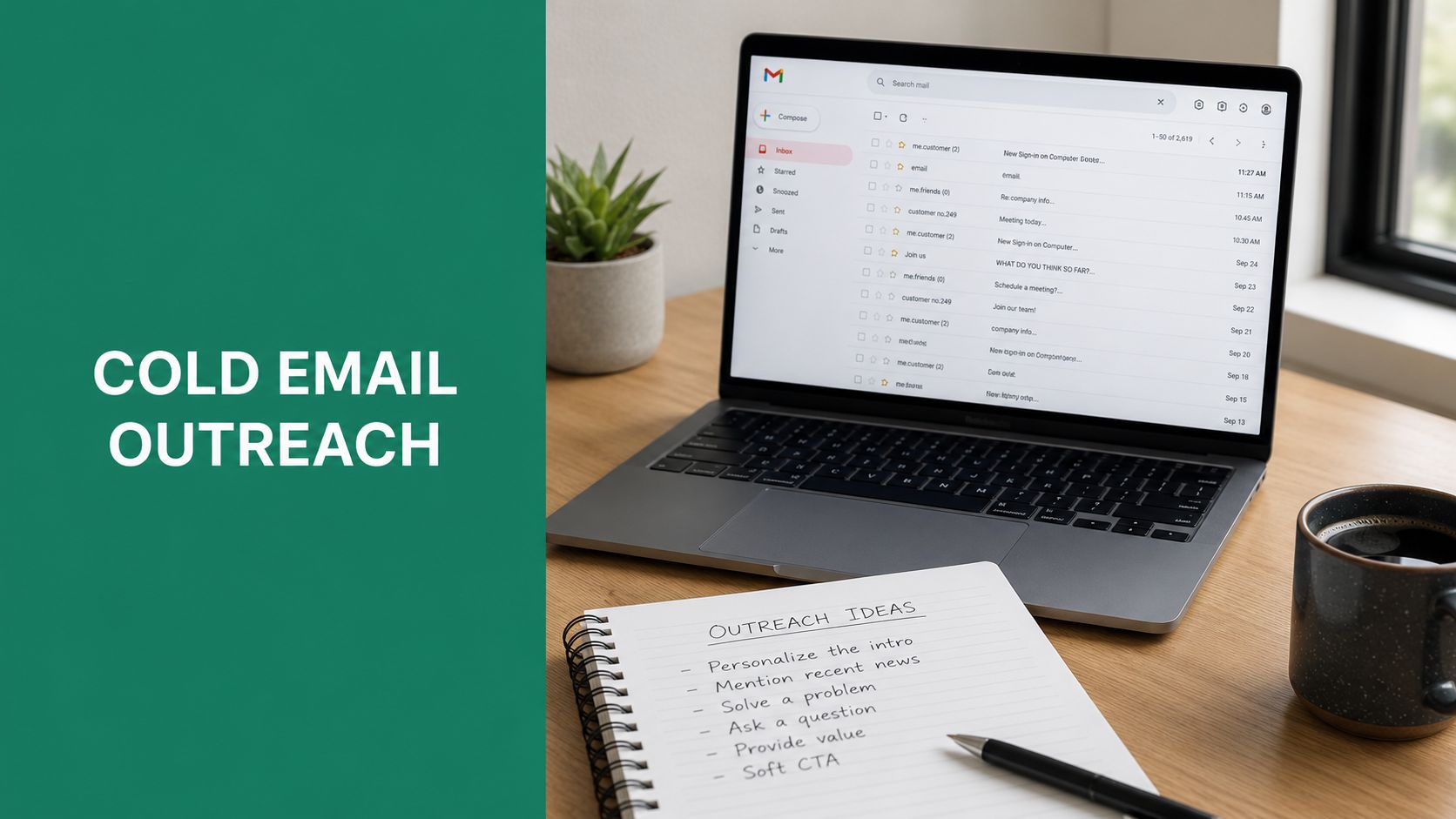
Tag: cold email outreach

  • Email Address Finder by Name How to Find Any Contact Fast

    Email Address Finder by Name How to Find Any Contact Fast

    You have a prospect's name from LinkedIn, a conference attendee list, or an old CRM record. The company looks like a strong fit, but the contact page offers only a generic form, and your outreach is stuck before it starts. An email address finder by name can close that gap, but only when you treat the task as identity resolution, not magic name lookup.

    The reliable workflow uses the person's full name, employer, company domain, likely address pattern, and verification. Name-only searches can produce guesses, duplicates, or addresses belonging to someone else. The practical question isn't “Can I find any email from a name?” It's “Can I match this person to a current, deliverable work inbox?”

    Why Finding an Email by Name Still Matters in 2026

    A name is often the first useful piece of prospect data. You might know that Maya Chen leads revenue operations at a software company, but LinkedIn messaging is crowded, conference lists rarely include direct contact details, and social profiles don't always show a professional inbox. Email remains the anchor because it supports a direct introduction, a researched follow-up, a referral request, and a record your sales team can manage.

    That identity layer is enormous. Independent industry reporting estimates 4.37 billion to 4.59 billion email users worldwide between 2023 and 2025, with projections reaching about 4.73 billion by 2026 and 4.89 billion by 2027, as reported by Statista's global email usage data. Daily email volume has also grown from roughly 347 billion messages per day in 2023 to about 376.4 billion in 2025, with projections above 408 billion by 2027 from the same source.
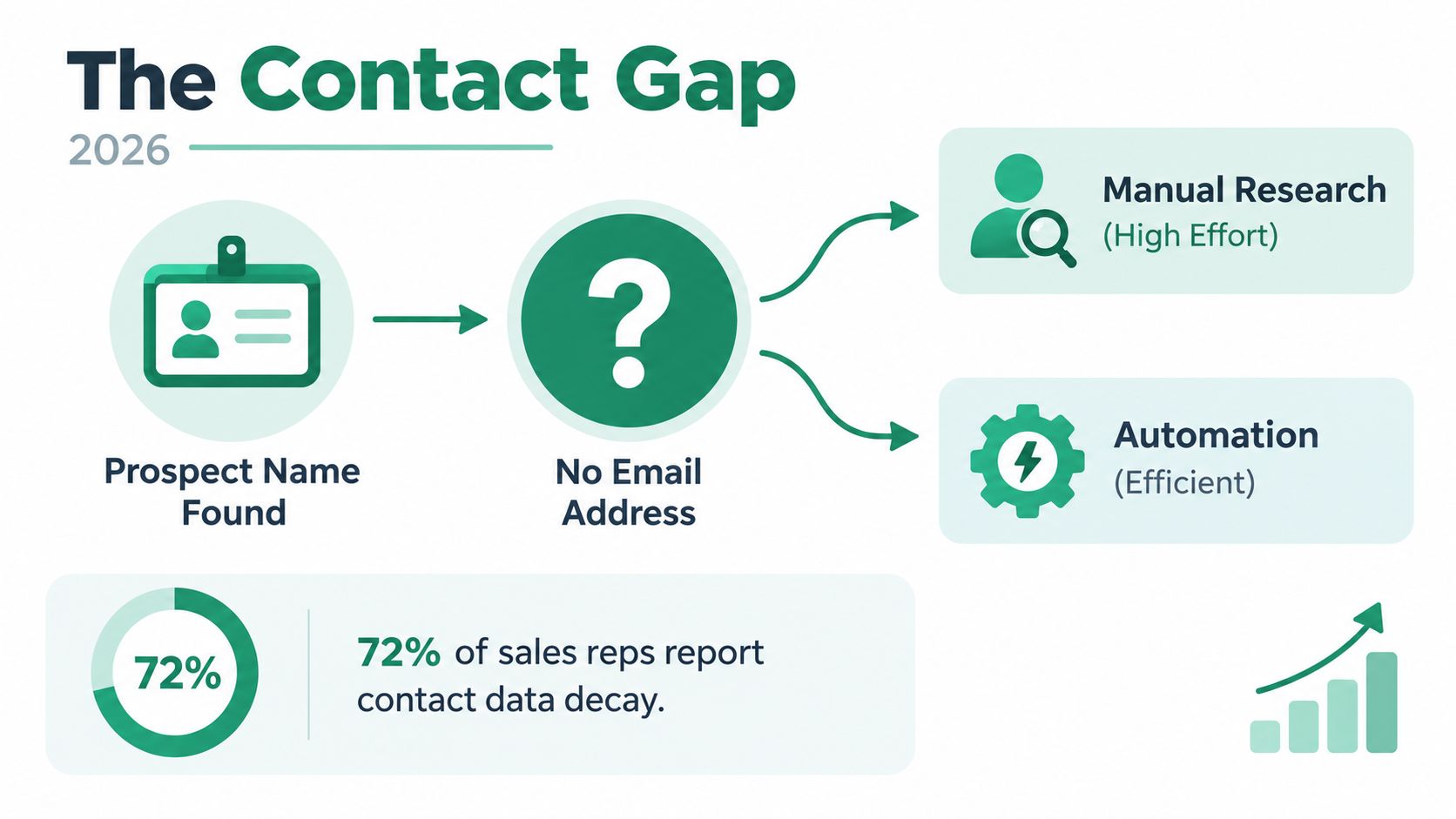
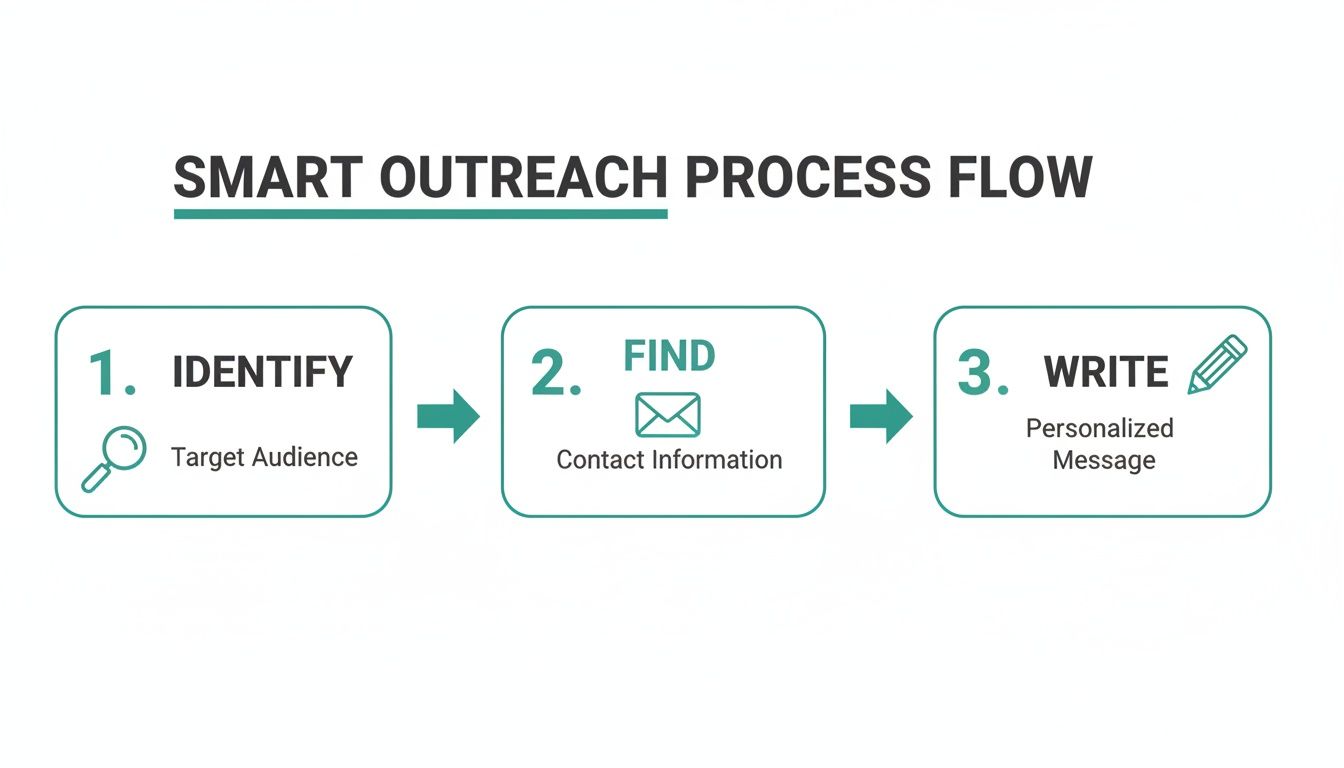
    A diagram illustrating the contact gap between finding a prospect's name and locating their missing email address.

    That scale explains why name-based discovery became a standard prospecting workflow. Email use grew from about 10 million users in 1997 to roughly 4.37 billion in 2023 and 4.59 billion in 2025, while the average user now has about 1.86 email accounts, according to EmailToolTester's email usage statistics. One person may have a personal inbox, a current work address, and an older business account, so matching a name to the correct employer matters.

    The process works best when you gather company context first, test a likely pattern, use a finder for scale, and verify every candidate before sending. That's the difference between thoughtful outreach and a spreadsheet full of untrusted guesses. For the broader role of direct communication in prospecting, see this practical guide to why outreach is important.

    Practical rule: Treat the name as an identifier, not as sufficient evidence of an email address.

    What an Email Address Finder by Name Can and Cannot Do

    A serious B2B finder usually can't resolve a reliable work address from a bare name alone. “Jordan Lee” may match thousands of professionals, and without an employer or domain, the tool has no dependable way to distinguish the right person from similarly named contacts. The missing company context is the key limitation.

    The useful input is name plus company domain. If you know that Jordan Lee works at example.com, a finder can search public information, compare known address conventions, infer a likely format, and apply verification checks. Independent 2026 explainers put name-plus-domain accuracy at about 85% to 97%, compared with roughly 40% to 60% for bare name searches, according to Tomba's explanation of email search by name.
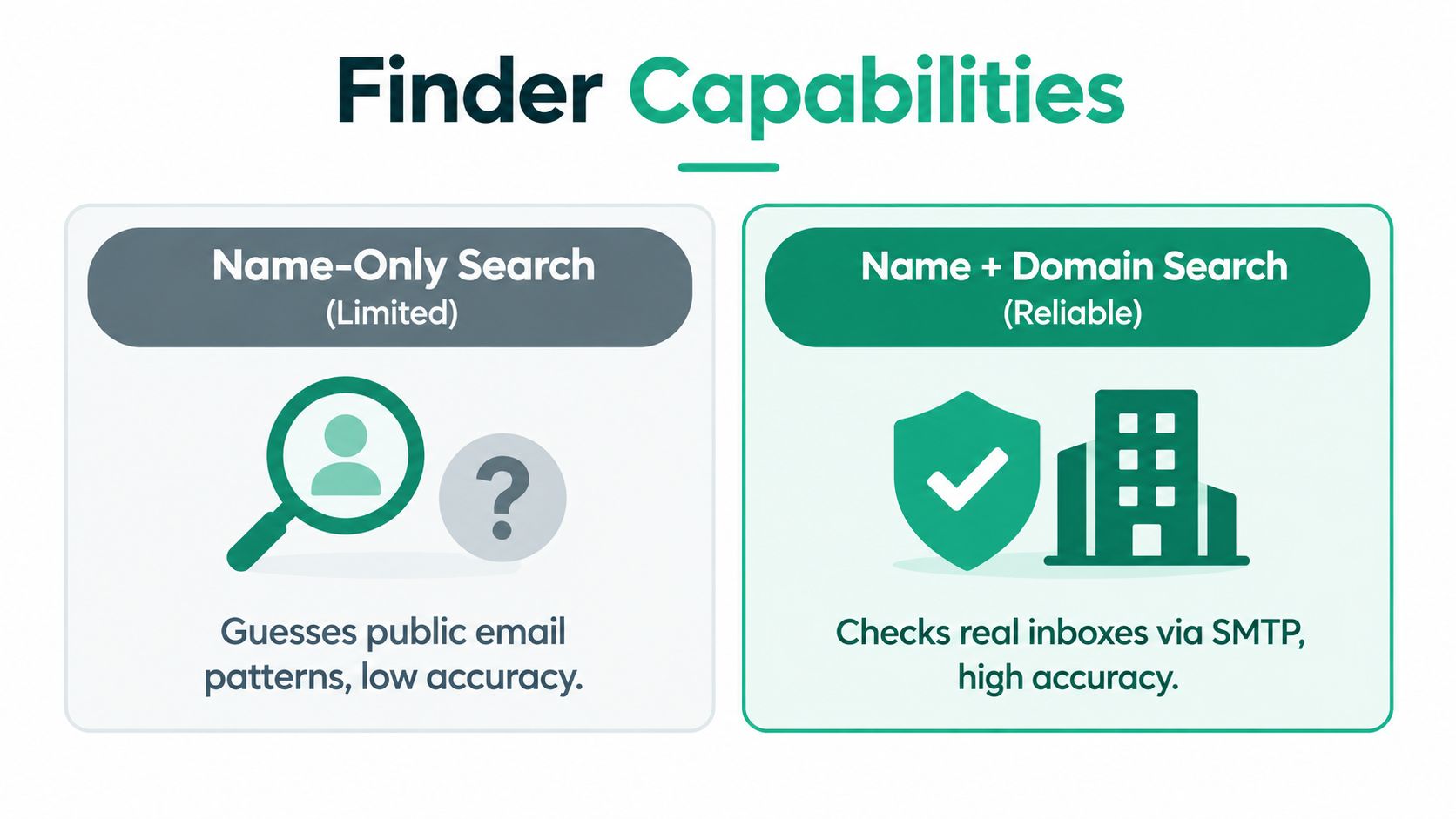
    A comparison chart showing that Name + Domain search is more accurate than a Name-Only search for finding emails.

    That doesn't mean a strong match is guaranteed. Very small businesses may use shared inboxes or inconsistent naming. Catch-all domains can accept messages without confirming that a specific mailbox exists. Personal-brand consultants may operate across several domains, making the employer relationship ambiguous.

    Company size also changes the workflow. A 2026 benchmarking summary reports that pattern guessing alone typically covers 60% to 70% of the path to a valid address. Mid-market and enterprise domains can produce roughly 70% to 85% hit rates, and when the target firm has 100 or more employees, about three out of four names may be returned as verified addresses, according to Tomba's email finder by name benchmark.

    Use those figures as operating guidance, not a promise for every record. Before searching, collect:

    • Full name: Include middle initials, accents, and alternate spellings where relevant.
    • Employer: Confirm the person's current company rather than relying on an old profile.
    • Company domain: Separate the official website from a parent company, regional site, or campaign domain.
    • Role and location: These details help resolve people with common names.
    • Verification status: Keep “found,” “guessed,” and “verified deliverable” in separate fields.

    If the person already exists somewhere in your systems, start by learning how to find people in your CRM before creating another record. Good list building begins with deduplication, not another search.

    Manual Ways to Find an Email From a Name

    Manual research is still useful because it teaches you what a tool should be checking. Suppose your fictional prospect is Elena Torres, head of partnerships at Northstar Analytics. You know her name and company, but not her inbox. Work through the evidence in order.

    Start with targeted search queries

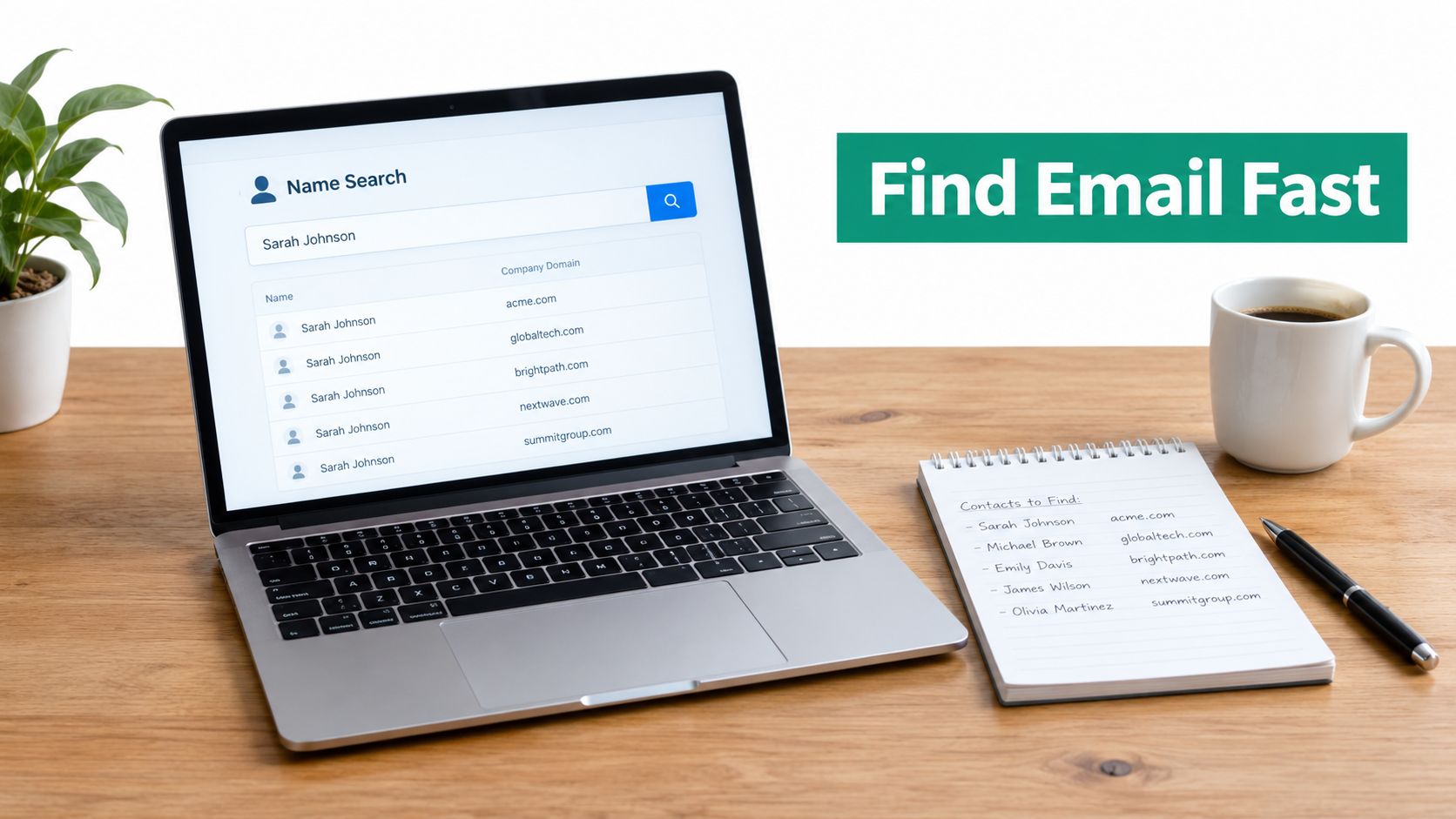
    Search the full name with the company name, then add the domain when you have it. Queries such as "Elena Torres" "Northstar Analytics" or site:northstaranalytics.com "Elena Torres" can surface author pages, event bios, partner announcements, and public documents.

    Search for the company domain alongside likely address fragments only after confirming the person's identity. A result showing another employee's format can reveal whether the company uses a first name, first initial, surname, or a combined format.

    Inspect professional profiles and team pages

    LinkedIn may confirm Elena's current role, location, and spelling. Look at the profile's contact area, the company's employee pages, speaker bios, and About pages. A profile won't always publish an email, but it can provide the context needed to reject the wrong Elena Torres.

    A woman focusing on a laptop screen displaying a LinkedIn professional profile for manual research tasks.

    Check the company's public footprint

    Review the website's About, Contact, author, press, and newsroom pages. Conference pages and press releases may show an address or reveal how the company identifies its staff. If Northstar Analytics lists elena.torres@northstaranalytics.com in a public partner announcement, you have evidence. If it lists another employee as first.last@northstaranalytics.com, you have a pattern clue, not proof that Elena uses the same format.

    Company domains often expose patterns through publicly visible staff information, but small organizations can be irregular. Don't assume one published address represents every mailbox.

    Infer the pattern, then stop guessing

    Common candidates include:

    • elena@northstaranalytics.com
    • elena.torres@northstaranalytics.com
    • etorres@northstaranalytics.com
    • elenat@northstaranalytics.com

    Create candidates only when the domain is confirmed and the naming convention is supported by another employee record. Then run the candidate through a verifier. Guidance on how to verify email addresses before outreach is useful here because a plausible format can still point to a nonexistent mailbox.

    A guessed address is a hypothesis. It becomes a prospecting contact only after identity and deliverability checks support it.

    Avoid sending test messages to every possible address. That creates unnecessary bounces and tells you little about which address belongs to the right person. Keep the manual process focused: establish the employer, identify the domain, observe the pattern, and verify the best candidate.

    Finding Emails Faster With EmailScout Chrome Extension

    Manual research works for a handful of contacts. It becomes tedious when you're reviewing search results, company pages, and LinkedIn profiles across a large account list. A Chrome extension can reduce repetitive copying and let you preserve the source URL alongside each discovered address.

    Install EmailScout from the Chrome Web Store, sign in if prompted, and open its settings. Turn on AutoSave if you want discovered addresses stored as you browse, and enable URL Explorer when you need to inspect multiple pages connected to a domain. The extension is designed to find email addresses associated with a domain and can scan public data while comparing known company patterns.
    Screenshot from https://emailscout.io

    Start with a focused Google query rather than a broad search. Combine the person's name, company, role, location, and site operator. For example, search for "Elena Torres" partnerships site:northstaranalytics.com, then use the extension on relevant results. Location terms help separate people with common names, while the domain keeps the search tied to the right employer.

    On a LinkedIn profile, open the extension and review the results associated with the person's company domain. The workflow is described in EmailScout's LinkedIn email finder guide. Don't treat every surfaced address as ready for outreach. Match the name, role, employer, and page context before saving the record.

    For broader collection, use URL Explorer on relevant company pages. Google result pages can also be adjusted with the num=10 parameter changed to num=100 when that option is available, allowing more results to load for review. Larger result sets still require filtering, because search volume doesn't equal identity accuracy.

    Export the selected records to CSV and preserve useful fields:

    • Full name and job title
    • Company and domain
    • Discovered email
    • Source URL
    • Verification status
    • Research date

    EmailScout offers free and premium plans, and its free option can support initial testing before a team decides whether the broader workflow fits its list-building needs. The tool belongs in the discovery stage. Verification and responsible outreach still determine whether the list is usable.

    How to Verify Emails and Avoid Costly Bounces

    Discovery and deliverability are separate operations. An address can look correct, follow the company's pattern, and still be invalid because the employee changed jobs, the mailbox was removed, or the domain handles unknown recipients through a catch-all configuration.

    The risk is measurable. A 2026 deliverability benchmark reported that 12.3% of verified B2B addresses were invalid, meaning roughly one in eight messages could bounce immediately without additional cleaning, according to BounceZero's 2026 deliverability benchmarks. Verification isn't a cosmetic label. It protects the sending system from avoidable failures.

    A separate verification study cited in the same benchmark source found that cleaning reduced total bounce rate from 11.5% to 3.0%, with hard bounces falling from 8.4% to 1.2% and soft bounces declining from 3.1% to 1.8%. Those figures explain why “found” and “verified deliverable” belong in different CRM fields.

    Use a simple maintenance routine:

    1. Validate immediately: Send every newly discovered candidate through an email verification service before adding it to an active campaign.
    2. Separate outcomes: Mark addresses as valid, invalid, risky, unknown, or catch-all rather than forcing every record into a yes-or-no category.
    3. Suppress hard invalids: Don't retry addresses that verification identifies as nonexistent or clearly undeliverable.
    4. Review risky domains: Handle catch-all results conservatively and prioritize other contacts at the same company when possible.
    5. Re-verify before major sends: Job changes, domain migrations, and stale records reduce list quality over time.

    You can also use EmailScout's email verification guidance to keep discovery and validation as distinct steps. Personalization matters, but it can't rescue an address that doesn't exist.

    Your Next Outreach Starts With the Right Email

    The fastest repeatable process is straightforward:

    • Identify the person: Confirm the full name, role, employer, and location.
    • Confirm the domain: Use the company's official website and check for parent or regional domains.
    • Research quickly: Search public pages and inspect the company's visible address pattern.
    • Scale carefully: Use a browser-based finder when manual research starts consuming the day.
    • Verify before sending: Keep unverified candidates out of active sequences.
    • Personalize the message: Connect the reason for contact to the person's role and company.

    For a small company, manual research may uncover the right context faster than automation. For a larger firm, a domain-based workflow usually gives you stronger pattern evidence and more repeatable list building. When the address is ready, pair it with a relevant subject line using resources such as Voicedial.ai's best email subject lines for sales, then respect applicable privacy, consent, and outreach rules.

    The key shift is simple: a name-only search is a starting point, not a complete method. Name plus company domain gives you a defensible match, and verification tells you whether that match is safe to use.


    EmailScout helps you discover domain-associated work emails while you research Google results, company pages, and LinkedIn profiles, with AutoSave, URL Explorer, CSV export, and free and premium plan options. Visit EmailScout to test a name-plus-domain workflow on your next prospect list, then verify the results before outreach.

  • B2B Outbound Lead Generation That Actually Converts

    B2B Outbound Lead Generation That Actually Converts

    A large 2019 analysis of 12 million outreach emails found that only 8.5% received a response, leaving 91.5% ignored according to Digital Applied's 2026 benchmark summary. More recent benchmarks put the average cold-email reply rate at about 5% in 2025, while the median was just 0.48% and the top 5% of senders reached 16.3% in the same benchmark report.

    That gap changes how sales teams should think about B2B outbound lead generation. The main problem usually isn't that an SDR needs a cleverer subject line. It may be that the contact is wrong, the list is stale, the message arrives before a relevant business event, or the email never reaches the inbox. Outbound now works less like a megaphone and more like a control system. You need the right account, the right person, a credible reason to reach out, a deliverable message, and a measured follow-up process.

    Introduction to B2B Outbound Lead Generation That Drives Pipeline

    A 2026 benchmark reports an average cold-email reply rate of 3.43%, with top performers exceeding 10%, as reported by Martal. The spread points to a practical lesson for SDRs: outbound performance depends on who receives the message, whether it reaches the inbox, and whether the timing gives the prospect a reason to respond.

    An SDR team can send hundreds of emails in a morning and still create no meaningful conversations. Rewriting the subject line may help when the message is weak, but it cannot correct a stale list, an invalid address, or an account with no relevant business need. Copy is one part of the system, not the system itself.

    B2B outbound lead generation means proactively identifying companies and people who fit a defined customer profile, then starting relevant conversations before they contact your business. Inbound waits for a prospect to find your content, brand, or product. Outbound lets your team select accounts, identify useful signals, and create a reason for those accounts to engage.

    That control works best with a narrow target. A company selling a specialized operational platform may focus on organizations experiencing expansion, leadership turnover, a new technology investment, or visible interest in a problem the product solves. These signals help sales teams decide when outreach is appropriate instead of treating every matching company as equally ready.

    The practical shift: outbound is a sequence of decisions about fit, signal timing, deliverability, relevance, and follow-up. Sending more messages cannot compensate for weak decisions earlier in the process.

    Follow-up also affects the result. Analysts reviewing 2026 data found that only 58% of replies came from the first email, while 42% came from follow-ups in Digital Applied's 2026 data review. A sequence therefore works like a timed conversation, not a single copy test.

    This guide examines outbound as a working system. It covers channel selection, workflow design, deliverability safeguards, performance metrics, CRM and sales engagement tools, verification services, and email finders. The goal is a cleaner path from a credible signal to a qualified conversation.

    How B2B Outbound Lead Generation Works Behind the Scenes

    Think of inbound as opening a shop and waiting for the right buyer to walk in. Outbound is closer to using a spear than a net. You identify a specific target, understand why it may need your offer, and make a deliberate move instead of collecting everyone who happens to pass by.

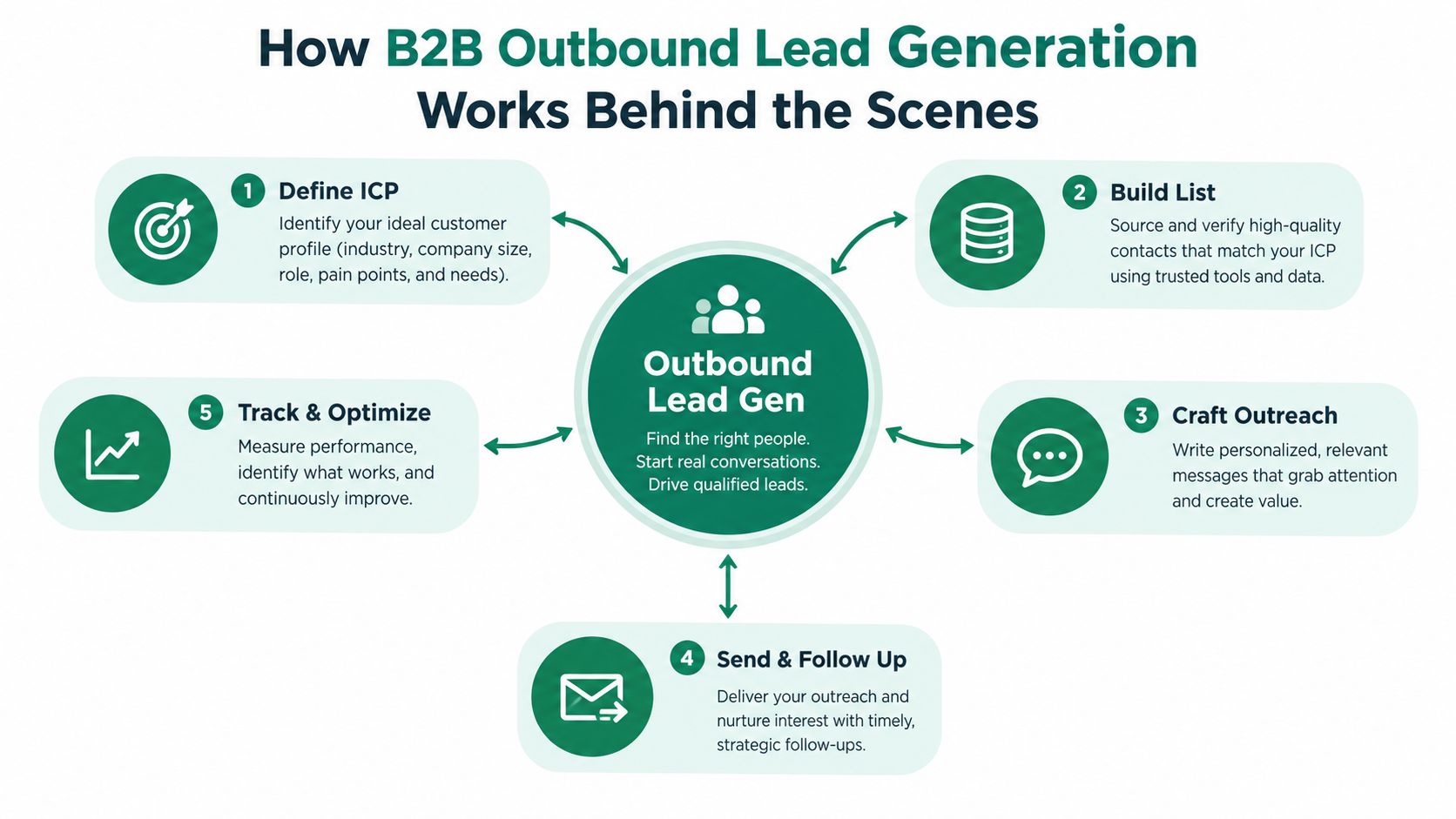
    The process starts with the ideal customer profile, or ICP. An ICP describes the type of organization most likely to gain value from your solution and most likely to become a good customer. It can include industry, operating model, technology environment, geography, business priorities, and common problems. The profile shouldn't describe an imaginary “perfect” customer. It should help your team make consistent choices about who belongs in the campaign.

    Next, your team builds a contact list inside those accounts. Many campaigns break down at this stage. A company can match the ICP while the selected contact lacks influence, has moved roles, or has no connection to the problem. Fit exists at both the account level and the person level.

    A diagram illustrating the five-step process of B2B outbound lead generation strategy from definition to optimization.

    Fit and timing must meet

    Relevance has two dimensions. Fit answers, “Could this organization benefit?” Timing answers, “Why would this organization care now?” A strong account with no visible trigger may be worth nurturing. An account showing a meaningful trigger deserves faster, more specific outreach.

    Useful signals include a business announcement, a relevant hiring pattern, a new leadership appointment, a change in technology, a public operational challenge, or first-party engagement with your company. Current B2B coverage increasingly describes these behavioral and company-level signals as more useful than static lists and broad lead scores as discussed by Tomba.

    The message then connects the signal to a plausible business problem. It shouldn't claim to know everything about the prospect. It should show enough understanding to earn a response. A sales-ready lead isn't just a person who opened an email. It's a person or account that fits, has a credible reason to care, and engages in a conversation that can be qualified.

    Why outbound isn't automatically spam

    Unsolicited outreach becomes spammy when the sender ignores context, sends irrelevant messages, hides identity, or continues after a clear request to stop. Targeted outbound earns a different response when the sender explains why the contact was selected and offers a useful next step.

    A simple test helps: if you removed the company name and job title, would the message still sound applicable to thousands of unrelated people? If yes, the team probably needs narrower targeting before it needs more copy variations.

    Key Outbound Channels and When to Use Each One

    No channel wins for every buyer. Cold email gives teams room to explain a specific observation and create an asynchronous first touch. Cold calling creates immediate dialogue but demands stronger preparation and accurate phone data. LinkedIn outreach can provide professional context and visible interaction, although it shouldn't become a sequence of empty connection requests.

    Signal-driven outreach cuts across these channels. A website visit, a public company change, a new role, or a relevant post can determine when an email, call, or social touch makes sense. The signal doesn't replace the channel. It improves the reason for using it.

    Channel Best For Effort and Cost Key Limitation
    Cold email Targeted account outreach and messages that need concise written context Efficient to operate, but list research, verification, and copy review require discipline Inbox filters and weak data can suppress delivery and replies
    Cold calling High-value accounts and situations where a live conversation clarifies urgency High rep effort and preparation requirements Prospects can screen calls, and poor data wastes valuable time
    LinkedIn outreach Relationship building, professional context, and visible account research Manual interaction takes time, with platform limits shaping execution A connection doesn't prove buying intent
    Signal-driven touches Accounts showing a timely business or behavioral reason to engage Requires signal sources, prioritization, and coordination across channels Signals can be noisy without a clear qualification rule

    A practical mix depends on deal complexity and buyer behavior. Use email when the problem can be framed clearly in writing. Add calls when a live conversation can uncover urgency faster. Use LinkedIn when professional context or shared industry participation helps establish familiarity. For video-led businesses, a focused resource such as this B2B playbook for YouTube leads can help connect audience activity with outbound account research.

    Teams also need to distinguish channel presence from channel coordination. Sending the same pitch by email, phone, and LinkedIn creates repetition. A coordinated sequence changes the purpose of each touch. Email introduces an observation, a call tests whether the issue matters, and a social interaction adds context rather than duplicating the pitch. For a practical look at prospecting through LinkedIn, review this guide to LinkedIn lead generation.

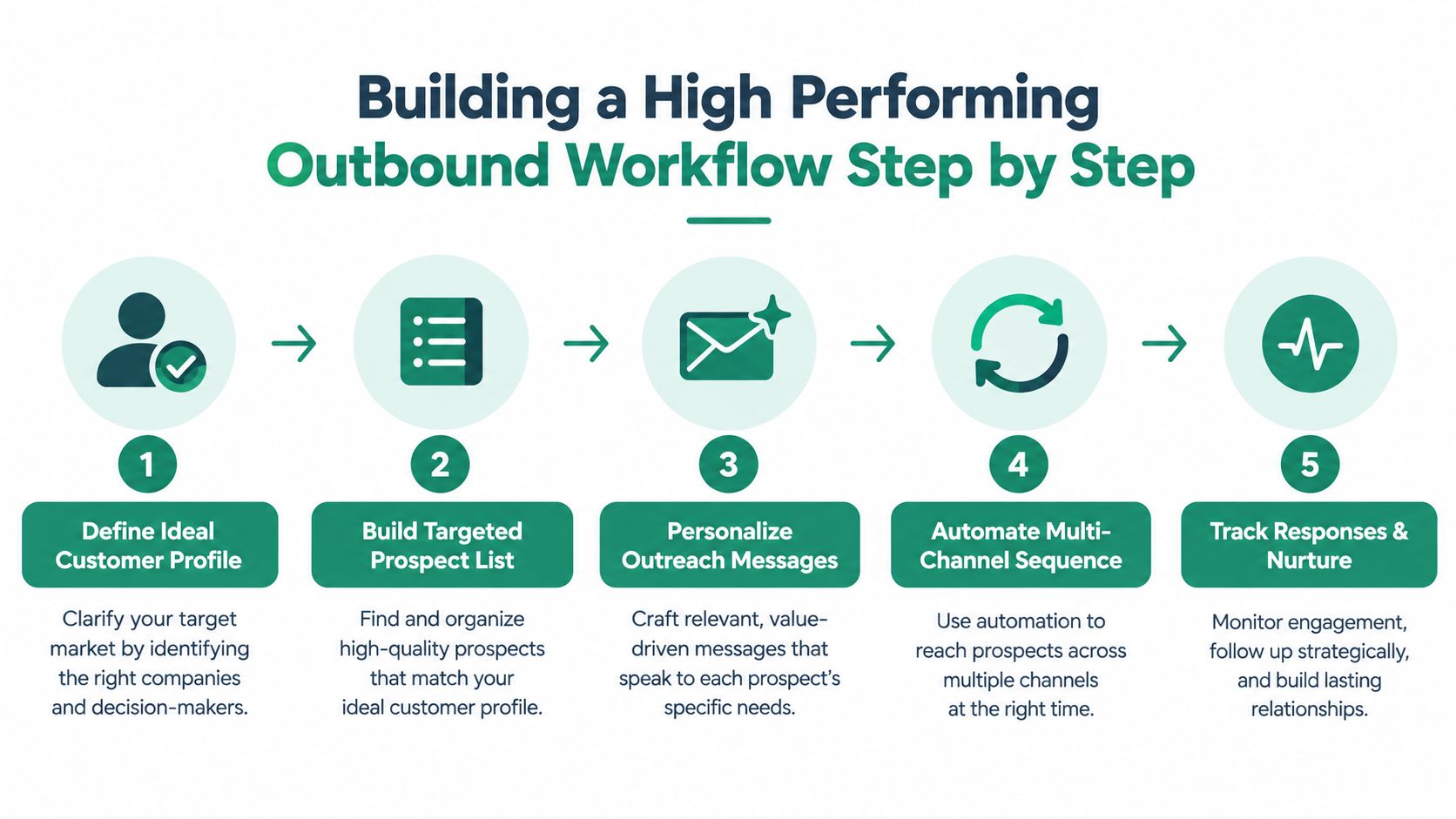
    Building a High Performing Outbound Workflow Step by Step

    A reliable outbound workflow works like a production line with inspection points. Poor account data entering at the start makes every later action faster, but less accurate. Set the customer definition first, narrow the account list, verify contacts, identify a timely signal, write the message, and coordinate follow-up.

    1. Define the account and buying problem

    Write the ICP in operational terms. Identify industries, company conditions, roles, and problems that make the offer relevant. Document exclusion rules too. A clear “not a fit” list protects SDR time and keeps campaigns from drifting toward anyone who could technically buy.

    Give each campaign one primary problem. Several unrelated benefits force the prospect to position the offer for you. The team should finish this sentence: “We're contacting this role because this company condition often creates this problem.”

    2. Build a narrow, verified list

    Start with accounts, not names. Group companies by shared context, then identify people who influence the relevant problem. Check role accuracy, company association, and contact validity before enrollment. Clean lists and verified contacts matter because automation can multiply bad data instead of correcting it as explained by Dupple.

    A smaller, relevant list also produces clearer feedback. If the campaign struggles, the team can examine the segment, signal, role, or message. A large mixed list makes diagnosis harder and can weaken sender health.

    3. Match the first touch to the signal

    Personalization cannot replace timing. A customized message works best when it explains why the account is relevant now. Use the business event or observable condition, connect it to a likely operational consequence, and ask a low-friction question according to QuotaVine's 2026 benchmark discussion.

    Treat a job change or website visit as a reason to investigate, not proof of an active buying project. The signal sets the timing; the account context determines whether contact is justified.

    A five-step flowchart outlining the process for building a high-performing B2B outbound sales and marketing workflow.

    4. Sequence carefully and protect delivery

    Use follow-ups to add information, clarify the question, or provide an easy way to decline. Each touch should earn its place. Suppress contacts who reply, opt out, bounce, or become clearly irrelevant, and keep the message relevant to the original signal.

    Deliverability belongs in campaign planning, not as a repair task after sending. Signal quality and audience fit affect whether a sequence produces useful conversations, while poorly targeted automation can increase volume without improving results. The practical rule is simple: protect inbox access before adding more steps.

    5. Review outcomes by segment

    Track outcomes by account type, role, signal, channel, and sequence version. Weak replies across every segment call for a delivery and data review first. If one segment responds while another does not, refine the ICP or message rather than replacing the entire program.

    Teams reducing manual work can review how to automate lead generation. Automation should execute a sound process. It cannot decide whether a weak signal justifies contact or whether a message makes a defensible claim.

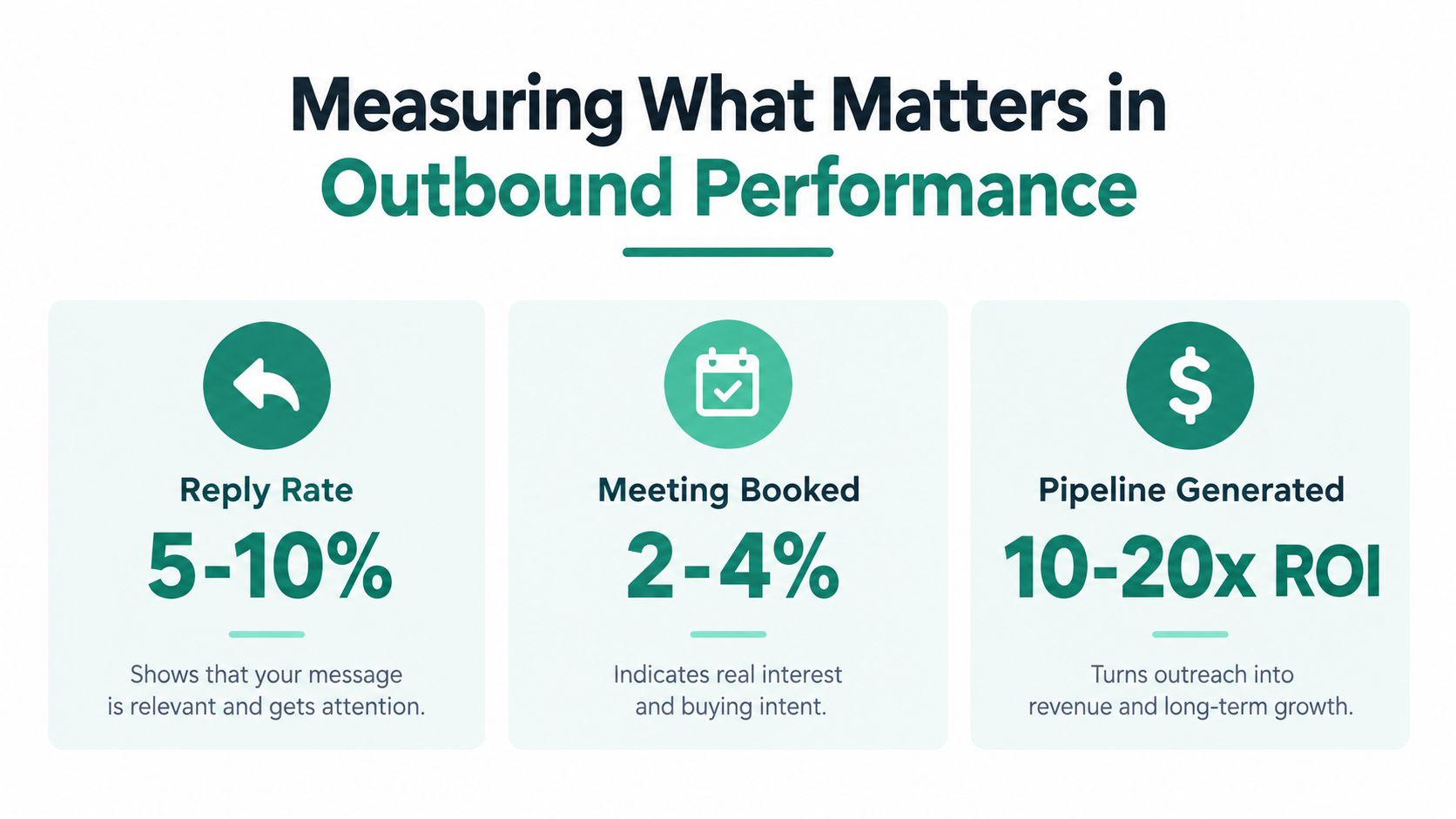
    Measuring What Matters in Outbound Performance

    A 3.43% average cold-email reply rate is a useful benchmark, but it is not a target to chase blindly. Top performers exceed 10%, according to Martal. The gap points to a measurement problem: more sends cannot explain whether the list was accurate, the message reached the inbox, the timing reflected a real trigger, or the request fit the prospect's situation.

    Open rates offer weak evidence. Privacy features, security scanners, and inconsistent tracking make them difficult to interpret. Reply rate is closer to buyer response, though it still needs classification. An automatic reply, referral, objection, and buying conversation are different outcomes.

    An infographic showing three key metrics for measuring successful B2B outbound lead generation performance.

    A measurement chain that follows the buyer

    Read metrics in order. Each stage answers a different question:

    • Delivery health: Check bounces, blocks, spam complaints, and inbox placement by sending segment. Inbox placement can differ between industries, with a benchmark summary reporting 86% in education and 92% in B2B SaaS as summarized by Dupple. A single delivery figure can hide problems in a specific audience.
    • Engagement quality: Separate positive replies, objections, referrals, out-of-office messages, and negative responses. A high total reply rate may still produce little pipeline if the contacts lack fit.
    • Meeting conversion: Track qualified meetings, held meetings, and the reasons prospects accepted. Review whether the trigger created urgency or only curiosity.
    • Pipeline contribution: Connect meetings with opportunities and revenue in the CRM. This links outbound activity to business results instead of measuring productivity alone.

    Diagnose before you rewrite

    Low delivery usually points to data hygiene, sending practices, or infrastructure. Good delivery with little engagement points to targeting, timing, or message relevance. Replies without qualified meetings may reflect a vague offer, weak qualification, or the wrong contact in the buying group.

    Treat the funnel like a relay race. A clean handoff from an accurate list to a timely signal matters before copy improvements can affect the result. Change one major variable at a time. Replacing the list, message, channel mix, and follow-up process together prevents the team from identifying what changed performance.

    Essential Tools and How Email Finders Fit Into Your Stack

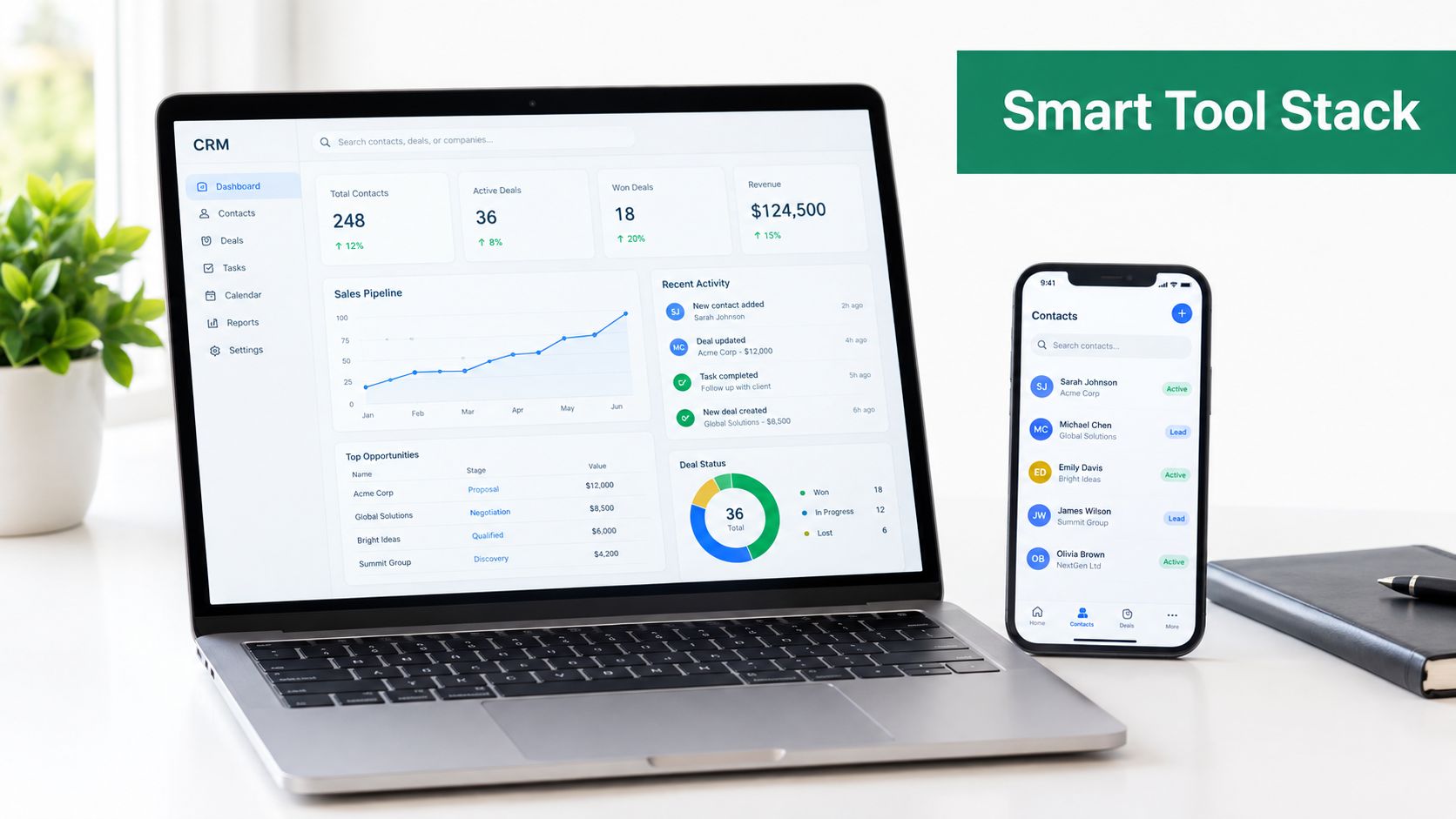
    Outbound tools should support decisions, not create the illusion of a strategy. The CRM stores account history, ownership, consent or suppression status, and pipeline outcomes. A sales engagement platform coordinates tasks and follow-ups. Data enrichment adds firmographic and role context. Verification protects the contact list before the team sends.

    An email finder fits between prospect research and sequence enrollment. It helps a rep locate a work address associated with a relevant person or company, but discovery isn't the same as verification. The team still needs to check whether the address is valid, whether the person holds the role, and whether outreach is appropriate under its policies.

    A modern office desk featuring a laptop displaying a CRM dashboard next to a smartphone showing contacts.

    Build a lean tool chain

    A practical stack often includes:

    • Account research: Use company databases, professional networks, first-party analytics, and public business signals to identify accounts and triggers.
    • Contact discovery: Use an email finder to locate likely addresses from company websites or search results, then pass them through verification.
    • Workflow execution: Use a sales engagement platform to schedule tasks, personalize approved fields, pause sequences after replies, and coordinate email with calls or social touches.
    • Reporting: Connect activity to CRM stages so managers can see which segments create qualified conversations, not just which reps completed tasks.

    EmailScout is one option for the contact-discovery stage. Its Chrome extension can find email addresses on websites and Google search results, while AutoSave, URL Explorer, and CSV or TXT export support list building and research workflows. Teams should still verify discovered addresses and apply their own compliance and suppression rules. For a plain explanation of the category, see what an email finder is.

    Free versus paid tools

    Free tools can suit early research or occasional prospecting, but they may require more manual review and provide less workflow control. Paid platforms can add bulk discovery, enrichment, verification, integrations, and usage management. The right choice depends on list volume, research complexity, team size, and the cost of sending inaccurate data.

    Don't buy a tool to compensate for an undefined ICP. A fast way to collect the wrong contacts only increases the number of bad decisions your team can make.

    Putting Your Outbound Strategy Into Action

    A workable outbound program starts with an audit, not a new template. Review the last campaign and ask:

    1. Did the accounts match a clearly written ICP?
    2. Did each contact have a role connected to the problem?
    3. Were addresses verified before enrollment?
    4. Did the outreach include a real business signal?
    5. Did the sequence add value across follow-ups?
    6. Did the team measure positive replies and qualified meetings separately?
    7. Could the CRM connect conversations to pipeline outcomes?

    If the answer to the first three questions is no, fix the data foundation before changing the copy. If delivery is healthy but replies are weak, narrow the segment and improve the reason for contact. If replies arrive but meetings don't progress, revisit qualification and the handoff to the account executive.

    The strongest outbound teams don't treat personalization as a decoration layer applied after list building. They use signal timing, account fit, contact accuracy, deliverability, and disciplined follow-up as one operating system. Personalization then makes the relevant message feel specific, rather than trying to make an irrelevant message look human.

    Start with one narrow segment, document the signal that justifies outreach, verify every contact, and review results by segment. Keep the experiment controlled, learn from qualified replies, and let evidence determine where your team should invest more effort.


    EmailScout helps sales professionals and marketers discover work email addresses from websites and search results, with features for saving and exporting contacts during prospect research. Visit EmailScout to see how it can support cleaner list building before your next targeted outbound campaign.

  • Angel Investor Finder: A Founder’s Step-by-Step Playbook

    Angel Investor Finder: A Founder’s Step-by-Step Playbook

    You're probably sitting on a half-finished spreadsheet, a LinkedIn tab with too many open profiles, and a vague sense that you should be “building your angel list” faster than you are. That feeling is normal. What's not normal is pretending fundraising is mainly about polishing a pitch when the bottleneck is usually whether you've found the right investors, extracted their emails cleanly, and qualified them before you start burning introductions.

    An angel investor finder is not a directory. It's a pipeline. If you treat it like one, you stop collecting random names and start building a list that books meetings.

    A diagram illustrating the fundraising process including sourcing, qualification, outreach, and conversion as a business problem.

    What Founders Actually Need From an Angel Investor Finder

    Most founders think they need more investor names. They usually don't. They need a clean sourcing system that turns scattered signals into a usable outreach queue, because angel fundraising is a filtering problem long before it becomes a pitch problem.

    The practical job is simple: find people who invest in companies like yours, verify you can reach them, and decide whether they're worth an email. That means your angel investor finder workflow needs four stages, discover, extract, qualify, and outreach. Skip any of them and you end up with a bigger list that performs worse.

    Practical rule: a list that is small, relevant, and reachable will beat a huge directory every time.

    That's the mindset shift. A founder who browses databases feels productive. A founder who builds a pipeline gets meetings.

    Tools like EmailScout fit this role. It's the extraction layer, not the strategy. In other words, it helps you pull contact data out of the profiles and pages you've already identified, but it doesn't decide who belongs on your list. The strategy still starts with the investor's thesis, geography, and stage, then moves into outreach mechanics.

    The success metric is not “how many angels did I find.” It's how many qualified investors did I turn into conversations. If you're not measuring that, you're just accumulating names.

    The Real Size and Shape of the Angel Market

    Angel investing is large enough to justify a system, but selective enough that bad targeting still wastes time. One 2026 industry summary estimates about 400,000 angel investors worldwide in 2025, up from 370,000 in 2023, and projects the broader angel-investing market to rise from $27.83 billion in 2024 to $72.35 billion by 2033, with an 11.3% CAGR over the forecast period (CoinLaw). That is not a niche pool. It's a serious one.

    Why geography still matters

    The U.S. alone is dense enough to support systematic prospecting. One source estimates about 250,000 active angel investors in the U.S., and that they invested $650 million in startups in 2020 (WealthPursuits). But density doesn't mean sameness. Founders still need to match investor geography with their own network, sector, and stage, because a “yes” from the wrong person is not useful.

    That same source says angels typically expect 5% to 25% equity, with an average of about 10% (WealthPursuits). Another background source notes that some guides tell founders to think in the broader 10% to 20% range when discussing angel terms, which reinforces the same basic point, founders are negotiating ownership, not just asking for money. When you know the equity norms, you can avoid wasting time on investors whose expectations are obviously off for your round.

    Bottom line: the market is big enough to search systematically, but not so broad that you can spray and pray.

    That's why a browsable database is not enough. You need a prioritized list you can score, sort, and work with.

    Where to Discover Angel Investor Leads

    Start with two lists, not one. The first is your subject-matter-fit list, investors whose thesis, sector, or stage makes them plausible. The second is your warm-path list, people you can reach through founders, operators, alumni, or mutual connections. That two-list approach beats a single ranked dump because fit and access are different problems.

    Angel networks and syndicates are the fastest place to build the first cut. Rotate through platforms like AngelList, Gust, and Alliance of Angels, then add regional or sector-specific groups you already know from your ecosystem. The point is not to trust a single source. It's to cross-check patterns, who is actively backing what, and where your company resembles their recent bets.

    LinkedIn is still the most useful discovery surface if you search like an adult. Use boolean queries such as ("angel investor" OR "startup investor") AND [your geography] AND [your sector], then filter by current activity and recent posts. If you want a broader workflow for locate suitable funding partners, that resource is useful because it pushes you toward targeted prospecting instead of random browsing. For a more structured investor-finding process, EmailScout's own guide to how to find startup investors is a practical complement to this workflow.

    Conference and demo-day attendee lists matter because they reveal who is already in motion. If an investor shows up at the same events as your peers, that's a signal. Portfolio triangulation matters too. When a competitor or adjacent startup just raised, inspect the investor roster and look for overlap with your thesis.

    A simple discovery stack

    • Angel networks: AngelList, Gust, Alliance of Angels, and similar regional groups.
    • LinkedIn searches: search for “angel investor” and “startup investor,” then filter by geography, sector, and stage.
    • Event lists: conference speakers, attendee pages, and demo-day sponsor rosters.
    • Portfolio triangulation: investors in recently funded competitors or adjacent startups.

    The output from discovery should not be a random list. It should be two working buckets: people who fit and people you can reach.

    Extracting and Verifying Investor Emails With EmailScout

    Once you've identified the right profiles, the work becomes mechanical. If you don't capture contact data cleanly, the best list in the world stalls before outreach even starts. That's why email extraction is a workflow, not a copy-paste exercise.

    Install the EmailScout Chrome extension from the Chrome Web Store, then turn on AutoSave so every captured address persists automatically while you browse. Use it on investor profiles, portfolio pages, and event rosters, because that's where the usable signals live. If you're trying to go from discovery to a working contact sheet quickly, EmailScout's find business emails page is the right place to understand the core extraction flow.

    A second useful move is URL Explorer. Instead of opening one page at a time, batch-extract across multiple investor URLs in one pass. That matters when you've got a dozen portfolio pages and want to turn them into one searchable sheet without missing names.

    The other trap is domain bias. Not every investor uses a company domain. Rotate your searches through gmail.com, yahoo.com, and outlook.com when you're checking for personal-address investors, because plenty of angels prefer inboxes that don't sit on a firm website. Then clean the file before it reaches outreach.

    Duplicates aren't a sign you're doing something wrong. They're a sign you need a better downstream filter.

    You should also remove role-based addresses that won't help a human conversation. info@, contact@, and similar addresses can stay in the archive, but they don't belong in the primary outreach queue unless you have no other option.

    A practical reference point is Founder Connects' angel investor database 2025, which is useful as a reminder that “active” matters more than “listed.” A database only helps if you can turn it into verified, usable contacts.

    Later, when the list is already assembled, the video below shows the kind of execution discipline that matters in a live workflow.

    Qualifying the List Before You Press Send

    A 200-row qualified list beats a 2,000-row blast every time. That's not a contrarian take. It's what happens when founders stop confusing volume with fit. A bad list wastes sender reputation, clutters the CRM, and trains you to expect silence.

    The four fields every investor row needs

    Each row should capture thesis fit, typical check size, recency of last deal, and a warm-path signal. If one of those fields is missing, the row is incomplete. If two are missing, the investor belongs in research, not outreach.

    Thesis fit is the easy one. Check recent investments, then compare them with your stage, sector, and business model. Typical check size matters because you want an investor who can participate without stretching. Recency matters because investors who stopped writing checks three years ago are not active prospects.

    Warm-path signal is the difference between “maybe” and “likely reply.” A mutual founder, shared alumni path, or a direct intro path should push the row higher. If none of those exist, the investor can still stay on the list, but they shouldn't sit near the top.

    Angel Investor Qualification Snapshot
    Field Qualified Row Under-Qualified Row
    Thesis Fit Recent investments match your sector and stage Portfolio is unrelated or mostly later-stage
    Typical Check Size Fits your round and ownership expectations Too small to matter or too large for your stage
    Recency of Last Deal Has made recent, confirmed investments No clear recent activity
    Warm-Path Signal Mutual founder, alumni link, or intro path exists Cold-only with no credible introduction route

    A good row might read like this, “invests in early B2B software, recently backed two companies in the same space, has a founder connection through a shared accelerator, and is comfortable at your likely check level.” A bad row reads like, “well-known name, maybe relevant, no visible recent deals, no pathway, and no clear reason to believe the economics work.”

    The due-diligence control that matters most is simple. Check recent investments, read portfolio founders' LinkedIn profiles, and ask for 2 to 3 founder references not suggested by the investor. That last step helps you avoid the bias baked into polished reference lists.

    Running an Outreach Sequence That Earns Replies

    Cold investor email works when it feels specific, short, and earned. It fails when founders write a generic pitch to a stranger and hope the stranger does the research. Your job is to make the first line prove you did your homework.

    A cadence that doesn't disappear

    Use a simple sequence, Day 1 cold, Day 4 bump, Day 10 follow-up with a one-line update, Day 21 breakup. Keep subject lines plain. “Quick question on your [sector] portfolio” is better than anything clever, because clever usually looks like spam.

    Open with the investor's portfolio, not your deck. A good opener says you noticed a recent investment or portfolio win, then connects that pattern to your company in one sentence. If you have a warm path, name it immediately. If you don't, be honest and concise.

    A follow-up can be as short as, “Saw your portfolio company ship [specific milestone]. That's the same problem space we're working in, and I wanted to resurface this in case it's relevant.” That approach works because it sounds like a human who actually looked.

    The breakup note should be calm and useful, not needy. “I'm going to assume timing isn't right and stop nudging. If this is relevant later, I'm happy to send a short update.” That often pulls the cleanest replies because it removes pressure.

    For a practical reference on the broader messaging side of fundraising, Capstacker's guide on securing funding with pitch decks is helpful context, even though the email sequence itself should stay much tighter than a deck narrative.

    If you want a mechanical reminder of the sequencing discipline, EmailScout's cold email follow-up sequence is the right companion resource. The main point stays the same, sequence the list like a sales pipeline.

    Track opens, replies, meetings booked, and ignore vanity metrics that don't move the funnel. The number that matters is meetings, because replies without meetings are just polite noise.

    Tracking the Pipeline and Fixing What Stalls

    Your pipeline only matters if you can see where it breaks. The simplest measure is meetings booked per 100 qualified investors. If that number is weak, don't blame the market first. Check the stage where the list leaked.

    The three failure modes show up fast. First, list extraction breaks at the email-verification step, so good leads never make it into outreach. Second, qualification gets skipped, which lets a big but sloppy list mask bad targeting. Third, outreach goes out without a warm-path hook, and replies stall because the message feels generic.

    Run a 14-day test this week. Build the discover list, extract emails, qualify the rows, send the sequence, then review which stage is the bottleneck. If you can't explain the drop-off with evidence, you don't have a fundraising problem yet. You have a pipeline problem.


    If you want a cleaner way to build and maintain investor lists, use EmailScout to extract contacts from the profiles and portfolio pages you've already identified, then keep the workflow moving instead of rebuilding it by hand every time. It's a practical fit for founders who need a repeatable angel investor finder process, not another spreadsheet that dies after the first campaign.

  • Email Sending Limits Explained for Sales & Marketing in 2026

    Email Sending Limits Explained for Sales & Marketing in 2026

    You built a list, wrote a solid sequence, checked the copy twice, and launched. Replies start coming in. Then the campaign stalls. Messages sit in outbox queues, bounce, or trigger a warning from Google or Microsoft. Nothing about your copy changed. Your account hit a wall.

    That wall is usually email sending limits.

    Most sales teams treat sending limits like an annoyance. In practice, they're part of the operating rules of email. If you ignore them, your campaign slows down, your domain reputation weakens, and your account can get throttled right when you need volume most.

    Your Outreach Campaign Just Stopped What Happened

    The usual failure pattern looks like this. A rep loads a fresh prospect list into an outreach tool, sends too much too quickly, and assumes the provider will just process the queue. It won't. Mail providers watch volume, pace, recipient counts, and trust signals. When your behavior looks risky, they intervene.

    That matters more now because the system is under constant pressure. Daily global email volume reached 376 billion in 2025 and is projected to hit 424 billion in 2026, according to email overload statistics compiled from the Radicati baseline. At that scale, providers can't let every account send without controls.

    What the stop usually means

    A stopped campaign rarely means your provider is broken. It usually means one of these things happened:

    • You crossed a provider cap: Your account reached the allowed daily send or recipient count.
    • You sent in a burst: A fast spike can look automated in the wrong way.
    • You used a weak list: Bad addresses and low engagement tell providers your mail may be unwanted.
    • You skipped the reputation work: New accounts with no warm-up history get less tolerance.

    Practical rule: When a campaign dies suddenly, assume the provider is protecting its network first, not punishing your team personally.

    The fix is rarely “send more from the same mailbox.” The fix is to understand the guardrails and build your process around them. That includes pacing, segmentation, list quality, and setup discipline. If you want a practical companion on the inbox-placement side, these email deliverability strategies for 2026 are worth reviewing before your next launch.

    Why Email Sending Limits Are Not Your Enemy

    Email works because providers enforce order. Without limits, bad actors would hammer shared infrastructure, flood inboxes, and drag down deliverability for everyone else on the same network.

    Think of sending limits like traffic controls on a crowded highway. Speed limits, lane markings, and traffic lights slow some drivers down, but they also keep the road usable. Email providers do the same thing with mailbox-level caps, rate limits, and anti-spam throttles.

    A diagram explaining how email sending limits defend the email ecosystem by preventing spam and protecting reputations.

    What providers are protecting

    Three things matter most.

    • Infrastructure stability: Providers have to keep their systems responsive. Controlled send rates reduce overload.
    • Inbox quality: Recipients don't want inboxes buried under junk or suspicious attachments.
    • Shared reputation: If a provider becomes known for weak outbound controls, even legitimate users suffer poorer placement.

    One source that illustrates the scale of the problem notes that sending limits align with anti-spam protection, while major providers maintain hard caps by account type and sending method. The same review of provider rules lists Gmail, Outlook, Yahoo, and Microsoft 365 restrictions in one place under email sending limits across major providers.

    Why this helps legitimate senders

    A lot of outreach teams make the wrong assumption. They think limits block revenue. Usually, poor sending discipline blocks revenue.

    When a provider sees a sender behaving consistently, mailing clean lists, and avoiding spammy bursts, it has fewer reasons to intervene. That makes your deliverability more stable. You may not love the cap, but you should love what it protects: the chance that your next message lands in the inbox instead of junk.

    Limits don't just stop abuse. They create the conditions that let trusted senders keep mailing.

    The practical takeaway is simple. Stop trying to “beat” the limits. Use them as operating constraints, the same way you'd treat ad budgets or API quotas. Teams that do this usually send more reliably over time.

    A Guide to Common Provider Sending Limits

    Not all platforms are built for the same kind of sending. A free mailbox is for everyday communication. A business plan gives you more room, but it still expects responsible behavior. If you try to run cold outreach like a newsletter blast from a personal mailbox, the platform will remind you quickly.

    Quick comparison

    Provider Account Type Daily Sending Limit (Emails/Recipients) Key Restrictions
    Gmail Free web interface 500 emails per day Lower cap for personal use
    Gmail SMTP automated sending 100 emails per day Automated sending is much tighter
    Google Workspace Business account 2,000 emails per day More room, still monitored
    Outlook.com Free account 300 recipients in 24 hours Can increase to 5,000 based on account history
    Yahoo Mail Free account 500 emails daily 100-email hourly cap
    Microsoft 365 Exchange Online Business account 10,000 unique external recipients in a rolling 24 hours, with a 2,000 external recipient limit effective January 2025 Also subject to pace controls

    The most important shift for outreach teams is Microsoft's change. Gmail's free web interface caps daily sends at 500 emails, Google Workspace users get a 2,000-email daily limit, and Microsoft 365 reduced its external recipient limit by 80% to 2,000 per day in 2025, even if the broader cap hasn't been exhausted, as outlined in this Microsoft 365 sending limits guide.

    What these numbers mean in practice

    Free accounts are not outreach infrastructure. They can work for low-volume one-to-one communication, founder-led sales, or careful follow-up. They are a poor fit for any operation that needs dependable scale.

    Business accounts are better, but they aren't unlimited. Microsoft 365, in particular, catches teams off guard because the external-recipient rule changes how much true outbound prospecting you can do before throttling starts to matter. A rep may think the account has plenty of room left, while Microsoft is only looking at external delivery activity.

    If your outreach depends on high-volume external sends, published limits are only the starting point. Your real operating limit is usually lower than your theoretical maximum.

    Choosing the right setup

    Use a simple decision frame:

    • Low-volume founder outreach: A standard business mailbox can work if pace is conservative.
    • Team-based outbound: Use business mailboxes, separate sending identities, and strict list standards.
    • Campaign-heavy prospecting: Build around sending reputation, mailbox distribution, and pacing from day one.

    If you're comparing tooling for workflow and campaign management, this overview of cold emailing software options can help you evaluate the operational side without treating the mailbox itself like a bulk mail engine.

    The Hidden Rules That Cause Most Account Locks

    Most account locks don't happen because someone knowingly ignored the limit. They happen because the sender misunderstood how the limit is counted.

    The biggest mistake is confusing messages with recipients. Those are not the same thing. If your platform allows 500 per day, one email sent to 500 people can consume the entire day's allowance.

    An infographic titled Navigating Email's Hidden Rules detailing five common triggers for email account suspension.

    Recipient counts beat message counts

    Many senders get trapped when they see a “500 recipients per message” note and assume they can send 500 separate emails that day. That assumption can lock the account.

    Microsoft's own support discussion highlights the issue clearly: the daily sending cap is a cumulative sum of all recipients, so sending one email to 500 recipients on a 500-per-day platform means you're done for the day, as clarified in Microsoft's explanation of recipient-based sending limits.

    Rolling windows are not midnight resets

    Another common problem is the rolling 24-hour window. Teams expect a clean reset at midnight. Many providers don't work that way. They evaluate activity based on the previous 24 hours from the current moment.

    That matters when a rep sends heavily in the afternoon, gets blocked, then tries again early the next morning. From the sender's perspective, it feels like a new day. From the provider's perspective, those earlier sends are still inside the measurement window.

    Other lock triggers that don't show up in the headline number

    Published limits tell only part of the story. Accounts also get sidelined when the pattern looks unsafe.

    • Low engagement: If recipients ignore your emails, providers don't get positive trust signals.
    • High bounces: Invalid contacts make your list look reckless.
    • Spam complaints: A few bad reactions can outweigh a lot of decent copy.
    • Sudden volume spikes: Jumping from light sending to aggressive volume is risky.
    • Suspicious content: Odd links, sloppy formatting, and phishing-like language can trigger review.

    The provider doesn't care whether your campaign felt reasonable to you. It cares whether your behavior resembles a trustworthy sender.

    This is why list-building discipline matters as much as the send limit itself. A clean, targeted list keeps you out of trouble. A noisy list makes every cap feel tighter.

    Smart Strategies to Work Within Sending Limits

    Trying to outsmart mailbox providers is a losing game. The durable approach is to send in a way that builds trust over time. Good outreach teams don't search for loopholes. They set up systems that look normal, useful, and consistent to the provider.

    Start with the visual summary below, then turn each part into a repeatable process inside your team.

    A five-step infographic showing smart email sending strategies like audience segmentation, domain warm-up, and list cleaning.

    Build trust before you need volume

    A new mailbox has no history. That means no positive pattern for the provider to rely on. If you launch a cold campaign immediately, you look more suspicious than established.

    Use a warm-up process. Start with light, human-looking activity. Send real conversations, replies, and small batches before increasing campaign volume. If your team needs a structured process, this guide on how to warm up email gives a practical starting point.

    Pace matters more than most teams think

    A provider may tolerate a certain amount of sending over a day but dislike a sudden burst in a short window. That's why pacing rules matter.

    Microsoft 365, for example, maintains a hard rate limit of 30 messages per minute, and sending faster can trigger SMTP 451 errors, according to the same Microsoft-focused guide cited earlier in the article. Even without repeating all the platform-specific rules here, the practical lesson is clear: spread sends out.

    A few habits work well:

    • Stagger sends: Don't dump a full sequence all at once.
    • Separate campaigns: Keep follow-ups from colliding with new outbound batches.
    • Watch replies: Active back-and-forth also consumes capacity on some setups.

    Clean lists and sharpen targeting

    Bad lists create avoidable damage. Every bounce, complaint, or irrelevant message makes your account look weaker. Responsible list-building is part of deliverability, not a separate task.

    Field rule: The easiest way to stay under pressure thresholds is to stop mailing people who were never a fit in the first place.

    That principle applies across niches. For example, teams sending operational and guest communications can learn a lot from these short-term rental email deliverability practices because they focus on relevance, timing, and list hygiene rather than brute-force volume.

    Get the technical basics right

    Authentication matters. SPF, DKIM, and DMARC help prove your messages are legitimate and aligned with your sending domain. You don't need to turn this into a deep infrastructure project, but you do need it configured correctly before serious outreach starts.

    Add one more rule: keep content plain, specific, and personal. Overdesigned templates, vague claims, and link-heavy messages often create friction. Simple emails from real people still outperform complicated setups when reputation is on the line.

    A short walkthrough helps tie those habits together:

    How to Monitor Your Sending and Stay Out of Trouble

    Most sending problems announce themselves before a full suspension. The mistake is failing to notice the warning signs.

    Watch your sending like an operator, not just a marketer. That means checking bounce responses, reviewing inbox placement trends, and paying attention to reputation tools tied to your domain. If a sequence suddenly underperforms, don't assume the market changed. Check the mailbox first.

    What to monitor every week

    Screenshot from https://emailscout.io

    A simple review loop is typically sufficient:

    • Bounce messages: Read them. Soft bounces often mean temporary issues. Hard bounces usually point to invalid recipients or policy problems.
    • SMTP error language: Temporary throttling messages tell you when pace is the issue.
    • Reply quality: Real responses are a healthy signal. Silence combined with bounces is not.
    • Domain reputation tools: Google Postmaster Tools is one of the first places to look if Gmail delivery starts slipping.

    When to pause instead of pushing through

    If bouncebacks mention rate limits, policy blocks, or suspicious activity, stop sending and diagnose the cause. Pushing harder usually makes the next lock last longer.

    A practical checkpoint list helps:

    1. Review list quality first: Bad contacts are the fastest route to trouble.
    2. Check authentication: Broken records can damage trust quickly.
    3. Reduce pace: If the account is near its edge, slower sending is safer.
    4. Audit recent changes: New copy, new links, and new domains often explain sudden issues.

    For a deeper operational checklist, this guide on how to improve email deliverability is a good reference for day-to-day monitoring.

    Frequently Asked Questions About Email Sending Limits

    Can I just use multiple mailboxes to send more?

    You can distribute outreach across multiple mailboxes, but that doesn't excuse poor practices. If every mailbox sends the same weak campaign to a bad list, you've multiplied the risk, not solved it. Multi-mailbox setups work when each sender is warmed up, authenticated, paced properly, and assigned a realistic share of volume.

    Is a paid workspace account enough for cold outreach?

    It's a better foundation than a free account, but it isn't a complete system. You still need list hygiene, gradual warm-up, sensible pacing, and copy that earns replies. A business subscription gives you room. It doesn't give you immunity.

    Why did I get blocked even though I stayed under the published limit?

    Because the published limit is only one layer. Providers also watch reputation, engagement, bounce patterns, volume spikes, and content quality. A sender can stay under the top-line cap and still look risky.

    Should I send one email to a big list with BCC?

    For outreach, no. It hurts personalization, creates tracking issues, and can burn through recipient allowances faster than people expect. Individualized sends in controlled batches are safer and usually perform better.

    How does list building connect to sending limits?

    Directly. The list determines whether your sending looks useful or reckless. If your contact data is outdated, too broad, or poorly targeted, every message creates more pressure on your reputation. Better prospect research reduces waste, which helps you stay inside practical limits and keep accounts healthy.


    Email outreach works when your data and sending discipline match. If you need a faster way to find decision-maker emails and build cleaner prospect lists before you launch, EmailScout is worth a look. It helps sales teams and marketers gather contacts efficiently so they can spend less time scraping and more time sending targeted outreach that doesn't waste mailbox capacity.

  • Cold Email Outreach: The Complete Guide for 2026

    Cold Email Outreach: The Complete Guide for 2026

    You wrote the sequence. You checked the subject lines. You hit send. Then nothing happens.

    That's where cold email outreach is often declared broken. It isn't. The existing framework is.

    A weak campaign usually fails long before the first message goes out. The niche is too broad. The list is sloppy. The domain setup is shaky. The message asks for too much too early. Then the sender blames the template.

    Cold email still works, but it works as a structured prospecting system, not as a one-off copywriting exercise. Recent benchmarks put average cold email response rates at roughly 1% to 5%, with some roundups citing a 0.2% to 2% typical conversion range and roughly 1 deal won per 500 emails sent at the low end of performance, according to B2B Drum's cold email vs warm outreach benchmarks. That's not a channel for lazy volume. It's a channel for disciplined targeting, clean execution, and patient follow-up.

    The teams that get replies don't treat outreach like a blast. They treat it like pipeline engineering. They pick better markets. They build smaller, cleaner lists. They write emails for a response, not applause. And they keep going after the first non-reply.

    Introduction Beyond the Spam Folder

    If your inbox history is full of sent emails and empty of replies, you're not alone. Most cold email outreach campaigns feel dead on arrival because the sender focuses on the visible part of the process. The template, the subject line, the first sentence. Those matter, but they sit on top of a bigger machine.

    A frustrated man sits at his desk looking at a computer monitor showing an empty email inbox.

    Cold outreach is often mistaken for spam because people use it badly. They pull a giant list, send the same vague pitch to everyone, and hope someone bites. That approach burns domains, wastes time, and teaches the wrong lesson. The lesson isn't that cold email is dead. The lesson is that random outreach gets ignored.

    What cold email is actually for

    Cold email works best when you use it to start a relevant business conversation. Not to close the sale in one message. Not to dump your offer into a stranger's lap. Just to earn a reply from someone who plausibly cares.

    That shift changes everything. It changes how you choose prospects, how you write, how you follow up, and what you measure.

    Practical rule: If your email tries to do discovery, pitch, objection handling, and calendar booking all at once, it's carrying too much weight.

    The strongest programs are boring in the right way. They run on a repeatable process. They know who they're targeting. They know why that person should care. They know what signal counts as success. And they know silence after one email doesn't mean the account is dead.

    Why most campaigns fail systemically

    The common failure points are predictable:

    • Bad market choice. The offer is pointed at a crowded niche where everyone sounds the same.
    • Weak list building. Contacts don't match the problem you solve.
    • Poor infrastructure. Messages never really make it to the primary inbox.
    • Self-centered copy. The email talks about the sender, not the buyer.
    • No sequence discipline. One email goes out. Then the campaign stops.

    Fix those five things and cold email outreach starts behaving less like a gamble and more like a managed sales process.

    Strategy First Designing Your Outreach Blueprint

    Most outreach problems are strategy problems wearing a copywriting costume.

    If you target the wrong market, even a good email underperforms. If you choose the right market, average copy can still create conversations. That's why the blueprint comes first.

    Start with pain, not industry labels

    A lot of teams define their ICP like this: “We sell to SaaS companies” or “We target agencies.” That's too loose to guide a real campaign. A usable ICP is built around a specific problem, owned by a specific person, inside a specific type of company.

    A better way to frame it looks like this:

    ICP element Weak version Strong version
    Market Healthcare Multi-location clinics with inconsistent lead follow-up
    Buyer Founder Ops leader who owns patient intake workflow
    Problem Needs growth Missed inbound demand and slow front-desk response
    Trigger General interest Recent expansion, hiring, or service-line launch

    That level of specificity sharpens everything downstream. Your list gets cleaner. Your first line gets easier to write. Your CTA gets more relevant.

    Why obscure niches often outperform obvious ones

    Many pursue the niches everyone talks about. SaaS. Agencies. E-commerce. Coaches. Those markets are full of noise.

    A more useful approach is to target narrower categories where the economics still work but competition is lighter. Practitioner guidance on niche selection explicitly recommends looking for markets with high lifetime value, lower lead costs, and more obscure industries because they're less likely to attract big agencies, as discussed in this niche selection commentary.

    That doesn't mean picking a niche nobody buys in. It means picking one where inboxes aren't flooded by the same pitch every day.

    Smaller markets often produce clearer messaging because the buyer's pain is easier to name.

    Questions worth answering before list building

    Before you find a single contact, write down the answers to these:

    1. What problem do we solve that creates urgency?
      If the problem is nice-to-have, replies slow down.

    2. Who feels that problem directly?
      Don't aim at “leadership” as a group. Name the role.

    3. What change makes this account timely?
      New locations, hiring, expansion, service changes, and operational bottlenecks all create angles.

    4. Why this niche instead of the crowded alternative?
      If your answer is “because there are a lot of companies there,” rethink it.

    The strategic trade-off nobody likes

    Narrow targeting reduces list size. It also improves relevance.

    A lot of senders get nervous when their target list shrinks from thousands of possible companies to a few dozen strong-fit accounts. That's usually progress, not a problem. Broad targeting feels productive because the spreadsheet grows fast. Narrow targeting tends to produce better conversations because the message lands with a real person who owns the issue.

    Cold email outreach gets easier when the market selection does half the work for you.

    Building a Laser-Focused Prospect List

    List quality decides whether your campaign has a chance. Not list size.

    A small list of true-fit prospects beats a giant list of “maybe” contacts because cold outreach punishes wasted sends. The cleaner your targeting, the easier it is to write something specific enough to deserve attention.

    Build the account list before the contact list

    Start with companies, not people. That keeps your targeting anchored to real fit instead of random job titles.

    Use a simple workflow:

    1. Filter for company fit
      Search by industry, business model, geography, and signs that the company likely has the problem you solve.

    2. Look for operational signals
      Hiring pages, service expansion, location growth, product launches, and public team changes all help.

    3. Only then identify stakeholders
      Find the person closest to the problem, not the most senior name you can scrape.

    If I'm selling a workflow fix, I'd rather email the operator who feels the pain than the founder who delegates it.

    Where to find prospects without buying junk data

    LinkedIn Sales Navigator is still useful because it helps narrow companies and roles fast. Google helps validate context. Company websites often reveal whether the target account really matches the story in your email.

    When the contact search becomes the bottleneck, use a finder that works inside your normal research flow instead of exporting everything into a separate process. For example, EmailScout can pull contact information while you browse LinkedIn profiles or company sites, which makes it practical to build lists as you research, not after. If you need a walkthrough for domain-based prospecting, this guide on finding company email addresses is a useful reference.

    Screenshot from https://emailscout.io

    For edge cases, industry directories, conference speaker pages, association sites, and local business listings can surface prospects the major databases miss. If your audience overlaps with creator-led or local business categories, this resource on how to learn to scrape Instagram for business contacts can help expand lead research beyond standard B2B sources.

    A practical list-building workflow

    Use this sequence for each account:

    • Check the website first
      Confirm the company offers the service, serves the market, or has the structure your pitch assumes.

    • Choose one primary contact
      Pick the role most likely to own the problem. Avoid “spray the whole org chart” at this stage.

    • Capture one reason they fit
      Write a note you can use later. Expansion, a service page, a job post, a weak process, or a visible growth move.

    • Find a secondary contact
      Keep one backup stakeholder in the same account for later sequencing.

    • Store context with the email
      Don't just save addresses. Save why the person is on the list.

    That last point matters. A lot of teams have data, but not usable context. Then every email sounds generic because the sender forgot why the lead was selected in the first place.

    What a clean prospect row should include

    A prospect record doesn't need to be complex. It needs to be useful.

    Field Why it matters
    Company Keeps outreach account-based
    Contact name Needed for basic personalization
    Role Tells you whether the pain fits
    Email Required, but not sufficient
    Fit note Gives you your opening angle
    Secondary stakeholder Supports later follow-up if needed

    A list becomes valuable when every row explains why that person should hear from you.

    What doesn't work

    Three list-building habits create weak campaigns:

    • Buying giant generic lists. They look efficient and create bad targeting.
    • Targeting by title alone. A VP title doesn't mean they own your problem.
    • Skipping context collection. If you can't say why a lead belongs on the list, don't send.

    The fastest route to better cold email outreach is often to cut your list in half and improve every remaining row.

    Mastering Email Deliverability and Compliance

    A strong message sent from a weak setup still fails.

    It's common to spend more time rewriting copy than fixing infrastructure, even though inbox placement usually determines whether the copy gets a fair shot. Deliverability isn't glamorous, but it's where serious campaigns separate from hobby outreach.

    The authentication basics you need in place

    Every outreach domain should have SPF, DKIM, and DMARC configured correctly before you launch. Think of them as trust signals that help receiving providers validate that your messages are legitimate.

    You don't need to become a mail admin to understand the job of each one:

    • SPF tells receiving servers which senders are allowed to send on behalf of your domain.
    • DKIM adds a signature that helps prove the message hasn't been tampered with.
    • DMARC tells providers how to handle messages that fail checks and gives you visibility into problems.

    If that setup feels fuzzy, use a deliverability checklist before sending. This walkthrough on how to ensure emails reach the inbox is a practical companion to the process, and this resource on improving email deliverability covers the common setup issues outreach teams run into.

    Warm reputation before chasing scale

    New sending accounts need time to build trust. If you launch full-volume campaigns from a fresh setup, providers see unusual behavior and start filtering aggressively.

    A cleaner approach looks like this:

    1. Use a dedicated outreach domain
      Keep your main business domain separate from cold sending activity.

    2. Start slow
      Don't jump straight into heavy campaign volume.

    3. Watch signals
      If replies disappear and bounce or spam issues rise, pause and inspect setup before blaming copy.

    4. Keep behavior human
      Consistent sending patterns outperform sudden spikes.

    Compliance is part of deliverability

    Legal compliance isn't separate from performance. Sloppy compliance often looks spammy, and spammy behavior hurts inbox placement.

    At a minimum, make sure your messages include:

    • Accurate sender details
    • Truthful subject lines
    • A clear opt-out path
    • A valid business identity

    For EU prospects, relevance matters even more. Don't contact people who have no plausible business reason to hear from you. The tighter your targeting, the easier compliance becomes because the outreach is easier to justify.

    If you wouldn't be comfortable explaining why this specific person received your email, the list probably needs work.

    Common deliverability mistakes

    Here's what regularly sinks campaigns:

    Mistake What happens
    Sending from the main domain You risk broader brand damage
    Launching volume too fast Providers flag unusual behavior
    Ignoring authentication Trust drops before content is evaluated
    Reusing bad lists Invalid or irrelevant contacts hurt reputation
    Hiding opt-out options Recipients use spam complaints instead

    Cold email outreach gets dramatically easier once your setup stops working against you.

    Writing Cold Emails That People Actually Reply To

    Good cold emails don't sound clever. They sound relevant.

    Most bad emails fail because they ask a stranger to care about the sender's company before the sender has shown any understanding of the buyer's world. That's backwards. The buyer cares about their problem first.

    A professional infographic titled Cold Email Success explaining the benefits of starting conversations over pushing sales.

    The strongest benchmark in the provided sources shows an overall average reply rate of 3.43% across industries, while top performers exceed 10%, according to Instantly's cold email benchmark discussion. That gap is why serious teams optimize for reply rate, not open rate. Opens don't create pipeline. Replies do.

    What a reply-focused email looks like

    One expert playbook recommends keeping the first email under 125 words and adding new information in follow-ups instead of repeating the same ask, according to Salesmotion's cold outreach best practices. That fits what works in practice. Short emails are easier to process. Specific emails feel less automated. Low-friction asks earn more responses than calendar demands.

    A useful structure is simple:

    Part What it should do
    Subject line Signal relevance, not cleverness
    Opening Show why this person specifically got the email
    Body Name a problem or missed opportunity they likely care about
    CTA Ask for a small response, not a commitment-heavy meeting
    Signature Make the sender look real and reachable

    Subject lines that earn attention

    The subject line should help the recipient decide, fast, whether the message might matter. That usually means specificity beats curiosity.

    Good subject lines tend to reference one of three things:

    • Their company
    • A visible business situation
    • A problem category they likely recognize

    What usually fails:

    • Vague hype
    • Overly clever wording
    • Fake familiarity
    • “Quick question” style subject lines with no context

    Body copy that respects the reader

    The first line should prove you didn't pull their name from a random database. Mention something observable and relevant. A recent expansion. A process issue implied by their model. A public signal that connects to your offer.

    Then stay in their world.

    Bad body copy says:

    • who you are
    • how long you've been in business
    • what your service includes
    • why you're different

    Better body copy says:

    • what problem likely exists
    • why it tends to show up in companies like theirs
    • what kind of outcome is possible
    • whether it's worth discussing

    If you want a useful complement to this approach, Fypion Marketing's cold email advice has practical examples of keeping outreach direct and readable. For more structural guidance, this breakdown on how to write cold emails is also useful.

    Write the email so the recipient can understand it in one skim on a crowded morning.

    The CTA is where many emails die

    The worst CTA in cold outreach is the one that demands too much too soon.

    “Book a demo.”
    “Are you free for 30 minutes this week?”
    “Can I show you our platform?”

    Those asks assume interest that hasn't been earned yet.

    Lower-friction alternatives work better because they only ask the prospect to express interest, not commit to a process. Good CTAs sound like:

    • Is this something your team is dealing with?
    • Worth a conversation?
    • Open to seeing whether this is relevant?
    • Should I send a short breakdown?

    That kind of question gives the buyer room to engage without feeling trapped.

    A simple before-and-after

    Weak version
    Hi Sarah, I'm with a growth agency that helps businesses scale through cutting-edge outbound strategies. We work with many companies and would love to book time to show you our process.

    Stronger version
    Hi Sarah, I noticed your team is adding locations. That usually creates uneven lead follow-up across new sites. We help multi-location teams tighten response flow when demand starts spreading across branches. Is that a priority right now?

    Same offer. Different lens. One talks about the sender. The other starts with the buyer.

    The Art of the Follow-Up Sequencing and Cadences

    A rep sends a strong first email on Monday, gets no reply by Wednesday, and assumes the account is dead. That decision kills more pipeline than weak copy.

    Follow-up is not cleanup work after the opener. It is the campaign. Analysts at Martal's cold email statistics roundup found that short sequences can produce a large share of replies, longer sequences can lift response rates, and many sales reps still stop after a single send. The practical takeaway is simple. If the rest of your system is sound, niche selection, targeting, deliverability, and message-market fit, the sequence is where you collect the return.

    A four-step infographic illustrating an effective email follow-up process for successful sales outreach strategies.

    A cadence should create progression

    Good sequences behave like a sales process. Each touch has a job, and each one gives the buyer a reason to reconsider.

    Touch one frames the problem in plain language.
    Touch two adds context the first note did not include.
    Touch three changes the channel and makes the name more familiar.
    Touch four lowers the ask or reframes the cost of inaction.
    Touch five tests whether another stakeholder owns the issue.

    That structure matters because cold outreach usually fails at the system level, not the sentence level. Reps pick a weak niche, build a loose list, send one decent email, then repeat the same message four times. The sequence looks active but carries no new information. Buyers feel the repetition immediately.

    A workable cadence often looks like this:

    Touch Channel Purpose
    1 Email Introduce the issue and ask a low-friction question
    2 Email Add a new data point, trigger, or business consequence
    3 LinkedIn Put a name to the outreach without turning it into a pitch
    4 Email Reframe the problem for a different priority, such as revenue, speed, or risk
    5 Phone or voicemail Add a human layer and test whether the contact is active
    6 Email Send a short note with a simpler ask
    7 LinkedIn Light touch, such as a profile view or relevant content engagement
    8 Email Close the loop clearly and leave the door open

    The exact number matters less than the progression. Six useful touches beat eight recycled nudges.

    Each follow-up needs a reason to exist

    “Just bumping this” is usually wasted inventory.

    A follow-up earns attention when it adds one new element. That can be a sharper angle, a new trigger, a lighter ask, or a channel shift that changes how the message is received.

    Use changes like these:

    • New angle
      Email one focuses on slow lead response. Email two focuses on what happens downstream, missed demos, lower conversion, or poor territory coverage.

    • New trigger
      Mention a recent hiring push, expansion, pricing change, product launch, or leadership move found after the first email.

    • New ask
      Move from “open to a conversation?” to “should I send a two-paragraph summary?”

    • New stakeholder context
      Reframe the issue so it matters to operations, sales leadership, or marketing, depending on who is reading.

    This short demo is a useful companion if you want to see follow-up thinking in motion:

    Follow-up works when every touch adds context, reduces friction, or tests a new path into the account.

    Timing matters, but relevance matters more

    A rigid cadence sent to every prospect in every segment creates avoidable losses. A VP of Sales at a 500-person SaaS company does not behave like the owner of a regional services business. One account may need three business-day gaps between emails. Another may respond better to a phone call after the second touch because inbox competition is heavier.

    A practical rule is to keep the early touches closer together, then widen the spacing. That gives the sequence momentum without turning it into a daily nuisance. If a prospect opens several emails but never replies, test a lighter CTA or a different stakeholder. If the account shows no signs of life across multiple channels, end the sequence cleanly and revisit later with a new trigger.

    Single-contact outreach leaves deals sitting in the wrong inbox

    Many campaigns stall because the rep picked one plausible contact and treated that person like the entire buying committee.

    Practitioner guidance from Revenue Flow's guidance on cold email for agencies recommends finishing a full sequence with the primary contact, then reaching a secondary stakeholder if there is still no response. That is the right move in larger accounts. It respects the process, but it does not bet the whole campaign on one person noticing one thread.

    Use a simple handoff:

    1. Start with the person who appears to own the problem.
    2. Run the planned sequence without repeating the same message.
    3. If there is no response, contact a second stakeholder tied to the same business issue.
    4. Reference the problem and note that you previously reached out inside the account.
    5. Keep the tone neutral. The goal is access, not pressure.

    This works especially well when the pain is cross-functional. Sales ops, revenue leadership, and frontline managers may all care about the same issue for different reasons. A good outreach system accounts for that from the start instead of treating it like a fallback.

    Where sequences go wrong

    Two mistakes show up constantly.

    First, reps confuse persistence with repetition. Sending the same note four times is not a sequence. It trains the buyer to ignore the thread.

    Second, teams overbuild channel volume before they have message clarity. Email, LinkedIn, and phone can work well together, but only when each touch carries a distinct purpose. If every channel says the same thing in the same week, the account feels chased.

    Good cadence feels deliberate. It shows that the rep understands the problem, knows how the account is structured, and has a plan beyond one inbox and one subject line.

    Measuring What Matters Optimizing for Results

    A campaign can show strong open activity and still produce nothing for pipeline.

    That usually happens when the team measures the easiest signals instead of the useful ones. In cold email, optimization starts after launch, but only if the scorecard reflects the full system. List quality, message fit, offer clarity, and reply handling all show up in the numbers if you track the right ones.

    Response and conversion rates in cold outreach are usually modest. That is normal. The practical takeaway is simple. Small gains in the right metric can change campaign economics fast, especially when volume is controlled and the target market is narrow.

    The metrics that deserve attention

    Track results in layers, from inbox engagement to sales outcome:

    • Reply rate
      This is the first real signal that the list and the message match the problem.

    • Positive reply rate
      Separate interest from polite declines, referrals, objections, and opt-outs. A campaign with a healthy raw reply rate can still be weak if most replies go nowhere.

    • Meetings booked
      This shows whether the call to action is easy to answer and whether follow-up on replies is tight.

    • Opportunity rate
      Booked meetings matter less if they never turn into qualified pipeline. Add this metric if sales and SDR handoff data is available.

    • Performance by segment
      Break results out by niche, role, company size, and pain point. Aggregated data hides the pattern you need.

    Many outbound teams go off course when they compare campaign A against campaign B without controlling for segment quality. They then change copy when the actual issue sits upstream in account selection.

    A simple testing discipline

    Keep testing boring and controlled.

    Change one meaningful variable at a time across similar prospects. If the audience changes with the message, the result is hard to trust.

    Test element What to isolate
    Subject line Specific wording and level of specificity
    Opening line Research-led opener versus direct problem opener
    Value proposition One business pain at a time
    CTA Low-friction interest check versus direct meeting ask

    Use sample sizes large enough to matter. Do not call a winner after ten sends and one positive reply. Wait until you have enough volume inside the same segment to spot a real pattern.

    What teams usually misread

    A high open rate with weak replies usually points to a targeting or messaging issue. The subject line got attention, but the body did not earn a response.

    A decent reply rate with poor meeting conversion points somewhere else. The ask may be too big, the replies may be handled slowly, or the SDR may not know how to turn interest into a scheduled conversation.

    If every metric is soft, stop rewriting copy for a week and audit the system. Check the niche, list source, contact accuracy, domain health, and whether the offer is specific enough for that market. Campaigns rarely fail for one reason.

    The teams that improve fastest treat outreach like an operating system, not a template library. Better segmentation improves reply quality. Better reply handling improves meeting rate. Better measurement shows which part of the system needs work next.

    If you're building that workflow, EmailScout can support the list-building side by helping you find and verify prospect email addresses while you research accounts and decision-makers.

  • How to Write Cold Emails That Get Replies

    How to Write Cold Emails That Get Replies

    Let's be honest, writing a great cold email has very little to do with the actual writing. The real magic happens before you even think about typing a subject line.

    The secret isn't some killer template or a clever turn of phrase. It’s about ditching the generic, copy-paste approach and doing a bit of old-fashioned, personalized research. That’s what makes your message feel like it was written for one person, and one person only.

    The Real Work Happens Before You Write

    Too many people get hung up on finding the perfect opening line. But the truth is, successful outreach is built on a solid foundation of prep work. This is what separates an email that feels insightful and relevant from one that gets sent straight to the trash.

    This isn't just a box to tick off a list; it’s the engine that powers your whole campaign. Without it, you’re just more noise in an already deafeningly loud inbox.

    Think about it: cold email is still the top choice for decision-makers in the US, with 71% saying they prefer it over a LinkedIn message or a phone call. But with reply rates hovering around a measly 4.1%, something is clearly broken. That gap is where relevance and personalization live.

    First, Define Your One Clear Goal

    Before you even look up a single contact, you need to know exactly what you want them to do. Trying to do too much in one email just creates confusion, and a confused mind always says no. Remember, you're not trying to close a deal here—you're just trying to start a conversation.

    Keep your objective simple, specific, and incredibly easy to act on. Pick just one:

    • Book a quick 15-minute intro call.
    • Get a referral to the right person.
    • Gauge interest in seeing a case study.
    • Get feedback on a new idea.

    Focusing on a single goal makes it easy for your prospect to respond. A vague ask like "let me know your thoughts" is work. A specific question like, "Are you the right person to chat about this?" is a simple yes or no.

    Become a Detective, Not a Seller

    Once you have your goal, it's time to put on your detective hat. Your mission is to find a genuine, timely reason to get in touch. This is your "hook," and it’s what proves you've actually done some homework.

    This goes way beyond just finding a name and a job title. You need to understand what's happening in their world right now. Start by digging into their recent digital footprint. This is how you turn a generic pitch into a relevant message that feels like it was meant for today.

    And if you get stuck finding their actual email address during this phase, our guide on how to find company email addresses can help you out.

    Your Research Checklist

    Plan to spend a solid 5-10 minutes on each high-value prospect. Don't just skim their profile; you're looking for little details that reveal their priorities and what they’ve been up to lately.

    Where to Look:

    • LinkedIn Profile: The "Activity" tab is pure gold. See what they've recently posted, liked, or commented on. It’s a direct window into what’s on their mind.
    • Company Press Releases: Did they just launch a product, land a round of funding, or announce a big partnership? Mentioning this shows you’re actually following their company’s story.
    • Industry News & Podcasts: Have they been quoted in an article or interviewed on a podcast? Referencing an insight they shared is a killer way to build instant rapport.
    • Job Postings: If a company is suddenly hiring a "Head of Customer Success," that's a huge signal about their current priorities. You can frame your entire pitch around solving the challenges that come with that kind of growth.

    When you do this level of prep work, the email almost writes itself. You’ll have a solid, relevant foundation that makes your message stand out and, most importantly, earn a reply.

    Crafting an Unforgettable First Impression

    Image

    Let's be real: your subject line and the first sentence are the gatekeepers to your entire cold email. You could have the most valuable, game-changing offer in the world, but it means absolutely nothing if they never even click open. This is your one shot to cut through the inbox noise.

    Think of your subject line as a headline. Its only job is to be interesting enough to make someone stop scrolling. You aren't trying to sell your product here; you're just trying to spark enough curiosity to earn that click.

    Writing Subject Lines That Demand an Open

    The best subject lines I've ever seen are short, specific, and feel personal. Anything that sounds generic or salesy is an instant red flag that gets your email deleted or, even worse, flagged as spam. You want it to sound like it came from a human, not an automation tool.

    Here are a few angles that consistently work well:

    • The Quick Question: A simple, relevant question is a killer way to get an open. Something like, "Question about [Their Company]'s new launch?" is direct, shows you're paying attention, and makes them want to know what you're asking.

    • The Mutual Connection: This is the gold standard. If you have a shared connection, lead with it. A subject line like "Referred by Jane Doe" is probably the most powerful you can write because it instantly borrows credibility.

    • The Hyper-Personalized Reference: Mention something specific you found in your research. A subject like "Your recent podcast on SaaS growth" immediately proves you've done your homework and aren't just blasting out a generic template.

    Just remember one crucial rule: no clickbait. Your subject line has to be an honest preview of your email's content. If you mislead someone, you'll lose their trust before you even get a chance to earn it.

    Hooking Them with a Powerful Opening Line

    Okay, they opened it. Now the clock is ticking. You have about three seconds to convince them to keep reading. This is where your opening line has to shine. Forget stale greetings like "I hope this email finds you well"—it’s a complete waste of prime digital real estate.

    Your first sentence needs to immediately answer their unspoken question: "Why me, and why should I care?" This is the perfect spot to deploy the research you did earlier.

    A strong opening line demonstrates immediate relevance. It shows you're not a spammer but a thoughtful professional who has taken the time to understand their world. This simple act of personalization is what separates emails that get replies from those that get deleted.

    Let's walk through a few real-world scenarios to see how this plays out.

    Scenario 1: The Company Milestone

    • Research: You see on their blog that they just won a big industry award.
    • Weak Opening: "My name is John, and I work for a company that helps with…"
    • Strong Opening: "Hi Sarah, saw the great news about your team winning the Innovator of the Year award—congratulations on the well-deserved recognition."

    Scenario 2: The Shared Experience

    • Research: You notice on their LinkedIn that you both worked at the same company years ago.
    • Weak Opening: "I came across your profile and wanted to reach out."
    • Strong Opening: "Hi Mark, I noticed we both spent some time in the trenches at Acme Corp back in the day. Hope you're doing well."

    Scenario 3: The Insightful Observation

    • Research: You read an article where they were quoted talking about challenges with scaling customer support.
    • Weak Opening: "Are you looking to improve your customer support?"
    • Strong Opening: "Hi Emily, I just read your interview in Tech Weekly and your point about the difficulty of maintaining personal support during rapid growth really resonated."

    See the difference? Each of the strong examples immediately creates context and shows that the email was written specifically for them. That alone makes them far more likely to stick around and read what you have to say next.

    Building a Message Focused on Their World

    You got them to open the email. Now what?

    The body of your email has one simple job: deliver value, and do it fast. This is exactly where most cold emails completely fall apart. They bait you with a great subject line and then switch into a robotic, self-absorbed sales pitch about company awards and product features, killing any connection they just built.

    The best cold emails I've ever seen—and sent—are built entirely around the recipient's world. You have to force yourself to shift from a "what I want to sell" mindset to a "what problem can I help them solve" mindset. This is the heart of the "What's In It For Them" (WIIFT) principle, and it needs to be the filter for every single word you write.

    Don't talk about your product; talk about their goals. Don't list your features; highlight tangible outcomes that matter to them.

    Frame Your Solution as Their Advantage

    Your research should have given you a few solid clues about their current priorities or challenges. Now it’s time to connect the dots between your offer and what they actually care about. The trick is to be incredibly concise and benefit-driven.

    Nobody has time to wade through dense paragraphs. Break your value proposition down into short, scannable points that are easy to absorb at a glance. Bullet points are perfect for this.

    For instance, don't send this:

    "Our software provides a comprehensive suite of analytics tools, including real-time performance tracking, user segmentation capabilities, and automated reporting features to optimize your workflow."

    This is much, much better:

    "I saw your team is hiring several new SDRs. Based on my work with similar fast-growing teams, I thought you might find this interesting. We help sales leaders:

    • Cut new rep ramp-up time by 30% in their first quarter.
    • Get a clear view of which outreach sequences are actually driving pipeline.
    • Automate tedious reporting so they can spend more time coaching."

    See the difference? The second version hits on potential pain points—training new hires, proving ROI, and saving time—and frames the solution as a direct win for the manager. It’s all about them.

    This approach is what separates the emails that get a reply from those that get deleted.

    Image

    As you can see, personalization isn't just a nice-to-have; it's the single most critical factor in getting someone to hit "reply."

    Build Trust with a Touch of Social Proof

    Once you’ve dangled a compelling benefit, you need to quickly show them you're credible. Why should they believe you? This is where a quick dose of social proof comes in. A brief, relevant data point or name-drop can make your claims feel real and trustworthy.

    You don't need to paste in a whole case study. A single, powerful sentence is usually more effective. Your only goal here is to give them just enough evidence to feel confident you can actually deliver on your promise.

    Here are a few ways I like to weave in social proof:

    • Mention a similar client: "We recently helped [Similar Company in Their Industry] achieve a 15% increase in qualified demos using this exact approach."
    • Reference a mutual connection: "Jane Doe from your marketing team suggested I reach out."
    • Share a key stat: "Companies using our framework typically see a reduction in customer churn within the first 60 days."

    This small addition transforms your email from a simple claim into a believable solution. It shows you’ve done this before and you understand their world.

    Remember: The goal of a cold email isn't to close a deal. It's just to start a conversation. Every single element, from your value prop to your social proof, is designed to build just enough interest and trust to earn a simple reply.

    Make Your Data Matter

    Sprinkling in data can make your message much more powerful, but only if you use it with purpose. Vague market statistics are just noise. The numbers that really grab attention are the ones that relate directly to the results they could get.

    Think about the quantifiable impact of your solution.

    • Does it save time? ("…reduce report generation time by 5 hours per week")
    • Does it make money? ("…boost conversion rates by 22%")
    • Does it cut costs? ("…lower customer acquisition costs by 18%")

    Using specific, bolded numbers makes your claims tangible and easy to process in a split second.

    The gulf between generic and personalized outreach is massive. This data table helps put the difference in perspective.

    Impact of Personalization and Campaign Size on Response Rates

    This table illustrates the significant difference in cold email response rates based on the level of personalization and the total number of recipients in a campaign.

    Campaign Type Typical Recipient Count Average Response Rate
    Low-Personalization, High-Volume 1,000+ 1% – 5%
    Segmented, Light Personalization 250 – 1,000 5% – 15%
    Highly-Personalized, Small Batch 10 – 50 20% – 50%+

    The numbers don't lie. While the average cold email response rate hovers around 4.1%, you can see that highly personalized campaigns targeting small, well-researched lists can achieve response rates between 40% and 50%. You can learn more about how campaign size impacts these rates.

    This proves that abandoning the "spray and pray" model in favor of a quality-first approach is the surest way to start a real dialogue.

    Make It Easy for Them to Say Yes

    Even the most well-researched, persuasive email will fall flat if the final step is unclear or demanding. You’ve done all the hard work to build rapport and show them you’re for real; now you have to make it incredibly simple for them to take the next step. This is where you gently guide them toward a reply.

    Too many cold emails end with a high-friction request like, "Do you have 15 minutes to chat next week?" This immediately puts the burden on the recipient. Now they have to check their calendar, find a time, and coordinate with you. It feels like work, and frankly, most busy people will just archive your email instead of taking on another task.

    The Low-Friction Call to Action

    Your goal is to propose a next step that requires the absolute minimum effort. Instead of asking for a meeting, you should aim for a simple "yes" or "no" response. This is often called an interest-based CTA. You're not asking for their time; you're just gauging their interest.

    This approach removes the pressure and makes replying feel effortless. Think about it: firing off a one-word response from a phone is much easier than pulling up a calendar to schedule a call.

    Here are a few low-friction CTAs that work wonders:

    • "If this sounds interesting, would you be open to me sharing a brief one-page summary of how we helped [Similar Company]?"
    • "Are you the right person to discuss this with? If not, could you point me in the right direction?"
    • "Would you be open to a quick look at the case study I mentioned?"

    Each of these questions can be answered with a simple "yes," "no," or a quick name. They start a conversation without demanding a chunk of the recipient's valuable time.

    A great Call to Action doesn't ask for a meeting. It asks for permission to continue the conversation. By making the next step small and simple, you dramatically increase your chances of getting a response.

    This is a critical part of learning how to write cold emails that actually get results. Before you hit send, always ask yourself: "How much work am I asking them to do?" If the answer is anything more than "hit reply and type one word," you need to simplify your ask.

    Perfecting Your Professional Signature

    After your CTA, the final piece is your signature. This is your digital business card, and it should reinforce your credibility without adding a bunch of clutter. A messy, overstuffed signature can make your carefully crafted email look unprofessional or, even worse, like spam.

    The key is to keep it clean, professional, and functional. You only need the essentials that prove you're a real person and make it easy for them to learn more about you if they want to.

    Your signature should include just four key elements:

    1. Your Full Name: This one’s non-negotiable.
    2. Your Title and Company: Clearly state your role and where you work.
    3. A Link to Your Website: Let them see what your company does.
    4. A Link to Your LinkedIn Profile: This is crucial for building trust. It lets them put a face to your name and check out your professional background.

    That’s it. Resist the urge to add your phone number, physical address, social media icons, or a cheesy quote. Each extra element is a distraction that pulls attention away from your CTA. And while you're at it, double-check that the email address you're sending from is the right one. If you need help verifying contact info, our guide on how to find anyone's email has some useful strategies.

    Here’s a quick comparison of a bad signature versus a good one:

    Cluttered Signature (Avoid This) Clean Signature (Use This)
    John "The Closer" Doe
    Sales Ninja at Solutions Corp
    Call me: 555-123-4567
    123 Main Street, Anytown, USA
    "The future belongs to those who believe…"
    John Doe
    Account Executive, Solutions Corp
    Website | LinkedIn

    The clean version is professional, scannable, and gives them everything they need without being overwhelming. It supports your message instead of distracting from it, making it far more likely they'll focus on your CTA and hit "reply."

    Mastering the Art of the Follow-Up

    Image

    Sending that first cold email is really just kicking things off. The hard truth is that most of them won't get a reply. It's not because they don't care—it's because they're swamped. Your email probably landed while they were in a meeting, putting out a fire, or just buried under a mountain of other messages.

    This is where a little polite persistence goes a long way. The real conversation often starts on the second or third email, but the trick is to be helpful, not a pest. Think of each follow-up as another chance to provide value and gently remind them why you reached out.

    The Value-First Follow-Up Strategy

    Let's get one thing straight: the absolute worst follow-up you can send is the dreaded, "Just checking in to see if you saw my last email." It adds zero value and immediately makes you sound like a nuisance. All it does is make the other person feel guilty for not responding.

    Instead, every single follow-up needs to offer something new. Your goal is to be a resource, not just another salesperson demanding their time. This simple shift in approach shows you respect their schedule and keeps you on their radar in a positive way.

    Try one of these value-add approaches for your next follow-up:

    • Share a new insight: Got a quick, relevant data point or an interesting observation about their industry? Share it.
    • Provide a helpful resource: Send a link to a recent article, a podcast episode, or a case study that speaks to their challenges.
    • Reframe your value: Briefly highlight how your solution solves a different problem than the one you mentioned in your first email.

    The golden rule of the follow-up is simple: never show up empty-handed. Each message should be a small gift of value, making it easier and more compelling for them to eventually reply.

    Timing Your Follow-Up Sequence

    Persistence is key, but so is patience. Hitting someone's inbox every day is the fastest way to get your emails sent straight to spam. A well-paced sequence shows you're a professional who respects their time. While there’s no one-size-fits-all formula, a proven cadence gives your emails the best shot at getting seen without becoming annoying.

    Here’s a simple, effective schedule to start with:

    1. Email 1: The initial outreach with your personalized hook and core value prop.
    2. Email 2 (2-3 days later): Follow up with a new piece of value, like a link to a relevant blog post.
    3. Email 3 (4-5 days later): Come at it from a different angle. Maybe a short case study or a different benefit.
    4. Email 4 (7 days later): Time for the "break-up" email. Politely let them know you’re closing the loop and won’t follow up again unless they reply.

    This staggered approach gives them breathing room and shows you mean business. And it works—an analysis found that campaigns with follow-ups are 2 to 3 times more likely to get a reply.

    Scaling Personalization with Modern Tools

    Writing thoughtful, unique follow-ups for every single prospect can feel impossible, especially when you're trying to scale. This is where email automation tools, when used correctly, can be a game-changer. You can set up a sequence of emails that sends automatically until you get a response.

    The secret is to avoid sounding like a robot. Use custom fields to keep that personal touch alive. By including placeholders for {{firstName}}, {{companyName}}, or even a {{customCompliment}}, you can automate the process without losing the personalization that makes cold outreach effective in the first place.

    Just make sure your email lists are squeaky clean. Our guide on how to validate an email address effectively can help you keep bounces low and protect your sender reputation.

    When you combine a value-first strategy with smart automation, you build a follow-up machine that’s both efficient and effective—dramatically increasing your odds of starting a real conversation.

    Your Questions on Cold Email Answered

    Even when you've got a solid plan, a few nagging questions always seem to pop up as you get deeper into writing cold emails. It happens to everyone.

    Let's clear up some of the most common sticking points. Think of this as your go-to reference for those finer details that can make or break a campaign. Getting these right often separates a successful outreach from one that falls flat.

    What Is the Ideal Length for a Cold Email?

    Keep it short. The sweet spot is almost always between 50 and 125 words.

    Remember, you're interrupting someone's day. Busy professionals don't read essays from strangers—they scan, and they decide in seconds whether to keep reading or hit delete. Show you respect their time by getting straight to the point. A quick, personalized opener, your core value prop, and a simple call to action are all you need.

    Long paragraphs are the enemy of cold email. They're a one-way ticket to the trash folder.

    How Many Follow-Up Emails Should I Send?

    Persistence is key, but there’s a big difference between being persistent and being a pest. A sequence of 2-3 follow-up emails is the gold standard in the industry. It shows you’re serious without coming across as desperate or annoying.

    The trick is to make every follow-up count. Don't just nudge them. Each message should offer a new piece of value or reframe your offer in a new light. If you hear nothing back after 3-4 total emails, it's time to move on. Push any further, and you risk getting marked as spam.

    The purpose of a follow-up isn't to ask, "Did you see my last email?" It's to provide another piece of value—a new insight, a relevant resource, or a different angle—that gives them a fresh reason to engage.

    What Are the Best Times to Send Cold Emails?

    While there's no single "magic" time that works for everyone, the data does show some clear trends. The best days of the week are typically Tuesday, Wednesday, and Thursday.

    As for the time of day, aim for the morning. Sending between 8 AM and 10 AM in your prospect's local time zone usually works best. This is when most people are settling in, clearing their inbox, and are most receptive to new messages.

    But here’s the real secret: test it for yourself. Pay close attention to your own open and reply rates. Your audience might be different. A great email sent at a "good enough" time will always beat a mediocre email sent at the "perfect" time.

    How Can I Avoid Landing in the Spam Folder?

    Staying out of the spam folder is non-negotiable. This comes down to a mix of technical setup and the actual content of your message.

    Here’s what you need to lock down for good deliverability:

    • Authenticate Your Domain: This is a must. Make sure your email account has SPF, DKIM, and DMARC records set up correctly. Think of these as a digital passport that proves to email providers that you are who you claim to be.
    • Avoid Spam Trigger Words: You know the ones. Words like "free," "guarantee," "act now," or just littering your email with exclamation points will set off alarm bells for spam filters.
    • Send to Targeted Lists: This is the most important one. Sending a relevant, personalized email is your best defense. When people don't engage with your emails, it signals to providers that your messages are unwanted—and that’s the fastest way to land yourself in the spam folder for good.

    Ready to build highly targeted prospect lists without the manual grind? EmailScout helps you find the right decision-makers in a single click, so you can focus on writing emails that get replies. Find unlimited emails and streamline your outreach for free at EmailScout.io.