

A large 2019 analysis of 12 million outreach emails found that only 8.5% received a response, leaving 91.5% ignored according to Digital Applied's 2026 benchmark summary. More recent benchmarks put the average cold-email reply rate at about 5% in 2025, while the median was just 0.48% and the top 5% of senders reached 16.3% in the same benchmark report.
That gap changes how sales teams should think about B2B outbound lead generation. The main problem usually isn't that an SDR needs a cleverer subject line. It may be that the contact is wrong, the list is stale, the message arrives before a relevant business event, or the email never reaches the inbox. Outbound now works less like a megaphone and more like a control system. You need the right account, the right person, a credible reason to reach out, a deliverable message, and a measured follow-up process.
Introduction to B2B Outbound Lead Generation That Drives Pipeline
A 2026 benchmark reports an average cold-email reply rate of 3.43%, with top performers exceeding 10%, as reported by Martal. The spread points to a practical lesson for SDRs: outbound performance depends on who receives the message, whether it reaches the inbox, and whether the timing gives the prospect a reason to respond.
An SDR team can send hundreds of emails in a morning and still create no meaningful conversations. Rewriting the subject line may help when the message is weak, but it cannot correct a stale list, an invalid address, or an account with no relevant business need. Copy is one part of the system, not the system itself.
B2B outbound lead generation means proactively identifying companies and people who fit a defined customer profile, then starting relevant conversations before they contact your business. Inbound waits for a prospect to find your content, brand, or product. Outbound lets your team select accounts, identify useful signals, and create a reason for those accounts to engage.
That control works best with a narrow target. A company selling a specialized operational platform may focus on organizations experiencing expansion, leadership turnover, a new technology investment, or visible interest in a problem the product solves. These signals help sales teams decide when outreach is appropriate instead of treating every matching company as equally ready.
The practical shift: outbound is a sequence of decisions about fit, signal timing, deliverability, relevance, and follow-up. Sending more messages cannot compensate for weak decisions earlier in the process.
Follow-up also affects the result. Analysts reviewing 2026 data found that only 58% of replies came from the first email, while 42% came from follow-ups in Digital Applied's 2026 data review. A sequence therefore works like a timed conversation, not a single copy test.
This guide examines outbound as a working system. It covers channel selection, workflow design, deliverability safeguards, performance metrics, CRM and sales engagement tools, verification services, and email finders. The goal is a cleaner path from a credible signal to a qualified conversation.
How B2B Outbound Lead Generation Works Behind the Scenes
Think of inbound as opening a shop and waiting for the right buyer to walk in. Outbound is closer to using a spear than a net. You identify a specific target, understand why it may need your offer, and make a deliberate move instead of collecting everyone who happens to pass by.
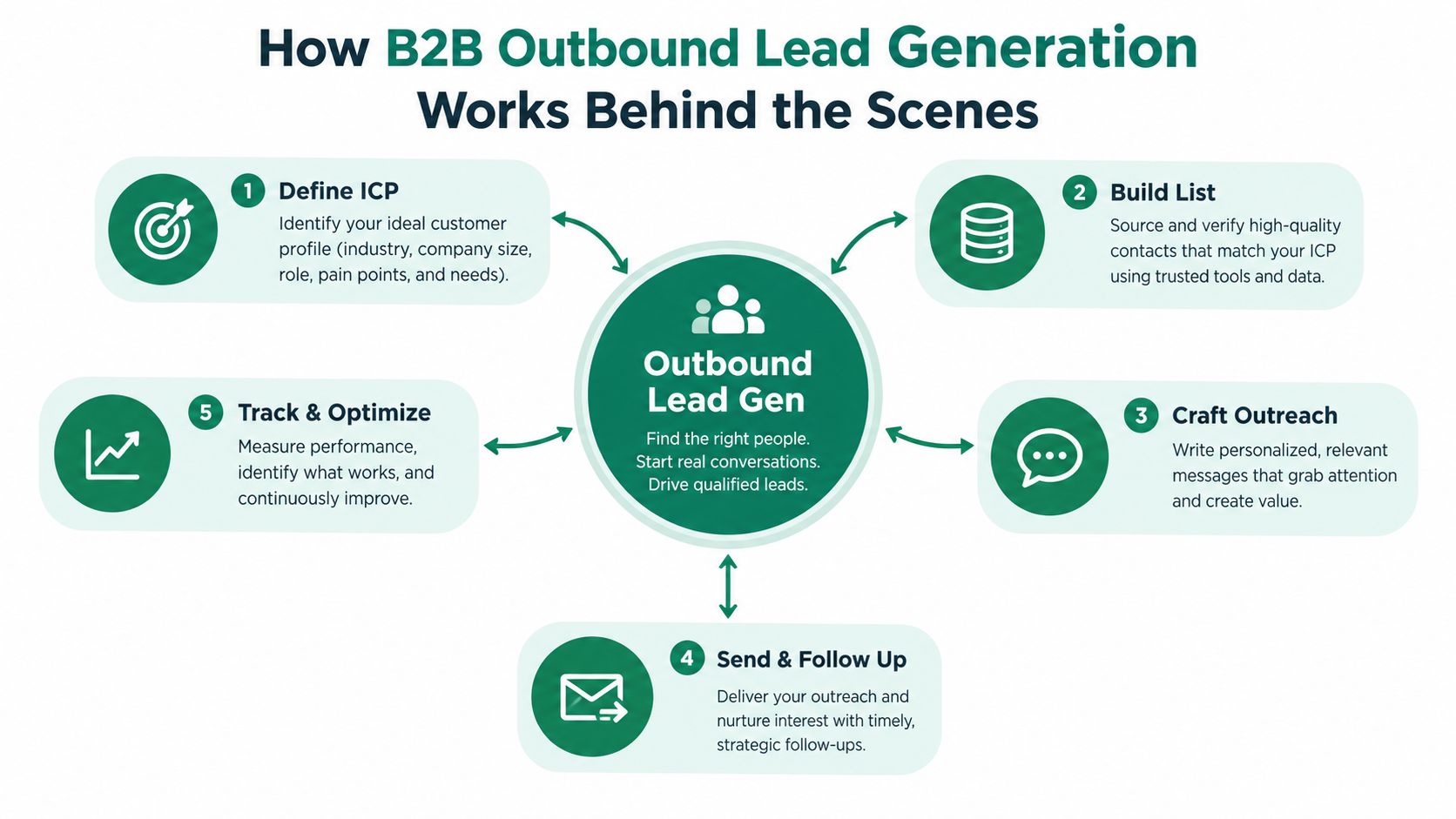
The process starts with the ideal customer profile, or ICP. An ICP describes the type of organization most likely to gain value from your solution and most likely to become a good customer. It can include industry, operating model, technology environment, geography, business priorities, and common problems. The profile shouldn't describe an imaginary “perfect” customer. It should help your team make consistent choices about who belongs in the campaign.
Next, your team builds a contact list inside those accounts. Many campaigns break down at this stage. A company can match the ICP while the selected contact lacks influence, has moved roles, or has no connection to the problem. Fit exists at both the account level and the person level.
Fit and timing must meet
Relevance has two dimensions. Fit answers, “Could this organization benefit?” Timing answers, “Why would this organization care now?” A strong account with no visible trigger may be worth nurturing. An account showing a meaningful trigger deserves faster, more specific outreach.
Useful signals include a business announcement, a relevant hiring pattern, a new leadership appointment, a change in technology, a public operational challenge, or first-party engagement with your company. Current B2B coverage increasingly describes these behavioral and company-level signals as more useful than static lists and broad lead scores as discussed by Tomba.
The message then connects the signal to a plausible business problem. It shouldn't claim to know everything about the prospect. It should show enough understanding to earn a response. A sales-ready lead isn't just a person who opened an email. It's a person or account that fits, has a credible reason to care, and engages in a conversation that can be qualified.
Why outbound isn't automatically spam
Unsolicited outreach becomes spammy when the sender ignores context, sends irrelevant messages, hides identity, or continues after a clear request to stop. Targeted outbound earns a different response when the sender explains why the contact was selected and offers a useful next step.
A simple test helps: if you removed the company name and job title, would the message still sound applicable to thousands of unrelated people? If yes, the team probably needs narrower targeting before it needs more copy variations.
Key Outbound Channels and When to Use Each One
No channel wins for every buyer. Cold email gives teams room to explain a specific observation and create an asynchronous first touch. Cold calling creates immediate dialogue but demands stronger preparation and accurate phone data. LinkedIn outreach can provide professional context and visible interaction, although it shouldn't become a sequence of empty connection requests.
Signal-driven outreach cuts across these channels. A website visit, a public company change, a new role, or a relevant post can determine when an email, call, or social touch makes sense. The signal doesn't replace the channel. It improves the reason for using it.
| Channel | Best For | Effort and Cost | Key Limitation |
|---|---|---|---|
| Cold email | Targeted account outreach and messages that need concise written context | Efficient to operate, but list research, verification, and copy review require discipline | Inbox filters and weak data can suppress delivery and replies |
| Cold calling | High-value accounts and situations where a live conversation clarifies urgency | High rep effort and preparation requirements | Prospects can screen calls, and poor data wastes valuable time |
| LinkedIn outreach | Relationship building, professional context, and visible account research | Manual interaction takes time, with platform limits shaping execution | A connection doesn't prove buying intent |
| Signal-driven touches | Accounts showing a timely business or behavioral reason to engage | Requires signal sources, prioritization, and coordination across channels | Signals can be noisy without a clear qualification rule |
A practical mix depends on deal complexity and buyer behavior. Use email when the problem can be framed clearly in writing. Add calls when a live conversation can uncover urgency faster. Use LinkedIn when professional context or shared industry participation helps establish familiarity. For video-led businesses, a focused resource such as this B2B playbook for YouTube leads can help connect audience activity with outbound account research.
Teams also need to distinguish channel presence from channel coordination. Sending the same pitch by email, phone, and LinkedIn creates repetition. A coordinated sequence changes the purpose of each touch. Email introduces an observation, a call tests whether the issue matters, and a social interaction adds context rather than duplicating the pitch. For a practical look at prospecting through LinkedIn, review this guide to LinkedIn lead generation.
Building a High Performing Outbound Workflow Step by Step
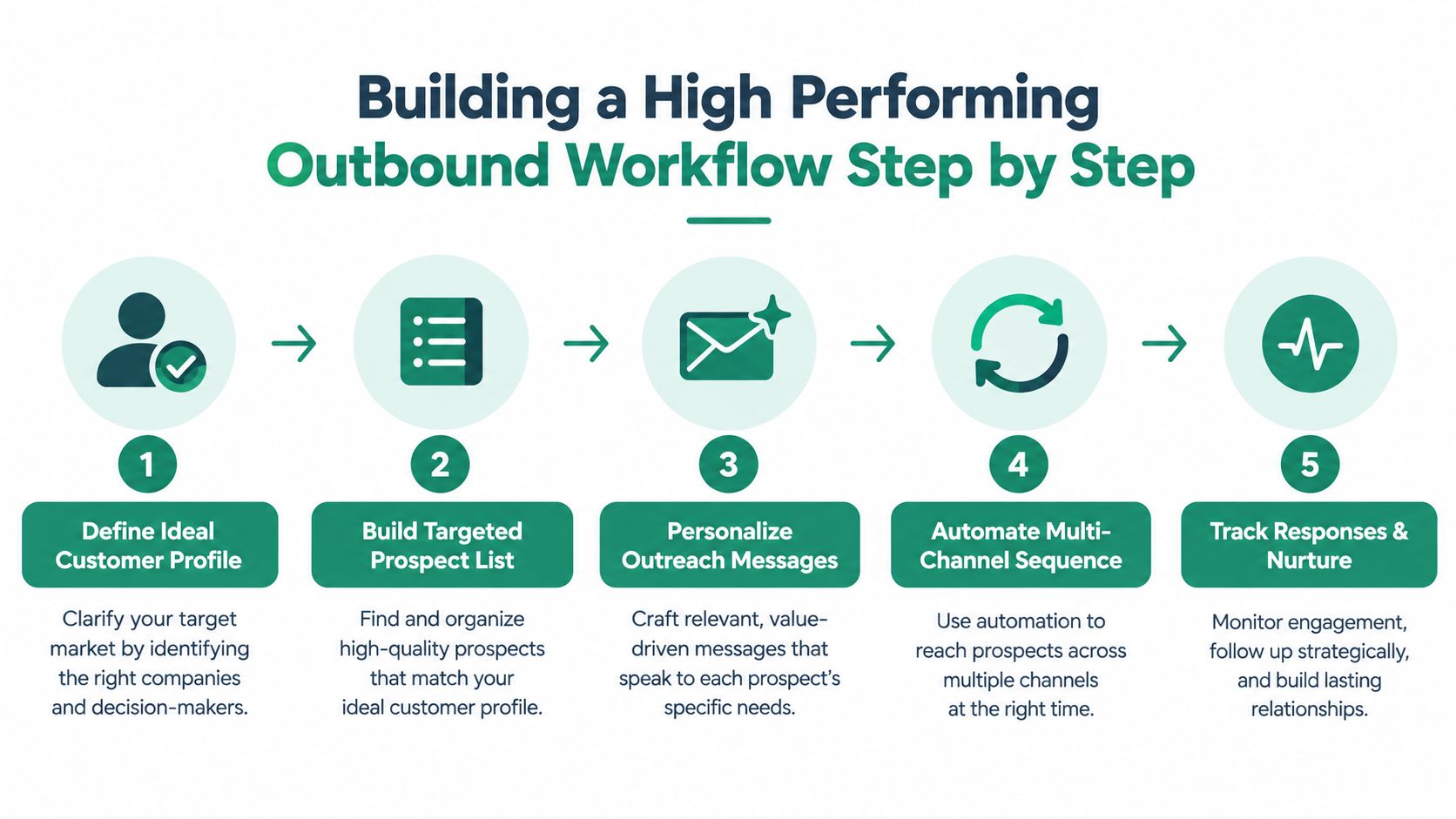
A reliable outbound workflow works like a production line with inspection points. Poor account data entering at the start makes every later action faster, but less accurate. Set the customer definition first, narrow the account list, verify contacts, identify a timely signal, write the message, and coordinate follow-up.
1. Define the account and buying problem
Write the ICP in operational terms. Identify industries, company conditions, roles, and problems that make the offer relevant. Document exclusion rules too. A clear “not a fit” list protects SDR time and keeps campaigns from drifting toward anyone who could technically buy.
Give each campaign one primary problem. Several unrelated benefits force the prospect to position the offer for you. The team should finish this sentence: “We're contacting this role because this company condition often creates this problem.”
2. Build a narrow, verified list
Start with accounts, not names. Group companies by shared context, then identify people who influence the relevant problem. Check role accuracy, company association, and contact validity before enrollment. Clean lists and verified contacts matter because automation can multiply bad data instead of correcting it as explained by Dupple.
A smaller, relevant list also produces clearer feedback. If the campaign struggles, the team can examine the segment, signal, role, or message. A large mixed list makes diagnosis harder and can weaken sender health.
3. Match the first touch to the signal
Personalization cannot replace timing. A customized message works best when it explains why the account is relevant now. Use the business event or observable condition, connect it to a likely operational consequence, and ask a low-friction question according to QuotaVine's 2026 benchmark discussion.
Treat a job change or website visit as a reason to investigate, not proof of an active buying project. The signal sets the timing; the account context determines whether contact is justified.
4. Sequence carefully and protect delivery
Use follow-ups to add information, clarify the question, or provide an easy way to decline. Each touch should earn its place. Suppress contacts who reply, opt out, bounce, or become clearly irrelevant, and keep the message relevant to the original signal.
Deliverability belongs in campaign planning, not as a repair task after sending. Signal quality and audience fit affect whether a sequence produces useful conversations, while poorly targeted automation can increase volume without improving results. The practical rule is simple: protect inbox access before adding more steps.
5. Review outcomes by segment
Track outcomes by account type, role, signal, channel, and sequence version. Weak replies across every segment call for a delivery and data review first. If one segment responds while another does not, refine the ICP or message rather than replacing the entire program.
Teams reducing manual work can review how to automate lead generation. Automation should execute a sound process. It cannot decide whether a weak signal justifies contact or whether a message makes a defensible claim.
Measuring What Matters in Outbound Performance
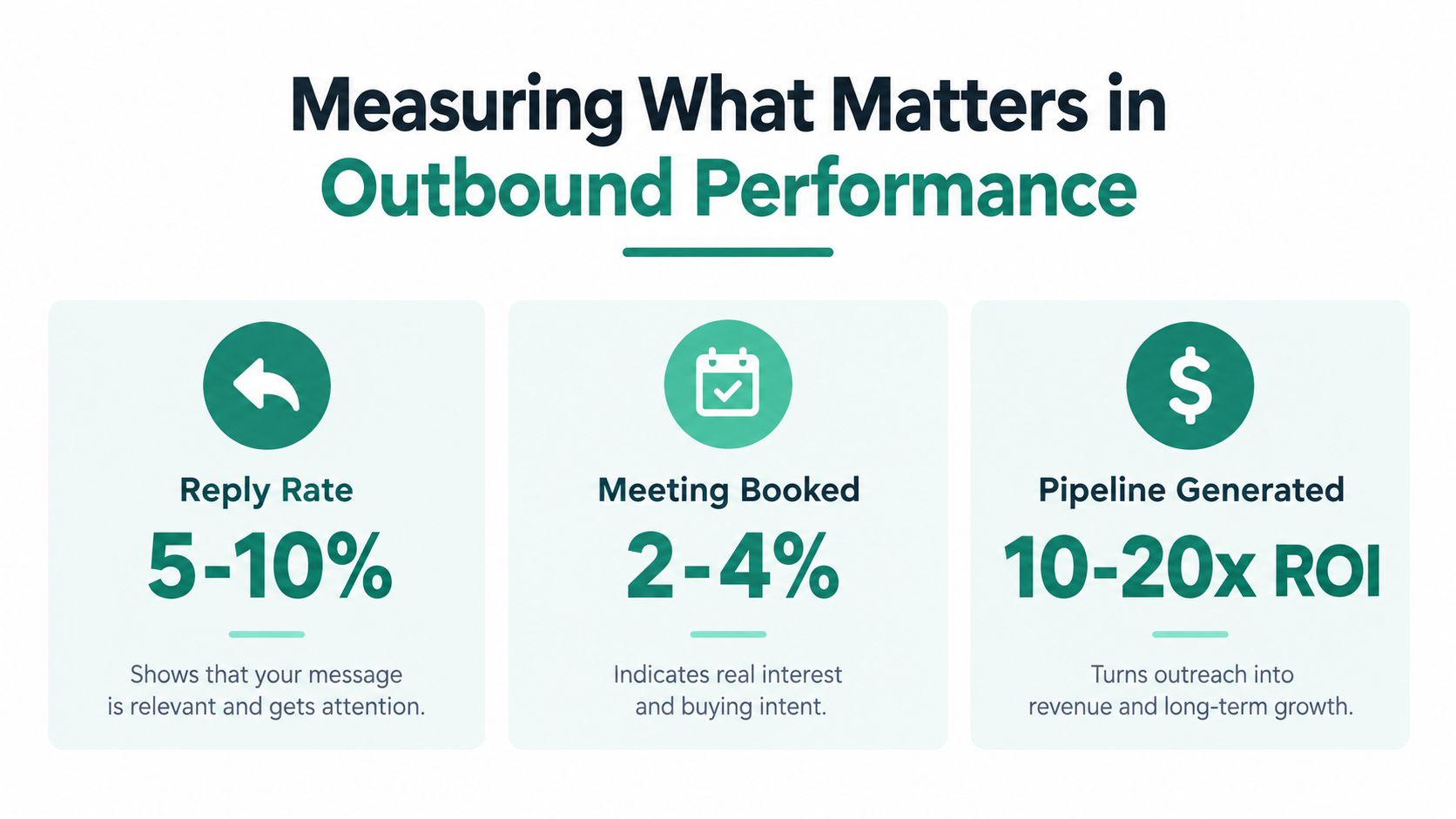
A 3.43% average cold-email reply rate is a useful benchmark, but it is not a target to chase blindly. Top performers exceed 10%, according to Martal. The gap points to a measurement problem: more sends cannot explain whether the list was accurate, the message reached the inbox, the timing reflected a real trigger, or the request fit the prospect's situation.
Open rates offer weak evidence. Privacy features, security scanners, and inconsistent tracking make them difficult to interpret. Reply rate is closer to buyer response, though it still needs classification. An automatic reply, referral, objection, and buying conversation are different outcomes.
A measurement chain that follows the buyer
Read metrics in order. Each stage answers a different question:
- Delivery health: Check bounces, blocks, spam complaints, and inbox placement by sending segment. Inbox placement can differ between industries, with a benchmark summary reporting 86% in education and 92% in B2B SaaS as summarized by Dupple. A single delivery figure can hide problems in a specific audience.
- Engagement quality: Separate positive replies, objections, referrals, out-of-office messages, and negative responses. A high total reply rate may still produce little pipeline if the contacts lack fit.
- Meeting conversion: Track qualified meetings, held meetings, and the reasons prospects accepted. Review whether the trigger created urgency or only curiosity.
- Pipeline contribution: Connect meetings with opportunities and revenue in the CRM. This links outbound activity to business results instead of measuring productivity alone.
Diagnose before you rewrite
Low delivery usually points to data hygiene, sending practices, or infrastructure. Good delivery with little engagement points to targeting, timing, or message relevance. Replies without qualified meetings may reflect a vague offer, weak qualification, or the wrong contact in the buying group.
Treat the funnel like a relay race. A clean handoff from an accurate list to a timely signal matters before copy improvements can affect the result. Change one major variable at a time. Replacing the list, message, channel mix, and follow-up process together prevents the team from identifying what changed performance.
Essential Tools and How Email Finders Fit Into Your Stack
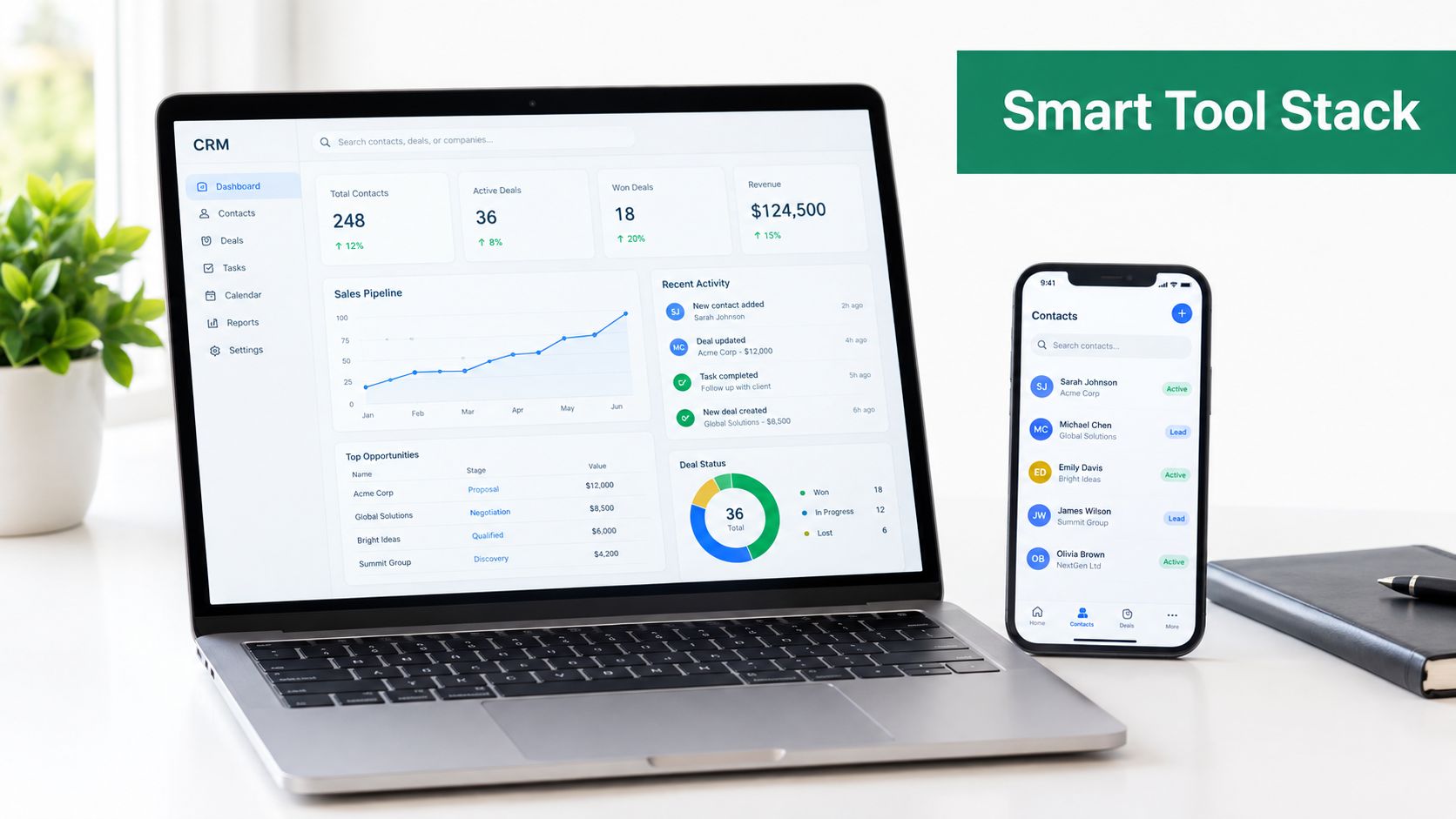
Outbound tools should support decisions, not create the illusion of a strategy. The CRM stores account history, ownership, consent or suppression status, and pipeline outcomes. A sales engagement platform coordinates tasks and follow-ups. Data enrichment adds firmographic and role context. Verification protects the contact list before the team sends.
An email finder fits between prospect research and sequence enrollment. It helps a rep locate a work address associated with a relevant person or company, but discovery isn't the same as verification. The team still needs to check whether the address is valid, whether the person holds the role, and whether outreach is appropriate under its policies.
Build a lean tool chain
A practical stack often includes:
- Account research: Use company databases, professional networks, first-party analytics, and public business signals to identify accounts and triggers.
- Contact discovery: Use an email finder to locate likely addresses from company websites or search results, then pass them through verification.
- Workflow execution: Use a sales engagement platform to schedule tasks, personalize approved fields, pause sequences after replies, and coordinate email with calls or social touches.
- Reporting: Connect activity to CRM stages so managers can see which segments create qualified conversations, not just which reps completed tasks.
EmailScout is one option for the contact-discovery stage. Its Chrome extension can find email addresses on websites and Google search results, while AutoSave, URL Explorer, and CSV or TXT export support list building and research workflows. Teams should still verify discovered addresses and apply their own compliance and suppression rules. For a plain explanation of the category, see what an email finder is.
Free versus paid tools
Free tools can suit early research or occasional prospecting, but they may require more manual review and provide less workflow control. Paid platforms can add bulk discovery, enrichment, verification, integrations, and usage management. The right choice depends on list volume, research complexity, team size, and the cost of sending inaccurate data.
Don't buy a tool to compensate for an undefined ICP. A fast way to collect the wrong contacts only increases the number of bad decisions your team can make.
Putting Your Outbound Strategy Into Action
A workable outbound program starts with an audit, not a new template. Review the last campaign and ask:
- Did the accounts match a clearly written ICP?
- Did each contact have a role connected to the problem?
- Were addresses verified before enrollment?
- Did the outreach include a real business signal?
- Did the sequence add value across follow-ups?
- Did the team measure positive replies and qualified meetings separately?
- Could the CRM connect conversations to pipeline outcomes?
If the answer to the first three questions is no, fix the data foundation before changing the copy. If delivery is healthy but replies are weak, narrow the segment and improve the reason for contact. If replies arrive but meetings don't progress, revisit qualification and the handoff to the account executive.
The strongest outbound teams don't treat personalization as a decoration layer applied after list building. They use signal timing, account fit, contact accuracy, deliverability, and disciplined follow-up as one operating system. Personalization then makes the relevant message feel specific, rather than trying to make an irrelevant message look human.
Start with one narrow segment, document the signal that justifies outreach, verify every contact, and review results by segment. Keep the experiment controlled, learn from qualified replies, and let evidence determine where your team should invest more effort.
EmailScout helps sales professionals and marketers discover work email addresses from websites and search results, with features for saving and exporting contacts during prospect research. Visit EmailScout to see how it can support cleaner list building before your next targeted outbound campaign.